Funeral Cost Planner Excel Template (2026)
0
Free download
Plan baby purchases, savings and monthly cash flow with four linked Excel sheets for UK household budgeting before and during leave.


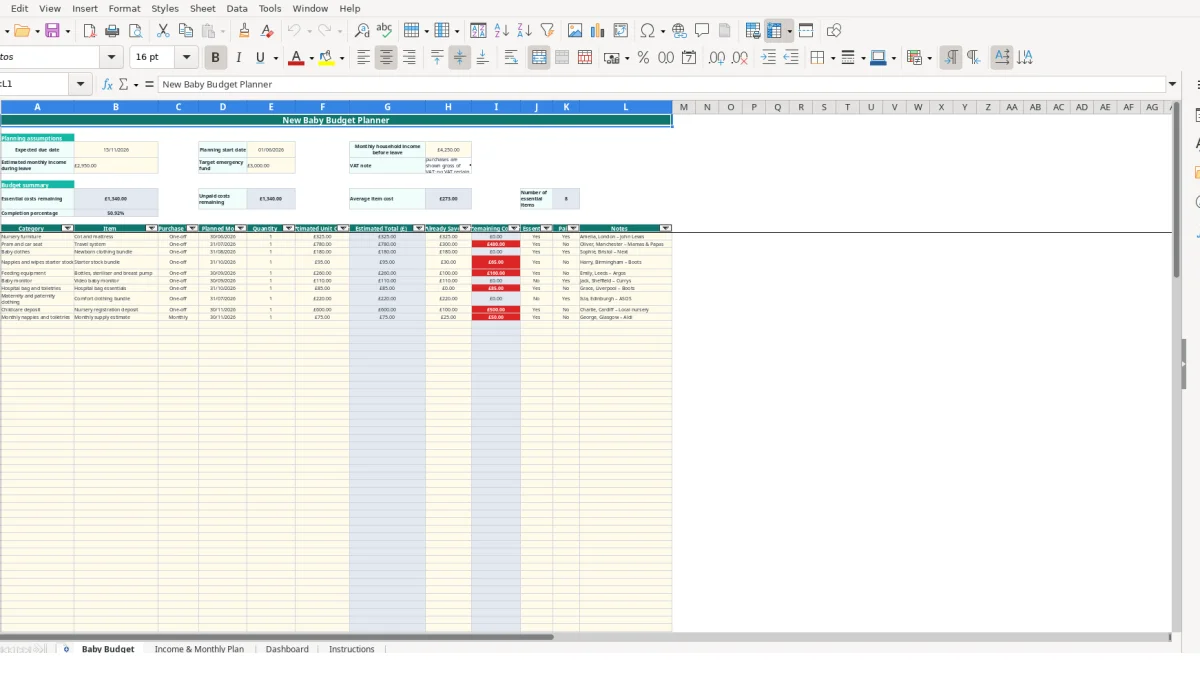
This new baby budget Excel template is a household planning workbook for organising expected baby purchases, savings and monthly income changes. It contains a detailed Baby Budget sheet, an Income & Monthly Plan, a Dashboard and Instructions, with formulas that calculate totals, remaining costs and cash-flow measures.
Enter your expected due date, planning start date, household income before leave, estimated income during leave and emergency fund target. You can then list purchases such as a cot and mattress, travel system, clothing, feeding equipment and recurring nappies or toiletries.
The workbook separates one-off purchases from monthly costs and links them to a month-by-month plan. Sample values include £4,250 monthly household income before leave, £2,950 estimated monthly income during leave and a £3,000 emergency fund target; replace these with your own figures.
A new baby budget spreadsheet is useful when you are making several purchases before a due date while also preparing for a change in household income. It suits couples planning together, a single parent organising a household budget, or a family member helping to fund particular items. The workbook is designed for planning rather than tax calculations, and its VAT note says household purchases are shown gross of VAT with no VAT reclaim assumed.
Use Baby Budget during a weekly shopping or planning session. A cot and mattress can be entered as one unit at £325, while a travel system can be entered as one unit at £780. The sheet calculates each estimated total from quantity and unit cost, so a quantity of 2 at £18.50 produces £37.00 rather than requiring you to calculate it separately.
Categories help you review the list in practical groups such as Nursery furniture, Pram and car seat, Baby clothes, Feeding equipment and Hospital bag and toiletries. For example, if your list contains 10 categories and 25 individual items, the Dashboard can group the estimated costs by category while the Baby Budget sheet retains the item-level notes.
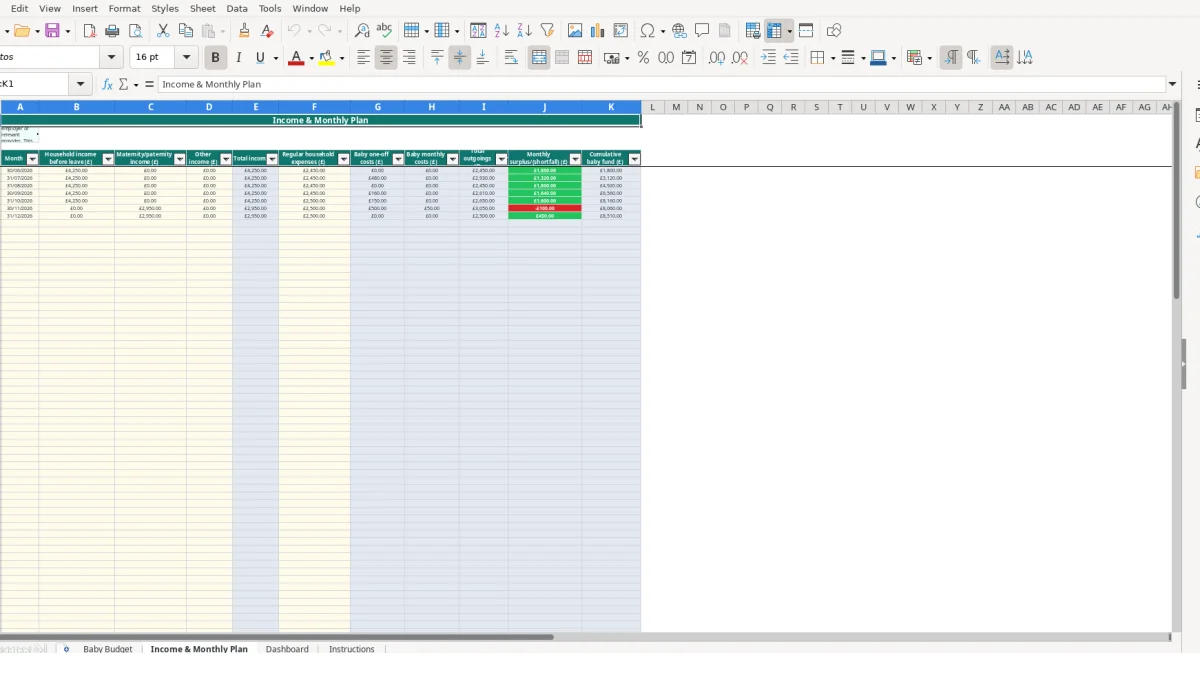
The Income & Monthly Plan is intended for a monthly review of household affordability. Its sample rows show £4,250 before leave, £2,950 of maternity or paternity income during leave and regular expenses changing from £2,450 to £2,500 in a later month. These are sample values, not a prediction of your own income.
Enter the final day of each relevant month, such as 30/06/2026, 31/07/2026 and 30/11/2026. Baby one-off and monthly costs then flow from the planned month and purchase type into the corresponding month, allowing you to see whether the month produces a surplus or shortfall.
One person can maintain the purchase list while another reviews the Dashboard. Notes can record a supplier, location, family member or comparison detail; for example, Amelia, London – John Lewis is a sample note attached to the cot row. That is more useful than leaving a purchase as an unexplained £325 figure.
The workbook distinguishes editable inputs from calculated outputs. On Baby Budget, you enter quantity in column E and estimated unit cost in column F. The formula in column G multiplies those values, but returns a blank when either input is missing. This is a sound design choice: incomplete rows do not appear as misleading zero-cost purchases.
For a hypothetical row with quantity 3 and unit cost £12.00, Estimated Total is £36.00. If Already Saved is £10.00, Remaining Cost becomes £26.00. The remaining-cost formula also prevents a negative result, so entering £40.00 saved against a £36.00 item leaves £0.00 rather than showing an overfunded negative balance.
Use the dropdowns rather than free text. Purchase Type accepts only One-off or Monthly, while Essential? and Paid? accept Yes or No. Quantity must be a whole number of at least 0, and estimated unit cost and already saved must be decimal values of at least 0. This protects the SUMIFS and SUMIF references that feed the monthly plan and Dashboard.
Income & Monthly Plan adds columns B:D into Total income. It combines regular household expenses with baby one-off costs and baby monthly costs to produce Total outgoings, then subtracts outgoings from income for Monthly surplus/(shortfall). The cumulative baby fund carries that monthly result forward, so a £500 surplus followed by a £200 shortfall gives a cumulative result of £300 in the simplified example.
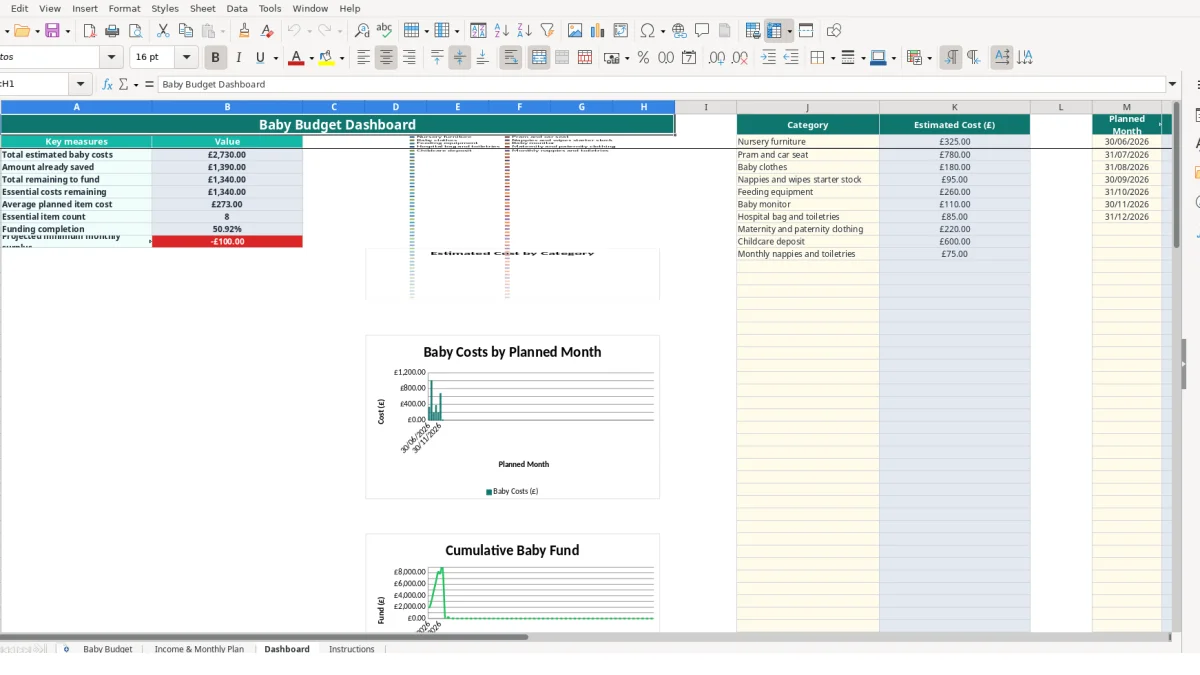
The Dashboard uses formulas such as AVERAGE, SUMIF and SUMIFS to summarise the underlying rows. If total estimated costs are £2,000 and saved funds are £500, the funding completion calculation is 25%; if there are no estimated costs, the formula returns 0 rather than dividing by zero.
Keep planned-month entries as genuine dates formatted DD/MM/YYYY. The monthly plan matches those dates to Baby Budget, so typing June 2026 as free text instead of 30/06/2026 can stop a purchase appearing in the intended month. Freeze panes and auto-filters are provided on the detailed sheets to help you work through the 100 available rows without losing the headings.
The most expensive errors in this type of planner are usually classification errors rather than arithmetic errors. A recurring cost entered as One-off appears in only one month, while a large purchase entered as Monthly can inflate every linked monthly view. The result is a distorted cash-flow picture even though the formulas themselves are working as designed.
Suppose monthly nappies and toiletries are entered as a £45 Monthly cost for four planned months. The linked plan should show £45 in each relevant month, or £180 across four months. If the item is marked One-off, only one month receives the £45, creating a hypothetical £135 understatement across the remaining three months.
Conversely, a £780 travel system should normally be reviewed as a single purchase if it is bought once. Marking it Monthly for six months could show £4,680 in linked outgoings instead of £780. Check the Purchase Type column whenever the monthly totals look unexpectedly high or low.
A row with a description but no quantity or unit cost is not a priced item. The estimated total formula stays blank until both inputs exist, but an incomplete row still makes the list harder to audit. If 30 rows are listed and 5 have no cost, the Dashboard’s average and total measures will not represent a fully priced shopping list.
Use Notes to explain an uncertain figure rather than entering a guess without context. A £325 cot estimate with a supplier note can be reviewed later; a bare £325 may be mistaken for a confirmed price. Keep amounts as numbers, not text containing a currency symbol, so formulas can calculate them.
The monthly plan relies on the planned month matching its date rows. If a purchase is intended for October but is entered as 01/10/2026 while the plan uses 31/10/2026, its linked one-off cost may not appear in October. The practical fix is to follow the Instructions sheet and use the final day of the relevant month consistently.
There is also a timing risk in changing sample assumptions selectively. If income during leave is updated to £2,700 but regular expenses remain at the sample £2,500, the displayed surplus is only a planning result. Treat it as a scenario to review, not as confirmed household affordability.
The workbook is most useful when you attach it to a fixed household routine rather than opening it only when a large purchase appears. A practical approach is a 15-minute review on the same day each month, after checking the bank balance and before deciding which baby items to buy. Record changes in the item rows first, then review the linked monthly figures.
For example, if three purchases of £120, £250 and £45 are planned for the next month, the one-off total is £415 before any monthly costs are added. Recording £200 already saved against those rows leaves £215 to fund; the Dashboard and monthly plan should then be checked for the effect on the relevant month.
Do not overwrite a purchase with a completely different item if you need an audit trail of your planning decisions. Amend the existing row when the quantity or estimate changes, and use Notes to explain a change from £780 to a revised hypothetical estimate of £650. This keeps category and month summaries aligned with the current list.
Use the built-in filters on Baby Budget and Income & Monthly Plan to focus on rows while preserving the formulas. The two sheets include conditional formatting, but you should still investigate the underlying entry when a value looks unusual rather than relying only on visual highlighting.
A 100-row purchase area is suitable for a structured household list, but you may outgrow it if several people need simultaneous editing, you require transaction-level bank reconciliation, or you need permissions and a permanent record of changes. At that point, consider a dedicated budgeting or finance system while retaining this workbook as a planning snapshot.
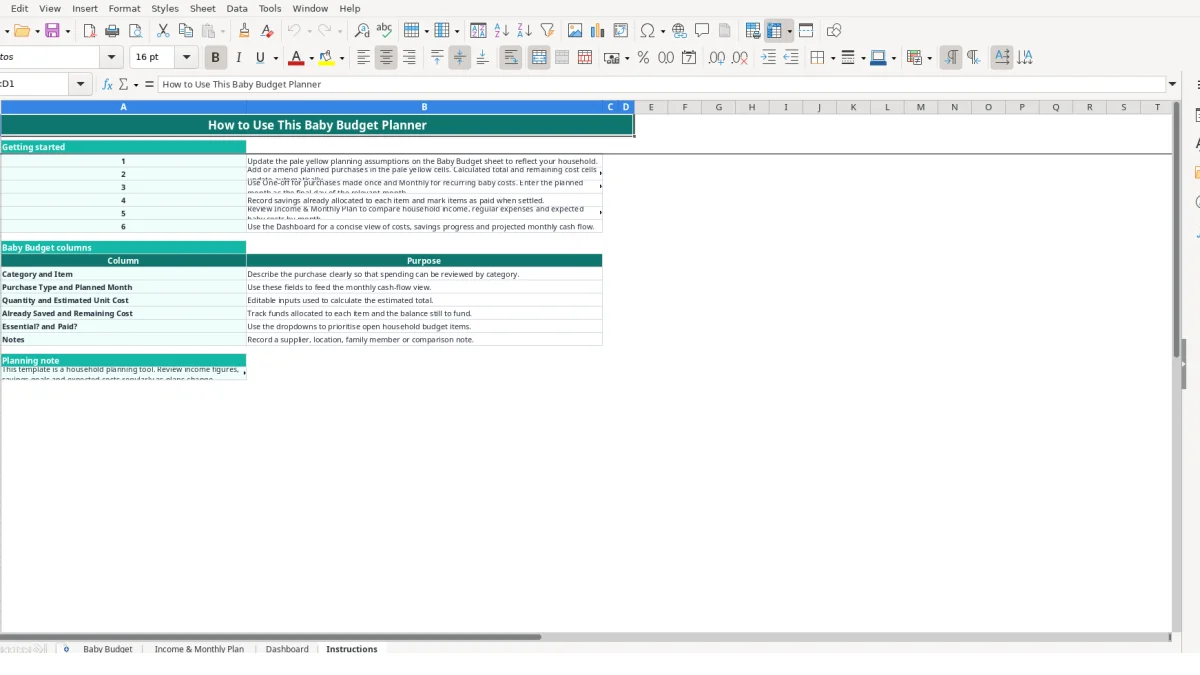
The workbook contains Baby Budget, Income & Monthly Plan, Dashboard and Instructions. Baby Budget holds the item-level purchase list, Income & Monthly Plan shows monthly affordability, Dashboard provides summaries and charts, and Instructions explains the workflow.
Yes. Select One-off or Monthly in the Purchase Type column on Baby Budget. The Income & Monthly Plan uses that selection to place remaining costs into Baby one-off costs or Baby monthly costs for the planned month.
Estimated Total is calculated from Quantity multiplied by Estimated Unit Cost. Remaining Cost then subtracts Already Saved, with the formula preventing the result from falling below £0.00.
Yes. The sample planning assumptions include a 15/11/2026 expected due date, £4,250 monthly household income before leave, £2,950 estimated monthly income during leave and a £3,000 emergency fund target. Replace them with your own figures and review the linked outputs.
No. It is a household planning tool, not a tax calculation tool. Enter the income figures you want to model and confirm leave-related income with your employer or relevant provider.
Enter the final day of the relevant month as a date, such as 30/06/2026 or 30/11/2026. Consistent dates are important because the monthly plan uses them to match Baby Budget costs to the correct month.
Excel template by
Guide written by