Freelance Invoice Excel – Free Template (2026)
7
Free download
Rolling cash flow forecast for UK SMEs and sole traders, with inputs, summary dashboard and assumptions.


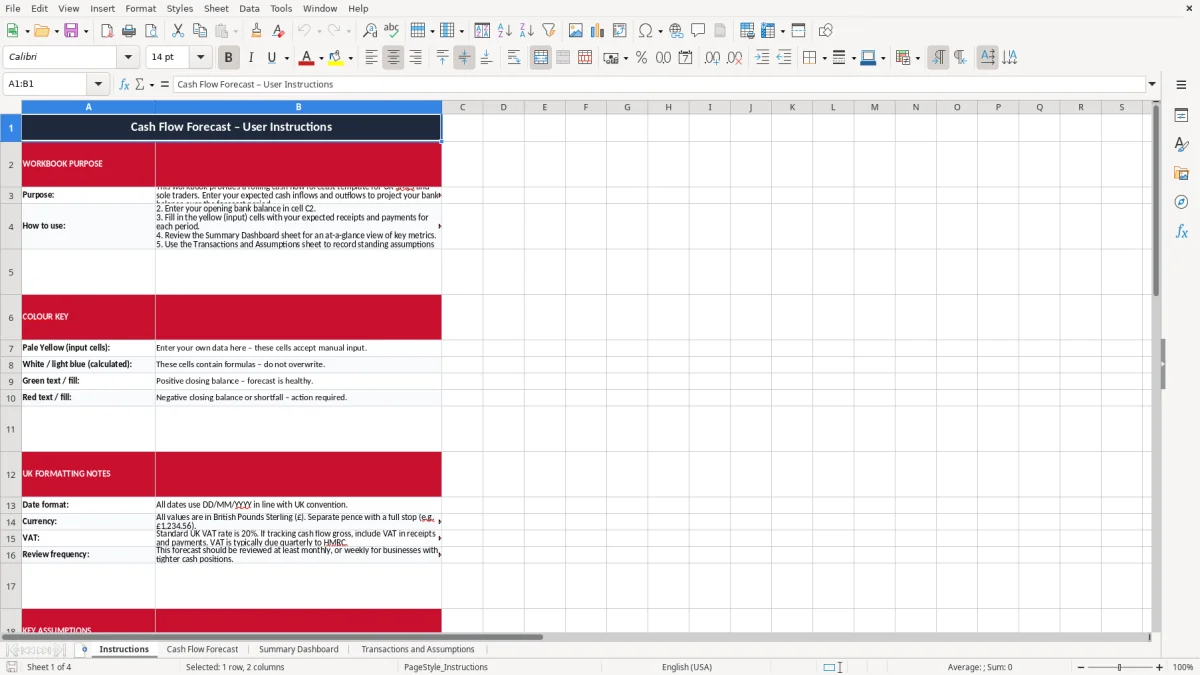
This cash flow forecast Excel template helps you project your bank balance over time. It includes an Instructions sheet, a Cash Flow Forecast sheet, a Summary Dashboard, and a Transactions and Assumptions sheet.
Use it to enter expected receipts and payments, track opening and closing balances, and see where cash gets tight. The workbook is built for UK SMEs, sole traders and bookkeepers who need a simple forecast they can update quickly.
The forecast is laid out so you can work from known figures first, then refine the assumptions as the month changes. That makes it useful for VAT planning, supplier payments and day-to-day cash flow control.
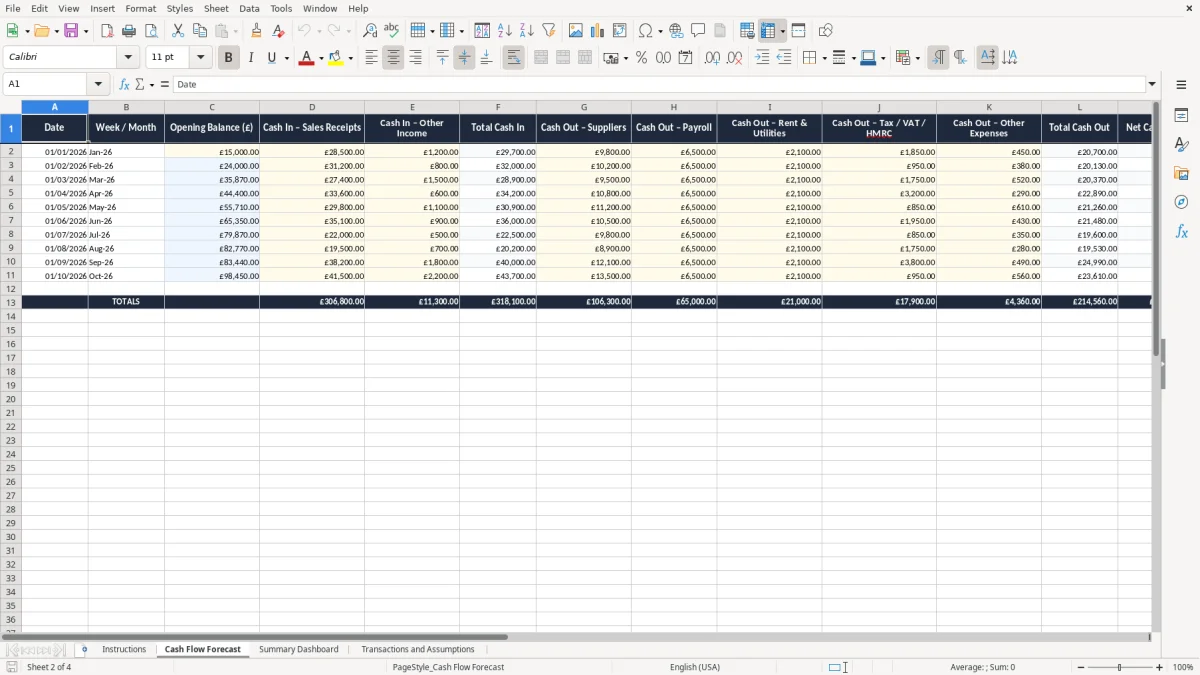
This is the sheet you reach for when the bank balance matters more than the profit and loss. A sole trader waiting on two late invoices, a bookkeeper at a Ltd company before month-end, or an office manager checking whether next week's wages will clear all need the same thing: a clear view of cash by period.
The template fits real working moments. A builder with 4 employees may need to see whether £18,000 of payroll, £6,000 of materials and a £9,000 customer payment all land in the same fortnight. A small online shop with 300 orders a month may look fine on sales, but still need to bridge card processor delays and stock payments.
You use it at the point where timing starts to matter. That is often before a VAT quarter-end, before wages are due, or when a big supplier asks for payment on 14 days instead of 30.
It is also useful for private households with mixed income, especially when one wage lands on the 25th and another on the last working day. If rent is £1,200, car finance is £310 and childcare is £680, one delayed payment can leave the account tight even though the month looks profitable on paper.
The forecast sheet is there to turn expected income and outgoings into a running balance. That is what lets you see a £7,500 closing balance in one month and a £1,200 shortfall in the next without waiting for the bank to tell you.
HMRC expects you to keep business records long enough to support your tax return and figures. For the self-employed, keep records for at least 5 years after the 31 January Self Assessment deadline for that tax year; companies normally keep accounting records for 6 years.
This template helps because a cash forecast is often the first place you see the tax timing problem. A £9,000 VAT bill on a quarterly return under Making Tax Digital can hit when customer receipts are still 3 weeks away, so the cash forecast is the place to spot the gap early.
The tax year runs from 6 April to 5 April. If you owe income tax, class 2 or class 4 National Insurance, or PAYE liabilities, those payments need to be built into the forecast as real cash outflows, not left sitting in profit.
For VAT-registered businesses, the registration threshold is £90,000 of taxable turnover in 2026. If your turnover is £92,000 and you charge the standard rate of 20%, you will collect output VAT that is not yours to spend, so the forecast should separate cash collected from cash available.
A business can show a healthy profit and still run out of money. For example, if you invoice £20,000 in March but only collect £8,000 before the VAT and payroll dates, the forecast is what tells you whether the bank balance survives the gap.
The same distinction applies to small cash expenses, which should be tracked separately so the forecast reflects what is actually left in the bank.
The most common failure is optimistic timing. If you assume a customer will pay in 14 days but the real average is 37 days, the forecast can look safe by £10,000 or more on paper when the bank is already under pressure.
Another error is leaving out one-off items such as VAT, annual insurance, software renewals or a director loan repayment. A single missed £4,500 supplier payment, added to a £6,200 payroll run, can be enough to trigger bank charges or force a late payment to another creditor.
Bad cash forecasting usually costs time first and money second. You spend hours chasing debtors, rearranging payments and explaining delays to suppliers, and you may still pay overdraft interest or late payment charges.
If you miss a VAT reserve of £3,600 on a small business account, you can end up transferring funds from personal savings at the last minute. If wages are due and only £2,000 remains in the bank, you may need to delay a supplier or use expensive short-term borrowing.
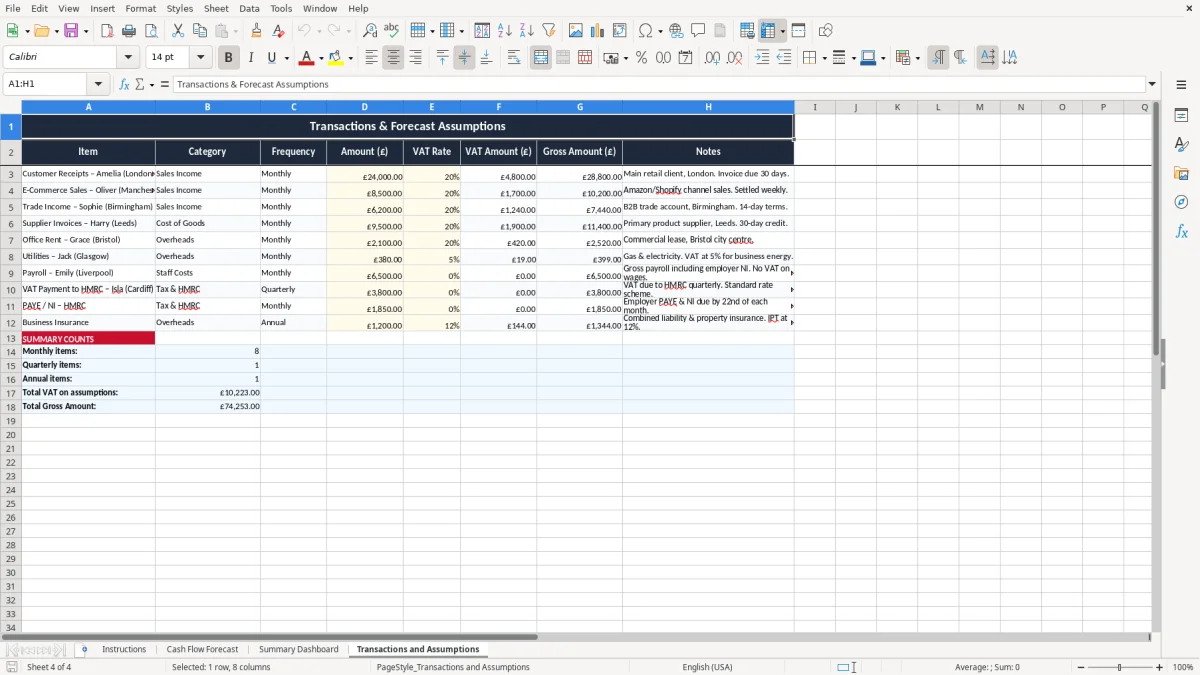
The sheet structure helps you keep receipts, outgoings and assumptions visible together. That makes it much easier to spot a duplicated bill, an omitted payment or a receipt that has been counted twice.
The forecast works best when you update it on a fixed rhythm. For most small businesses, that means a weekly check for the bank balance and a fuller review at month-end, payroll run or before the VAT deadline.
The aim is to make the workbook part of an existing job rather than a separate chore. If you already do the bank reconciliation every Friday, update the forecast straight after it and compare the closing balance with the actual balance.
If you are handling hundreds of receipts a month, or several bank accounts and currencies, a spreadsheet may become too slow to maintain. At that point you are better moving to accounting software with bank feeds and proper cash planning tools, then using the workbook only for quick scenario testing.
For a small team with one bank account and predictable monthly costs, the spreadsheet is usually enough. It gives you the right balance of control and simplicity without locking you into a heavier system too early.
It is used to show expected money in and money out over future periods, so you can see the likely bank balance before the month ends. That makes it useful for payroll, VAT, supplier payments and general working capital planning.
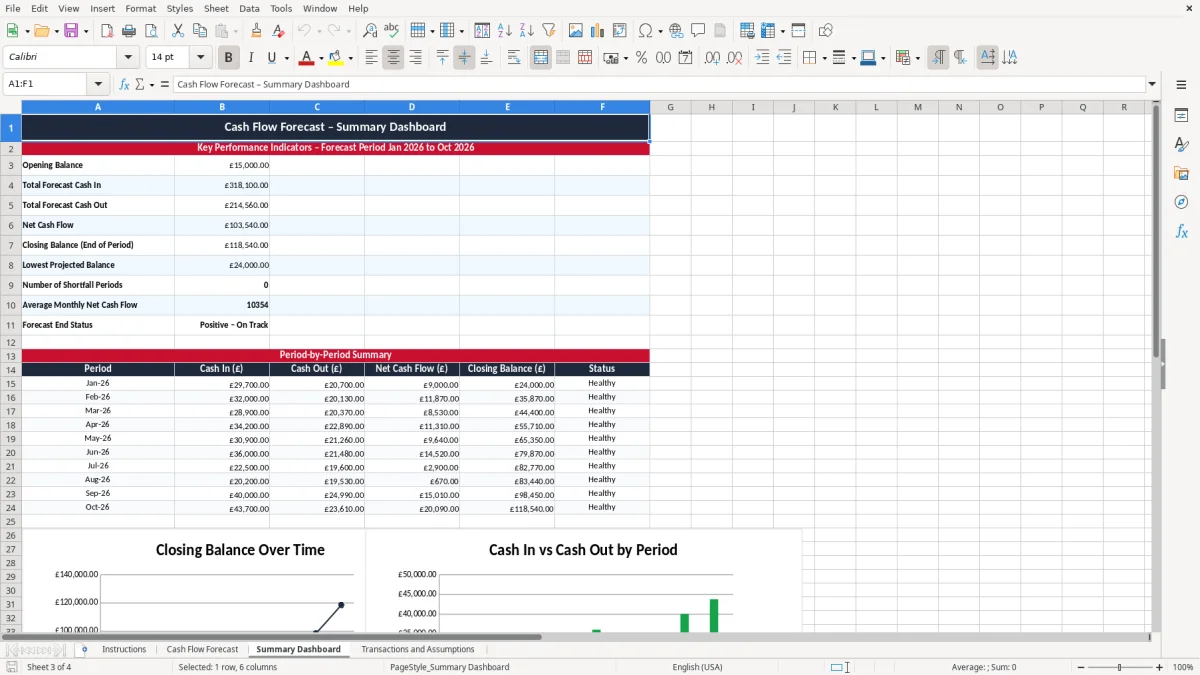
The workbook contains four sheets: Instructions, Cash Flow Forecast, Summary Dashboard, and Transactions and Assumptions. Together they give you setup guidance, the main forecast, a summary view and a place to store regular assumptions.
Update it at least weekly if cash is tight, and always after a payroll run, a major customer receipt or a big supplier payment. If your bank balance is moving quickly, a Friday review is usually better than waiting until month-end.
Yes, if you are VAT-registered you should include the cash impact of VAT separately. A quarterly MTD return can create a large payment date, so it is safer to reserve the VAT as it is collected rather than treating it as free cash.
Yes, it suits both. A sole trader can use it to track drawings, tax and supplier bills, while a limited company can use it to manage payroll, dividends, VAT and creditor payments.
When you have too many transactions to maintain manually, or when you need bank feeds, multi-currency control or linked accounting entries. If you are spending more time fixing the file than using it, move to accounting software and keep the forecast for quick planning only.
Excel template by
Guide written by