Funeral Cost Planner Excel Template (2026)
0
Free download
Track caravan trip mileage, fuel, site fees, tolls, food and totals with a log, dashboard, cost categories and instructions.


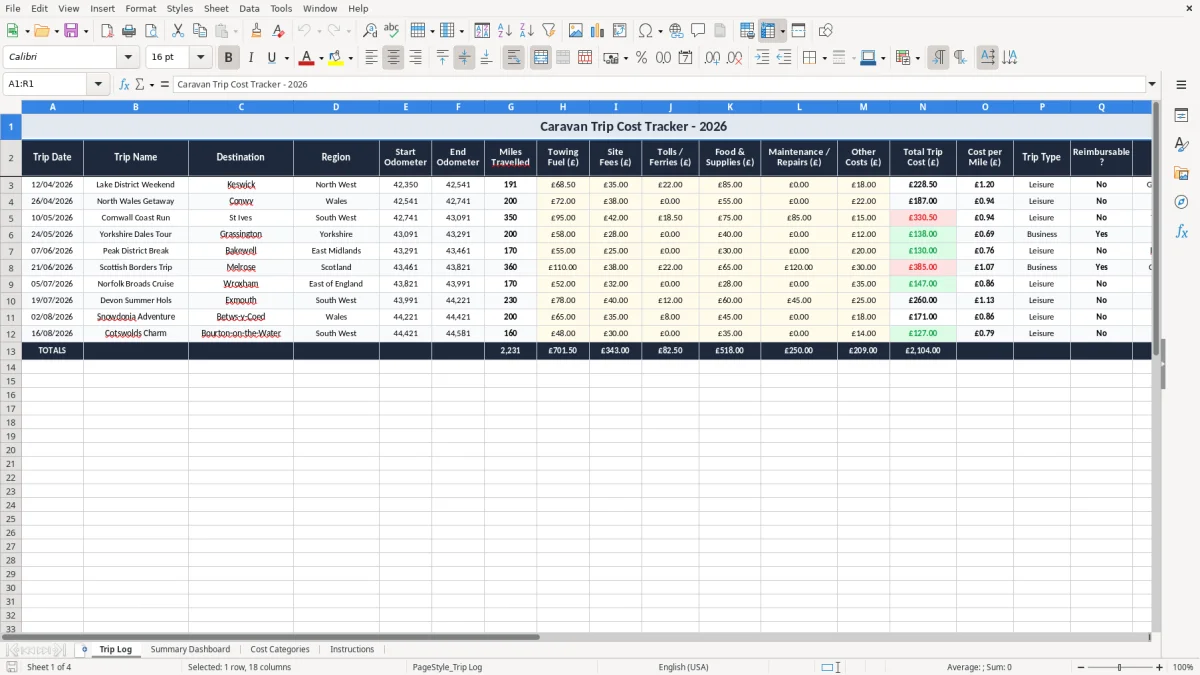
This Caravan Trip Cost Tracker Excel template records each journey’s mileage and spend in one place. It includes a Trip Log, Summary Dashboard, Cost Categories and Instructions so you can see the full cost of a trip, not just the fuel bill.
Use it for touring holidays, weekend site visits, seasonal moves or club runs where you need a clean record of each outing. The workbook is set up to calculate miles travelled and show totals by cost type.
The first sheet, Trip Log, captures the date, destination, odometer readings and trip costs. The dashboard then turns those entries into a simple summary you can check at a glance.
This template suits anyone who needs to see the real cost of getting a caravan from A to B. A couple doing four touring trips in a summer, a family heading to coastal sites every school holiday, or a club organiser moving equipment for a weekend event can all use the same sheet.
The Trip Log is the working sheet. You enter the date, trip name, destination, region, odometer readings and cost items, then the workbook turns that into miles travelled and total trip spend.
If you do 12 weekend trips a year and each one costs about £180 in fuel, site fees and tolls, you are looking at roughly £2,160 of annual trip cost. If one long route runs to 320 miles with £72 of towing fuel and £45 of site fees, the workbook gives you a clear trip total instead of a rough guess.
That matters when you are comparing routes, choosing between sites, or working out whether a summer of touring is costing more than you expected. It also helps if two people share the caravan and want a fair split of trip costs.
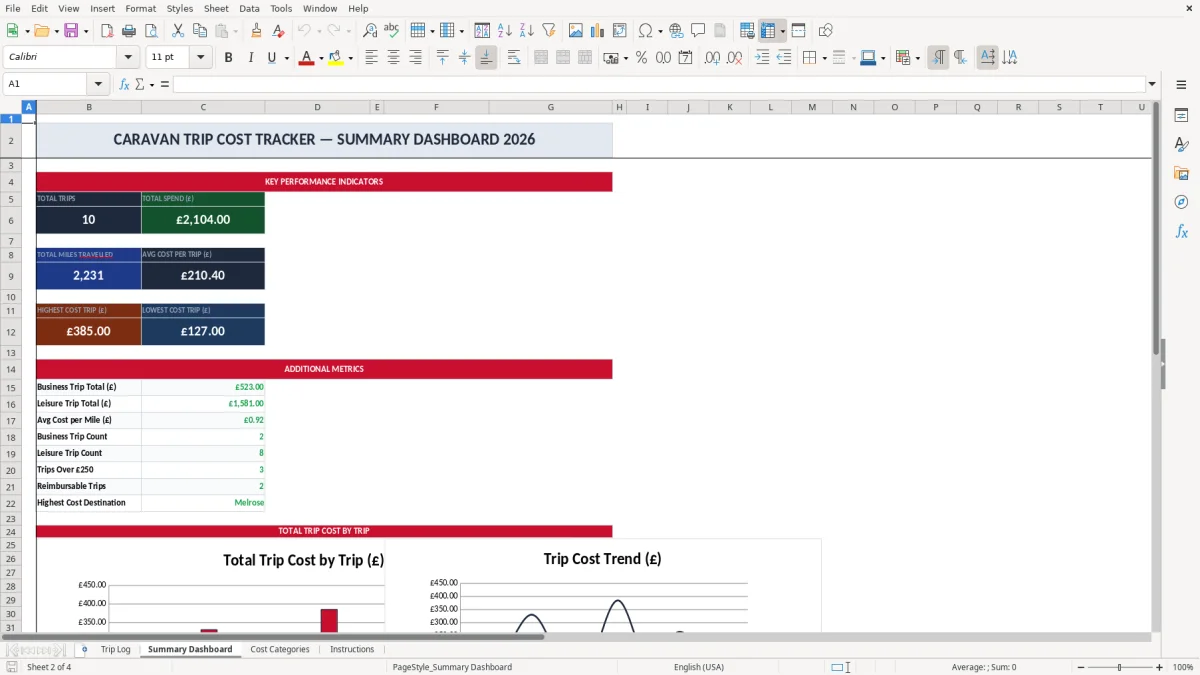
Image 1 shows the Trip Log with fields for dates, destinations and spend categories. Image 2 is the Summary Dashboard, which gives you a quick overview of totals without scrolling through every journey.
This is a practical trip ledger, not a tax return file, but the structure still needs disciplined record-keeping. If you ever use the workbook to support business mileage or reclaimable travel costs, keep the supporting receipts and trip notes with it for 5 years after the 31 January Self Assessment deadline if you are self-employed, or 6 years if it is part of company records.
The sheet design also helps you avoid vague totals. A trip with 148 miles, £39.80 of towing fuel, £24.00 of site fees and £11.60 of tolls is much more useful than a single lump sum of £75.40 with no breakdown.
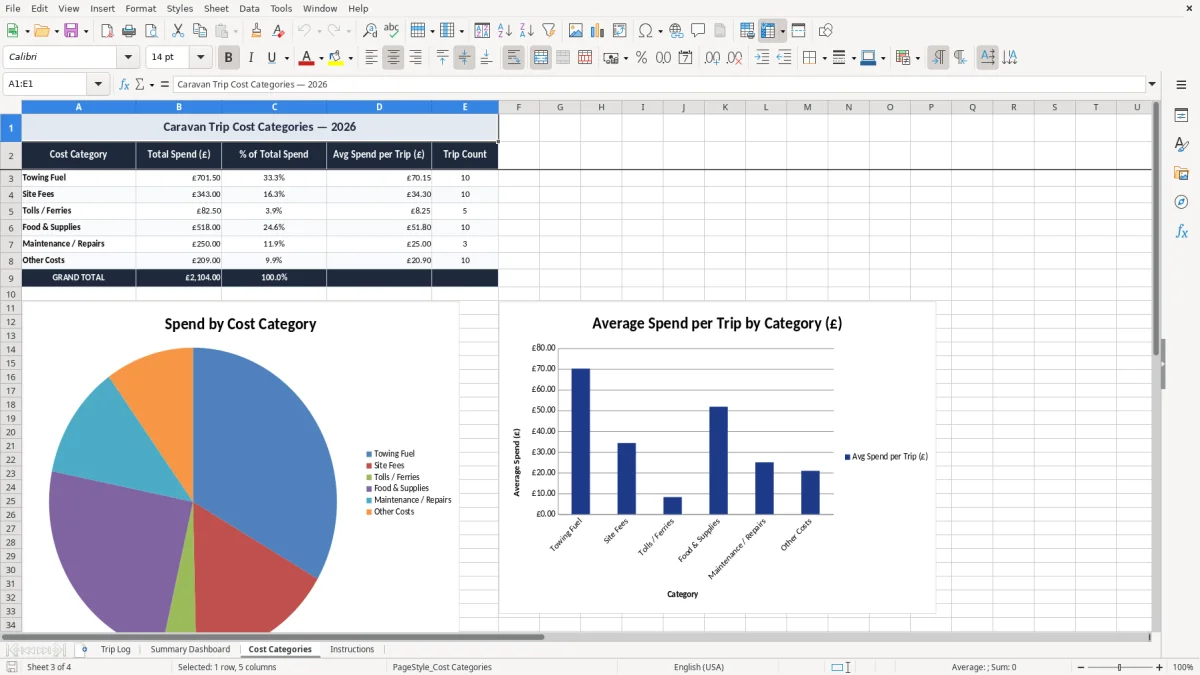
Breaking spending into fuel, site fees, tolls or ferries, food and maintenance gives you a cleaner cost picture. If one route has low fuel but high ferry charges, you can see that straight away and compare it with a land route that costs more in towing fuel but less in crossings.
That is the right way round for real-world decisions. You do not just want to know what you spent overall; you want to know what part of the trip is driving the spend.
If the workbook is used in a business context, keep the mileage and cost evidence together with the spreadsheet. For VAT purposes, retain the invoices and receipts that back up each reclaim and show amounts separately where VAT applies at 20%, 5% or 0%.
That same separation of amounts is also what household budgeting relies on, where each bill and payment needs its own line for clearer tracking.
The most common failure is inconsistent entry. One person records mileage from the tow vehicle odometer, another estimates the return journey, and the dashboard stops telling the truth after three or four trips.
A missing fuel receipt is not a small issue if you are trying to prove a trip total later. If you have 18 journeys in a season and 6 of them have incomplete cost entries, your average cost per trip is meaningless.
Rounding every item to the nearest £10 can hide real differences. A trip logged as £40 fuel, £20 site fees and £10 food looks neat, but the real figures might be £37.48, £18.00 and £12.60, which changes the total by nearly £6 on one journey.
Over a year, that kind of drift adds up. Ten trips with only £5 of under-recording each means you are already £50 out before you even notice the pattern.
Another problem is mixing up one full trip with several stops. If you tow 86 miles to site, then move the van 14 miles the next day to another pitch, you need to decide whether that is one journey or two entries and stay consistent.
The simple rule is to record the start reading, end reading and each cost at the point it happens. That stops you trying to reconstruct a weekend from memory a month later, which usually costs more time than the original trip.
If you leave blank cost cells in place, totals can look lower than they should. A dashboard showing 9 trips and £1,240 of spend is only useful if all 9 trips have complete entries behind them.
Use the workbook at the same moment each trip ends. For most people that means on arrival home, before the receipts go into a glove box or the caravan locker.
If you do 20 trips a year, a 5-minute update after each trip saves you from a 2-hour catch-up at the end of the season. That is the difference between a workbook people use and one they abandon.
If you start managing several caravans, hire vehicles, multiple users or more than a few hundred trip lines, a spreadsheet will begin to feel cramped. At that point you are better moving to a proper booking or fleet system with locked audit trails and user controls.
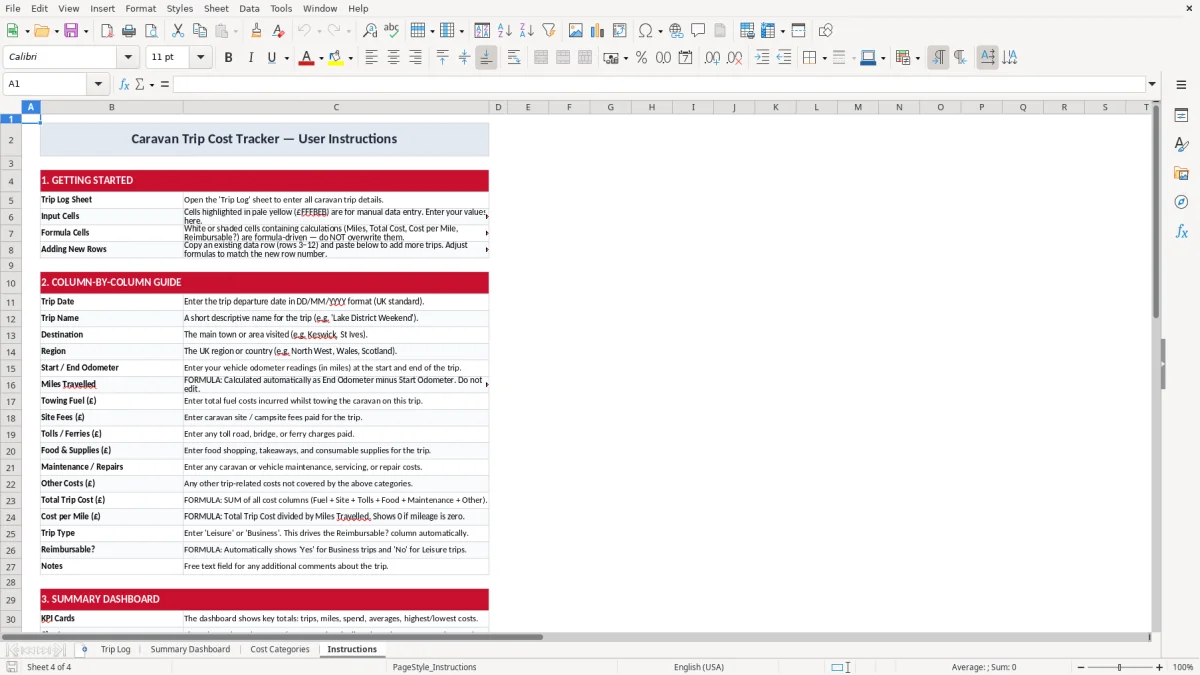
It records trip date, trip name, destination, region, odometer readings, miles travelled and individual cost items such as towing fuel, site fees, tolls or ferries, food and supplies, maintenance and other expenses.
Yes. You enter the start and end odometer readings on the Trip Log sheet and the workbook calculates miles travelled from those figures.
Yes, but you need to stay disciplined with the entries. Use the trip name and destination fields to identify which caravan or tow vehicle the journey belongs to, or keep a separate file for each one if you want cleaner totals.
The dashboard gives you a quick view of totals instead of making you read every row in the trip log. It is the sheet you check when you want the season total or the running cost picture.
Put them in the separate cost columns provided. That gives you a proper breakdown of what each trip costs, which is much more useful than mixing everything into one total.
Yes. If you use a caravan in a business context, the workbook gives you a structured record of journeys and trip costs. Keep the supporting receipts and any VAT invoices with it so the figures can be traced back cleanly.
Excel template by
Guide written by