Chore Chart Excel Template – Free (2026)
0
Free download
Plan dishes, preparation, shopping, costs and guest requirements with a Christmas dinner Excel template for UK household hosting.


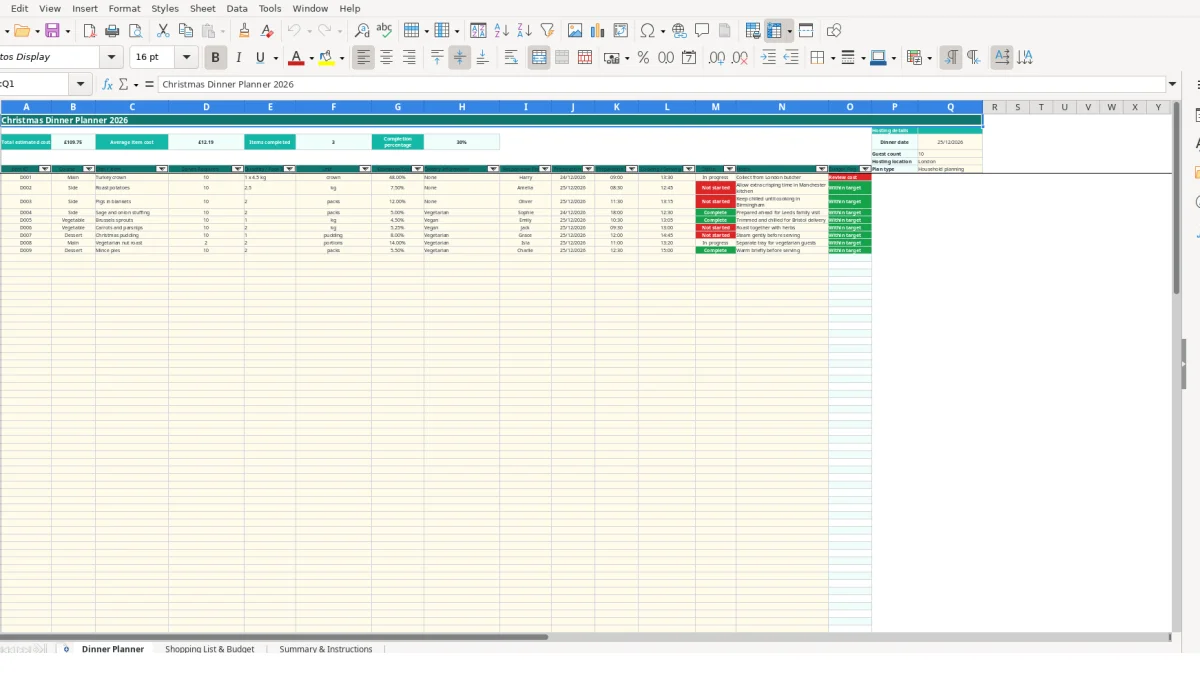
A Christmas dinner planner Excel template is a household planning workbook for organising dishes, quantities, preparation times, shopping and costs. It includes a Dinner Planner for up to 100 items, a linked Shopping List & Budget sheet, and a Summary & Instructions dashboard.
The workbook starts with sample hosting details for 10 guests in London and a dinner date of 25/12/2026. You can replace these values with your own guest count, location, menu, dietary information, responsibilities and timings.
This workbook suits the person hosting Christmas dinner, a household sharing preparation between relatives, or anyone coordinating a meal where shopping and cooking happen on different days. It is designed for practical household planning rather than formal catering administration, with space for the menu, people responsible, preparation timings and costs in one file.
Start with the Dinner Planner sheet when the menu is being agreed. The sample row identifies a turkey crown serving 10, with a quantity of 1 x 4.5 kg, an estimated cost of £48, Harry as the responsible person, preparation on 24/12/2026 at 09:00, and cooking or serving time at 13:30. That gives you a useful model for entering a roast, side dish or dessert.
A family could add roast potatoes for 10 people, assign them to another person and record a preparation time before the turkey. The six permitted course choices—Main, Side, Vegetable, Dessert, Starter and Other—keep the menu categories consistent while the Notes field can hold instructions such as the sample collection reminder for the London butcher.
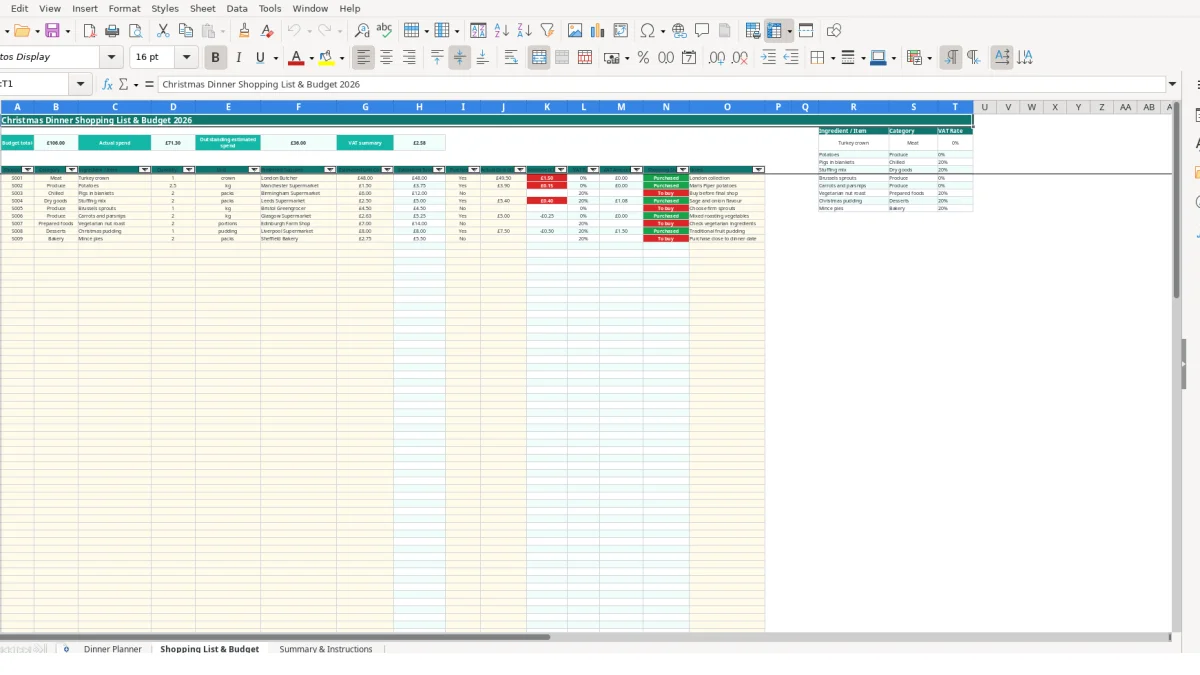
The Shopping List & Budget sheet is suited to the person making the main shop or collecting items from several suppliers. Enter the required quantity, unit, preferred supplier and estimated unit cost, then let the workbook calculate the estimated total. For example, one turkey crown at £48 produces an estimated total of £48 before the actual cost is entered.
Use Summary & Instructions for a quick household review. It brings together estimated food cost, actual food cost, cost variance, average cost per guest and the number of dinner items. With 10 guests, a hypothetical estimated food cost of £150 would produce an average estimated cost per guest of £15, subject to the entries in the workbook.
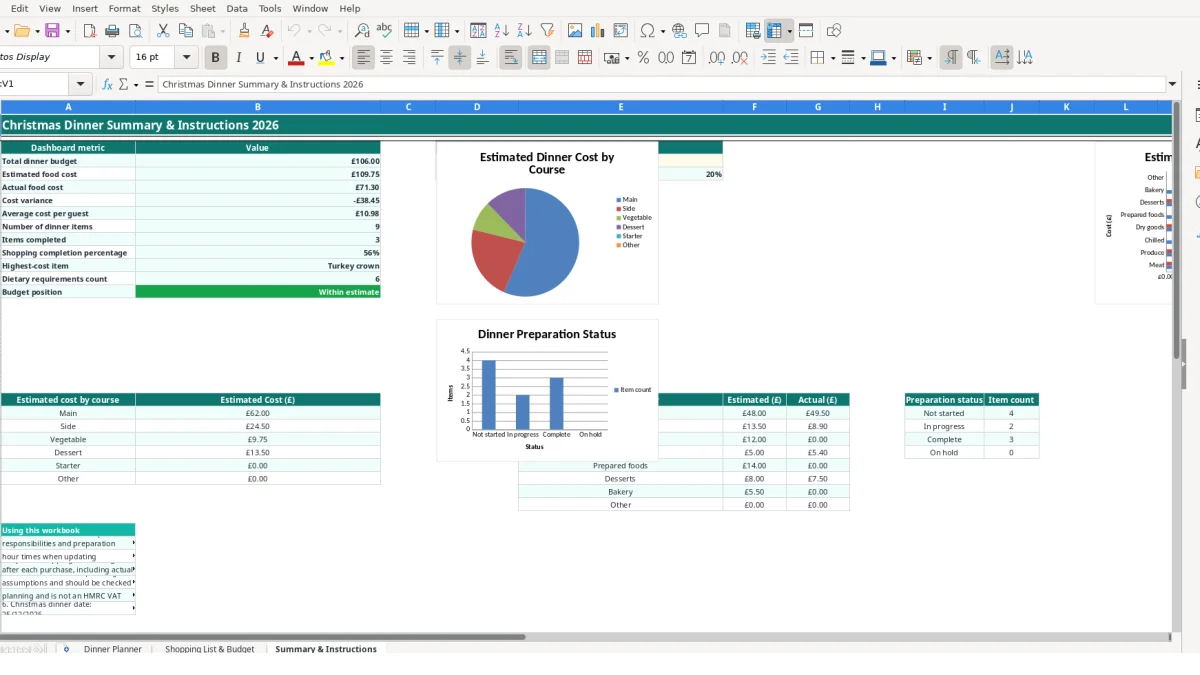
The workbook separates planning inputs from calculated outputs. You enter dishes and tasks on Dinner Planner, purchasing details on Shopping List & Budget, and then use Summary & Instructions to inspect linked results. This is preferable to typing the same total in several places because the summary updates from the underlying sheets.
Dinner Planner totals estimated costs in the Estimated Cost (£) column and calculates the average item cost. It also counts rows marked Complete and divides completed items by populated dish or item entries to produce the completion percentage. If 12 items are entered and 9 are Complete, the calculated completion percentage is 75%.
Each populated planning row also receives a budget flag. The formula labels an item Review cost when its estimated cost is greater than £20 and Within target when it is £20 or less. This is a workbook planning rule, not an external pricing standard; use it as a prompt to check unusually expensive items. The sample turkey crown at £48 would therefore be flagged Review cost.
Shopping List & Budget multiplies Quantity by Estimated Unit Cost (£) to calculate Estimated Total (£). After you enter Actual Cost (£), the workbook calculates Variance (£), marks the item Purchased or To buy, and calculates VAT Amount (£) from the VAT Rate lookup. The reference area includes sample planning values such as 0 for turkey crown and potatoes and 0.20 for pigs in blankets and stuffing mix. These are workbook reference values and should be checked for your own purchasing situation.
Use the permitted lists rather than inconsistent free text: shopping categories, units and Yes or No for Purchased?. Consistent entries allow the SUM, SUMIF, SUMIFS, COUNTIF, COUNTIFS, VLOOKUP, INDEX and MATCH formulas to return reliable results.
The most expensive planning errors usually come from incomplete links between the menu and the shop. For example, entering a turkey crown on Dinner Planner but leaving it out of Shopping List & Budget makes the meal plan appear complete while the budget omits a £48 estimated item. The separate sheets need to be reviewed together rather than treated as two unrelated lists.
A blank Dish / Item prevents many row formulas from producing a shopping result, while a blank Actual Cost means the actual spend remains incomplete. If five purchased ingredients are left with Purchased? set to No, the summary can continue to show outstanding estimated spend even though the items are already in the kitchen.
Units can also distort quantities. Entering 2.5 in Quantity with kg in Unit is clear; entering 2.5 without a unit makes it harder to distinguish 2.5 kg from 2.5 packs. The available unit list includes kg, g, packs, pack, portions, crown, pudding and item, so choose the closest permitted value instead of inventing variations such as kilogrammes or pk.
A dish with no Responsible Person can be overlooked when several people are sharing the work. Likewise, entering 13:30 as text rather than a time value can weaken the usefulness of the preparation schedule. The workbook instructions specify DD/MM/YYYY dates and 24-hour times, so a date such as 24/12/2026 and a time such as 09:00 should be entered consistently.
Cost errors can be visible in the summary but still need investigation. In a hypothetical example, estimated shopping of £180 and actual costs of £195 create a £15 variance. Check quantities, supplier prices and duplicated ingredients before changing the estimate, and use the highest-cost item measure to identify where that review should begin.
Use the workbook at fixed points rather than trying to complete it in one sitting. A practical routine is to confirm the guest count and menu first, update shopping prices before the main shop, and then record actual costs immediately after each purchase. This turns the file into a running plan instead of a list that becomes inaccurate after the first supermarket visit.
For example, if 16 items are planned and 12 have been marked Complete, Summary & Instructions will show the corresponding 75% completion measure. If the shopping sheet contains 10 items and 7 have Purchased? set to Yes, the shopping completion percentage will reflect that entry pattern.
This template is suitable for a single household meal with up to 100 planning and shopping rows. Consider a more specialised system when several events, many suppliers, live stock levels, shared access or detailed recipe scaling make manual updates difficult. Until then, keep one master file, avoid deleting formula rows, and review Summary & Instructions after each meaningful change.
It contains Dinner Planner, Shopping List & Budget, and Summary & Instructions. The first sheet manages dishes and preparation, the second records ingredients and spending, and the third links the main measures and summaries.
Dinner Planner and Shopping List & Budget provide entry rows from row 7 through row 105, giving space for up to 100 items on each sheet.
Yes. Dinner Planner includes a Dietary Information field with list choices for None, Vegetarian, Vegan, Gluten-free, Nut-free and Dairy-free.
Yes. Shopping List & Budget multiplies Quantity by Estimated Unit Cost (£) to calculate Estimated Total (£). It also calculates actual spend, variance, VAT amount and shopping status when the relevant inputs are completed.
The Dinner Planner formula labels a populated item Review cost when its Estimated Cost (£) is greater than £20. It labels items at £20 or less Within target. This is an internal planning prompt, not an external pricing rule.
Yes. Replace the sample dinner date, guest count and hosting location in the Dinner Planner hosting details area, then amend the sample dishes, people, timings, costs and shopping entries to match your meal.
Excel template by
Guide written by