Freelance Invoice Excel – Free Template (2026)
7
Free download
Plan contractor rates, billable days, VAT and contract profitability with a UK Excel workbook for independent contractors and limited companies.


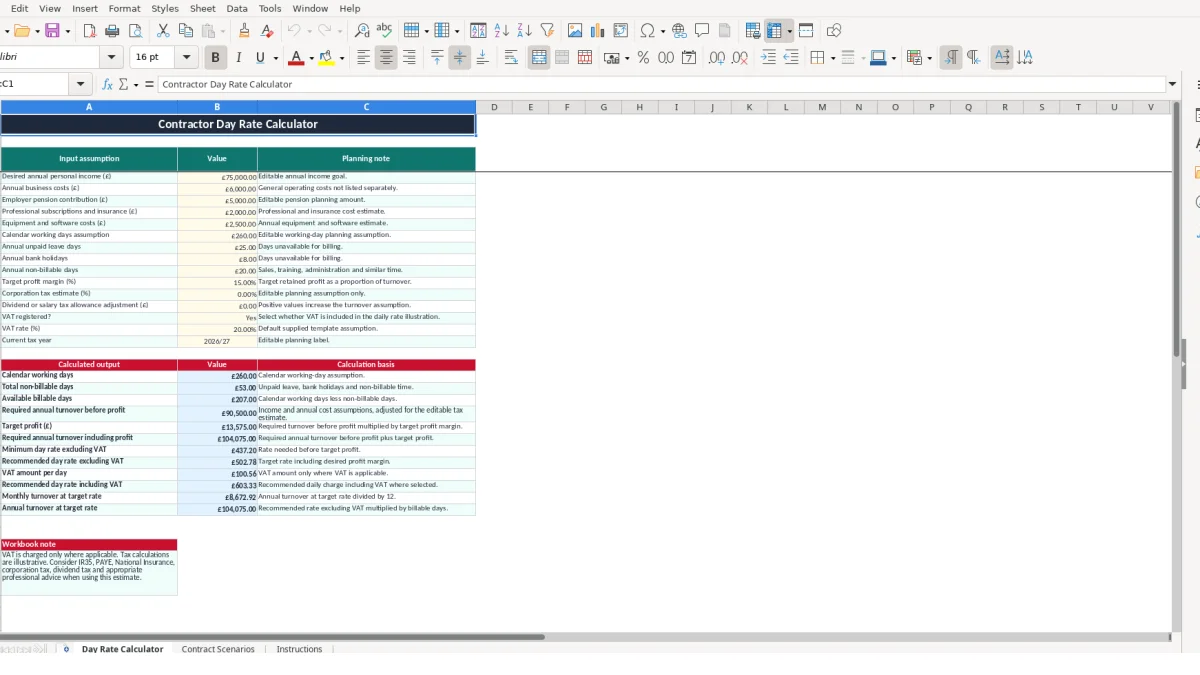
This contractor day rate Excel template helps you estimate a commercially workable daily rate from your income goal, annual costs, available billable days, profit margin and VAT assumptions. It contains a Day Rate Calculator, Contract Scenarios tracker and Instructions sheet.
Enter your assumptions in the calculator, then test individual engagements in Contract Scenarios. The workbook also compares ex-VAT and inc-VAT rates, estimates contract profit and labels each scenario as Planned, Active or Completed.
A contractor day rate calculator is useful when you are pricing a new engagement, reviewing a renewal or deciding whether a proposed contract supports your income target. Software developers, project managers, engineers, consultants and other independent professionals can compare a commercial rate with the number of days they expect to invoice.
The workbook does not treat every calendar working day as billable. Its supplied example starts with 260 calendar working days, then deducts 25 unpaid leave days, 8 bank holidays and 20 non-billable days. That leaves 207 available days in the planning example. If the same annual target must be earned across fewer billable days, the required rate rises.
For example, a contractor planning £75,000 of personal income also enters £6,000 of general business costs, £5,000 of employer pension contribution, £2,000 of professional subscriptions and insurance, and £2,500 of equipment and software costs. Those figures are sample assumptions, not a forecast of your own position.
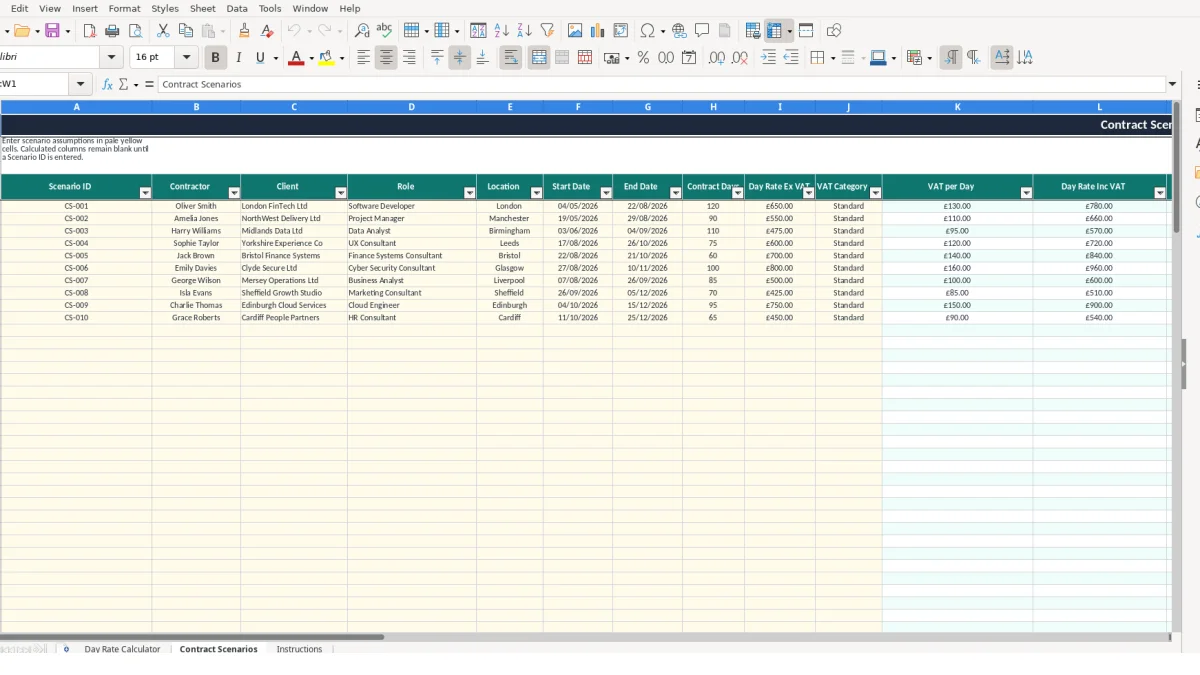
Contract Scenarios is suited to a weekly pipeline review or a decision about competing offers. The sample includes Oliver Smith working as a Software Developer for London FinTech Ltd at £650 ex VAT for 120 contract days, alongside Amelia Jones as a Project Manager at £550 ex VAT for 90 days.
At £650 across 120 days, the gross contract value calculates to £78,000 before estimated costs. At £550 across 90 days, it calculates to £49,500. These examples show why the day rate alone is not enough: contract length and estimated costs change the result materially.
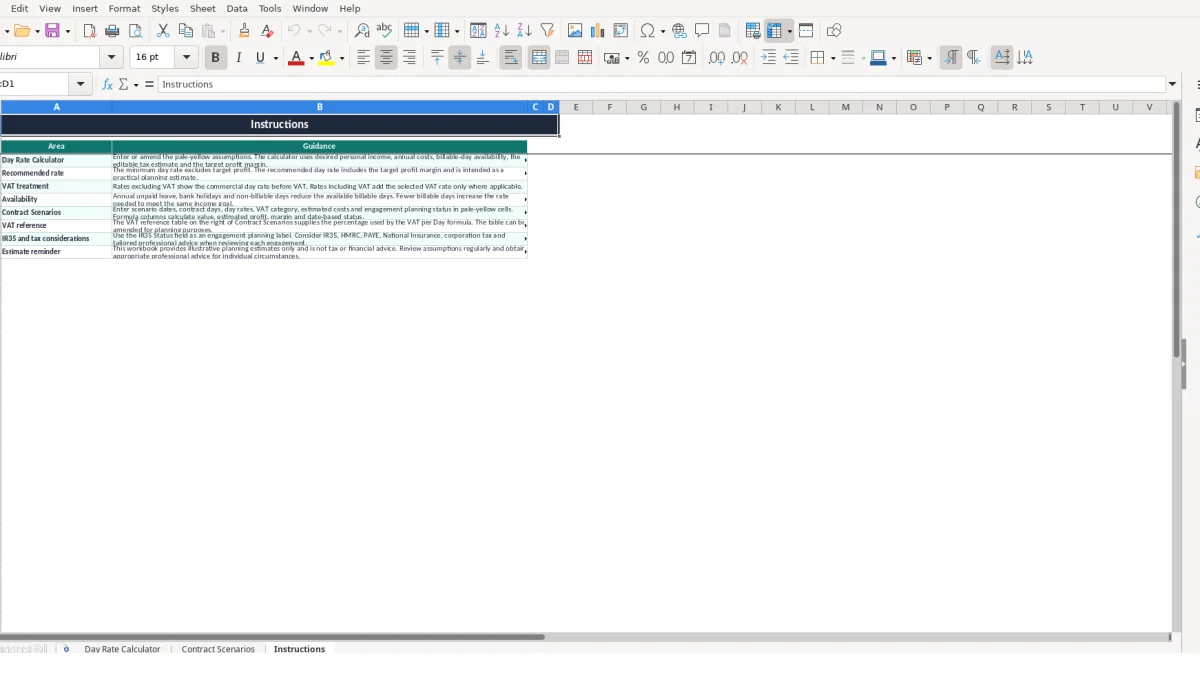
The workbook separates assumptions from calculated outputs. On Day Rate Calculator, the inputs run from desired annual personal income through to the VAT rate and current tax year. The formulas then turn those entries into available days, turnover assumptions, daily rates and monthly planning figures.
Available days are calculated by taking the calendar working days assumption and deducting unpaid leave, bank holidays and non-billable days. In the supplied example, 260 minus 25, 8 and 20 gives 207 days. A zero or negative availability position is not a sensible pricing basis, so review these inputs before relying on an output.
The calculator uses SUM to combine cost inputs and IF logic to prevent negative available days from producing a negative result. It calculates a minimum rate excluding the target profit margin, then a recommended rate that includes the target margin. A monthly figure is also calculated from the recommended daily rate and available days.
Contract Scenarios calculates VAT per day by multiplying the ex-VAT day rate by the percentage associated with the selected VAT Category. The category is looked up with VLOOKUP from the reference values for Standard, Reduced and Zero. With a £650 ex-VAT rate and a supplied 20% Standard rate, VAT per day is £130 and the displayed day rate including VAT is £780.
Use the validation lists rather than typing alternative labels. The IR35 Status list accepts Outside IR35, Inside IR35 or Not assessed. Dates drive the Status formula: an end date before today becomes Completed, a future start date becomes Planned, and another dated engagement becomes Active. These are workbook labels for planning, not a legal determination.
The largest pricing error is usually overstating billable availability. If you leave the supplied 260 calendar working days unchanged but expect to spend 20 days on administration, sales and training, the calculator can understate the rate needed to meet the same annual goal. Adding 25 unpaid leave days and 8 bank holidays makes the example availability 207 days rather than 260.
A £650 day rate may look stronger than £550, but a shorter engagement can produce less total revenue. The sample £650 rate over 120 days gives £78,000 gross contract value, while £550 over 90 days gives £49,500. Compare the Gross Contract Value and Estimated Profit columns rather than ranking offers only by the daily figure.
The VAT category controls the VAT per Day and Day Rate Inc VAT calculations. If a £650 rate is accidentally marked Zero instead of Standard, the displayed inclusive rate is £650 rather than £780 in the supplied 20% example. That £130-per-day difference across 120 days would change the illustration by £15,600.
Do not overwrite calculated columns with manual numbers. The Contract Scenarios formulas are designed to stay blank until a Scenario ID is entered and then calculate across the row. Replacing a formula in VAT per Day, Gross Contract Value or Profit Margin can leave one scenario looking correct while later changes no longer flow through.
The workbook includes an editable corporation tax estimate, tax allowance adjustment and IR35 Status field for planning. They are not a tax calculation or status assessment. Treat the supplied 2026/27 entry, 20% VAT example and IR35 labels as workbook assumptions, and obtain appropriate advice when the engagement requires a detailed review.
Use the workbook at a fixed point in your commercial routine rather than only when a contract is about to be signed. A Friday pipeline review works well for updating scenario dates, contract days, day rates and estimated costs; a month-end review can then compare the plan with current negotiations.
Review the main assumptions whenever your circumstances change. For example, adding 10 days of planned training to the supplied 20 non-billable days reduces available billing capacity from 207 to 197 days, so the recommended rate should be checked rather than carried forward automatically.
Give each opportunity a distinct Scenario ID, such as CS-003, and complete the same core fields every time. Enter £650 as the ex-VAT rate rather than £780 inclusive, then let the VAT Category calculate the inclusive figure. This keeps comparisons consistent across the sample 120-day and 90-day engagements.
Use the Status output as a quick pipeline view, but keep dates accurate because the formula compares them with TODAY. Once the workbook becomes difficult to maintain across more than 100 scenario rows, or you need invoicing, timesheets, cash collection and accounting integration, a dedicated contractor management or accounting system may be more suitable.
It includes annual income and cost assumptions, working-day availability, unpaid leave, bank holidays, non-billable days, target profit margin, an editable tax estimate, VAT assumptions and calculated daily rate outputs.
The minimum day rate excludes the target profit margin. The recommended day rate includes that margin and is intended as a practical planning estimate based on the inputs you enter.
Yes. Contract Scenarios provides 100 rows for contractor, client, role, location, dates, contract days, ex-VAT rate, VAT category, costs, IR35 planning status and notes. It calculates value, profit, margin and status for each populated row.
It illustrates VAT using the selected category and the percentage held in the VAT reference table. Standard, Reduced and Zero are available in the category list. The supplied Standard example uses 20%, but you can amend the planning reference.
No. The field is an engagement planning label with the options Outside IR35, Inside IR35 and Not assessed. The workbook does not make a legal determination or provide tax advice.
The example includes £75,000 desired annual personal income, £6,000 annual business costs, £5,000 pension contribution, £2,000 subscriptions and insurance, £2,500 equipment and software costs, 260 calendar working days, 25 unpaid leave days, 8 bank holidays and 20 non-billable days.
Excel template by
Guide written by