Chore Chart Excel Template – Free (2026)
0
Free download
Plan UK projects in Excel with tasks, dates, owners, budgets, dependencies, risks and progress tracking in pounds sterling.


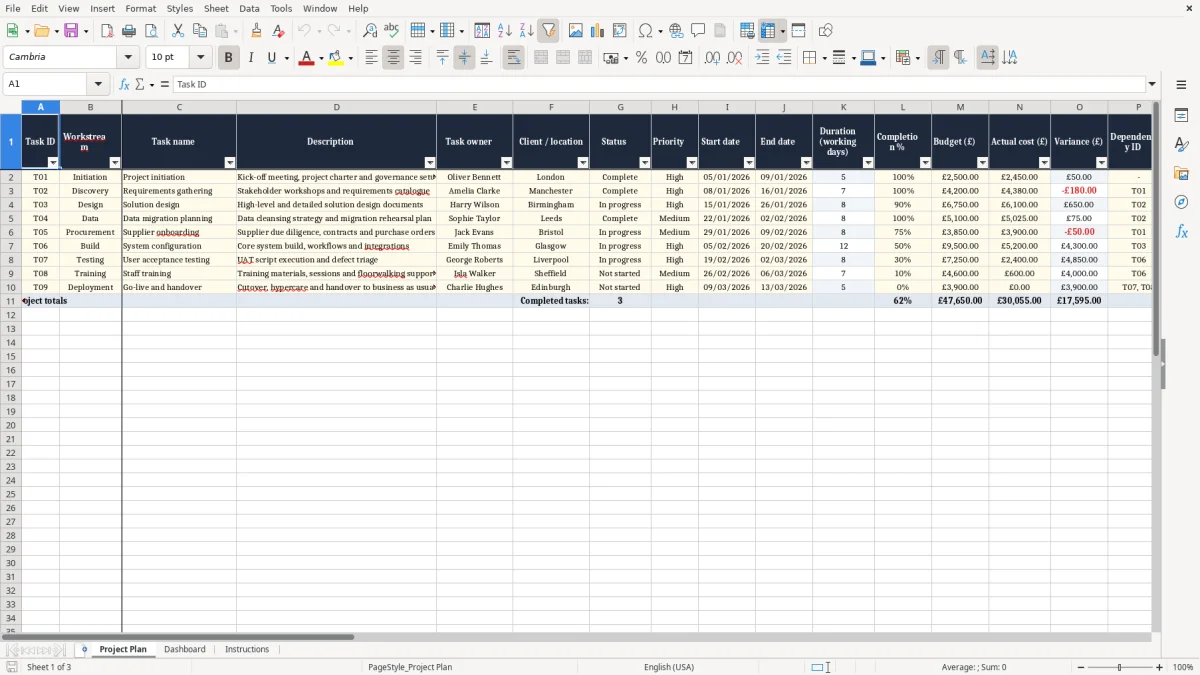
Manage your project schedule with a practical Excel Gantt chart template designed for UK teams. Organise workstreams, assign task owners, set planned dates, monitor completion, compare budget with actual cost and record dependencies or risks in one structured worksheet. The template uses DD/MM/YYYY dates and pound sterling fields, making it suitable for project managers, consultants, agencies, construction teams, internal business projects and client delivery programmes.
A sample project plan is included to show how the task register and weekly timeline can be used. Replace the example information with your own project data, then update the plan during regular reviews to keep stakeholders informed.
Start by replacing the sample rows with your own project activities. Enter a task ID, workstream, task name and useful description for each item, then add the responsible task owner and client or location. Set the status and priority before entering the planned start and end dates.
Review the working-day duration and completion percentage as the project progresses. Add the budget and actual cost in pounds so financial performance can be monitored alongside delivery. Use the dependency ID column to identify predecessor tasks and the risk or notes field to record blockers, assumptions, decisions and follow-up actions.
The example timeline begins on 5 January 2026 and displays 13 weekly date markers. Adapt the dates and timeline to match your own programme, working calendar, bank holidays, resource availability and governance requirements. Use the worksheet during weekly project meetings, client updates and internal reporting.
Before printing or sharing a formal report, check the page orientation, print area and visible columns in Excel. Save dated versions when you need an audit trail of schedule changes.
A project Gantt chart gives your team a simple way to see what needs to happen, when work is planned and how activities relate to one another. This Excel template combines a detailed task register with a weekly timeline, so you can manage both project information and schedule visibility in one place. It is designed for UK users with DD/MM/YYYY date formatting and budget fields in pounds sterling.
That makes the workbook useful for local project teams, consultants, agencies, suppliers and client-facing delivery organisations. Enter each activity as a separate task and group related work under a suitable workstream. You can use workstreams for project phases, departments, sites, suppliers, locations or delivery teams.
The task name and description should explain the expected outcome clearly, while the owner field identifies who is accountable for progress. Planned start and end dates then provide the basis for the Gantt timeline. The template is intentionally flexible.
It can support a short internal initiative, a multi-stage business change programme or a client implementation with several contributors. Because it is built in Excel, most teams can open, edit and share it without adopting specialist project management software. Use the chart as a working control document rather than a one-off presentation.
Update it during regular project reviews, confirm changes with owners and record important decisions in the risk or notes field. A current plan helps stakeholders understand priorities, upcoming work, potential delays and the actions needed to keep delivery moving. It also provides a useful starting point for status reports, governance meetings and client conversations.
The sample timeline begins on 5 January 2026, with weekly markers extending across 13 weeks. Change those dates for your own programme and account for UK working patterns, bank holidays, approvals and supplier lead times when setting realistic deadlines.
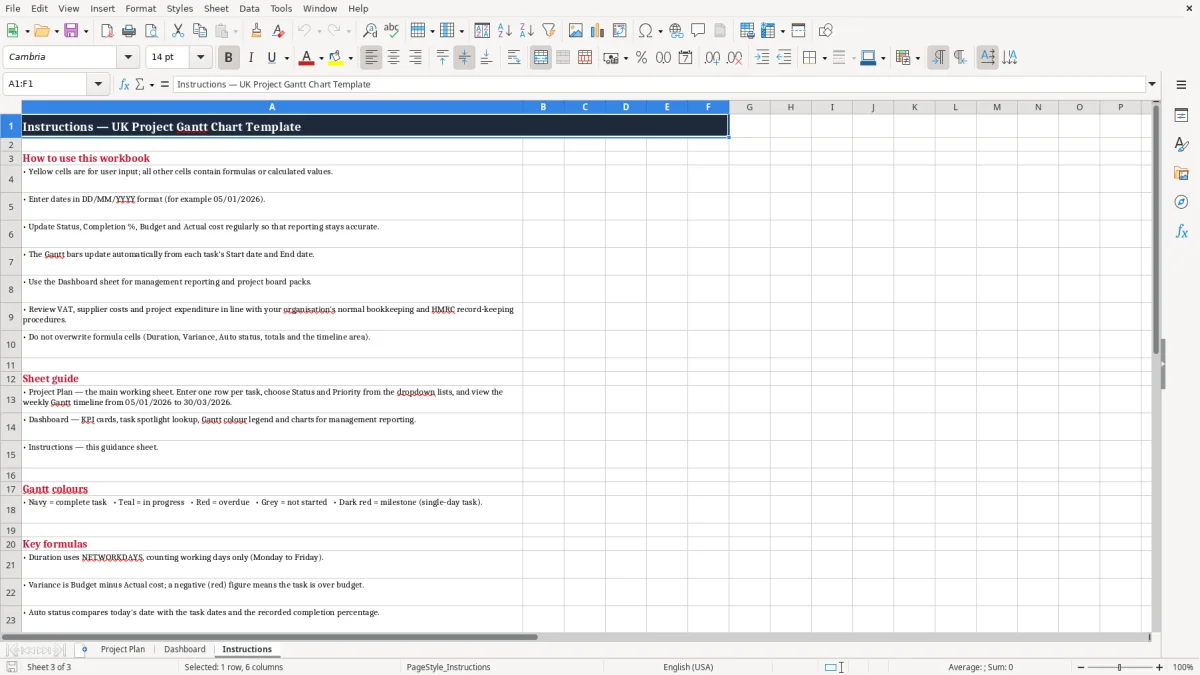
Good project planning depends on more than a list of deadlines. Everyone involved should understand the scope of each activity, who owns it, what priority it has and whether it is on track. This Excel Gantt chart template brings those details together in a structured project plan.
Use the Task ID column to give every activity a consistent reference. IDs such as T01, T02 and T03 make it easier to discuss tasks in meetings and identify relationships in the Dependency ID field. Workstream labels can show the phase or team responsible for an activity, while descriptions provide additional context without making the task name too long.
Assign one accountable task owner even when several people contribute. Clear ownership supports follow-up and makes it easier to identify where a decision or action is waiting. Status and priority fields help the team focus attention on the work that matters most.
Completion percentage adds a more detailed view of progress, especially when a task is under way but not yet complete. Update these fields regularly and use the automatic status information as a prompt to review current delivery. The weekly timeline gives stakeholders a quick visual overview of planned activity.
It can help reveal overlapping work, gaps between phases and periods where too many tasks depend on the same resource. Add risks, blockers, assumptions and decisions to the notes field beside the relevant task. This keeps important context close to the schedule instead of separating it into an easily overlooked document.
Used consistently, the workbook becomes a shared source of information for weekly reviews, team coordination and project reporting. Agree what each status means before the project starts, and ask owners to update their rows before every scheduled review.
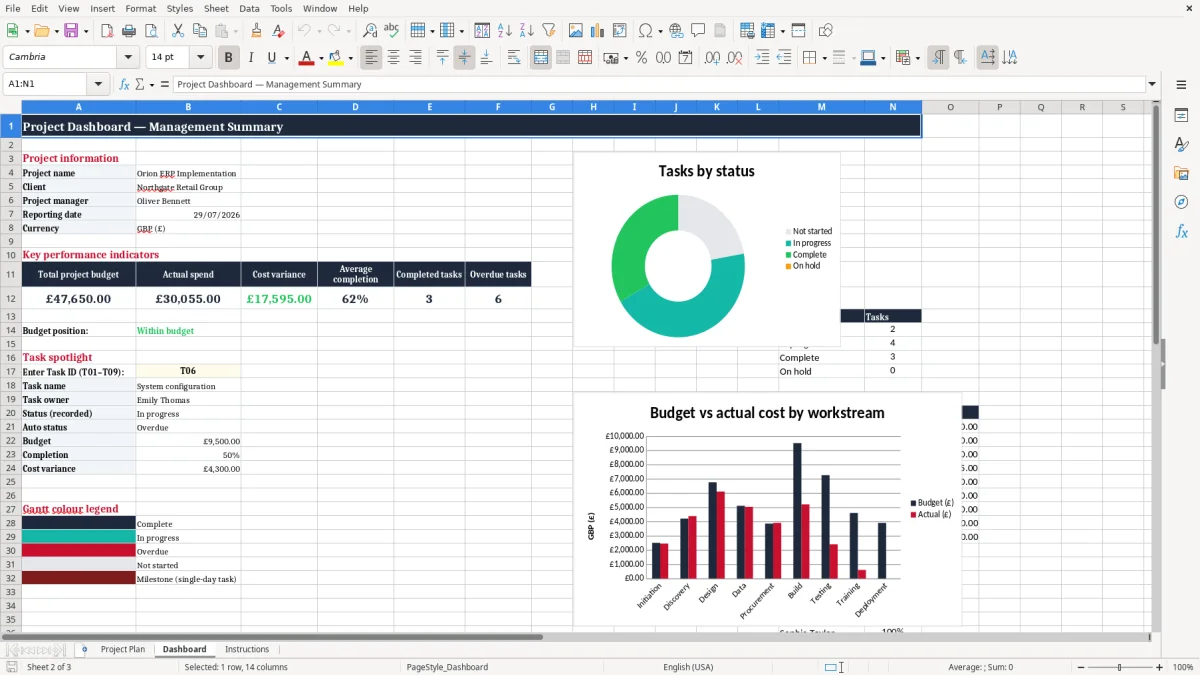
Schedule control and financial control work best when they are reviewed together. A task may be on time but over budget, or a cost may remain low because planned work has been delayed. This project Gantt chart Excel template includes budget, actual cost and variance columns so your team can monitor these issues alongside dates and progress.
Enter the approved or planned amount in Budget (£), then update Actual cost (£) as invoices, timesheets, supplier charges or other project costs are recorded. The Variance (£) field helps you compare the two figures and identify where spending differs from the plan. Use the information as a management prompt rather than waiting until project close to investigate.
A regular review can highlight tasks that need a revised estimate, an approval decision, a supplier conversation or a change to scope. The template is suitable for projects that use pounds sterling as the main reporting currency. It can support internal budgets, client delivery costs, consultancy work, marketing activity, property programmes, construction tasks and operational improvement initiatives.
Add a clear description to each cost-related activity so people understand what the budget covers. Where costs relate to a dependency, supplier or location, include that context in the task notes. You can also use the client or location field to group spend by customer, site, region or business unit.
Remember that the workbook is a planning and tracking tool, not a substitute for your organisation’s accounting system, procurement controls or approval procedures. Reconcile figures with your financial records and apply the appropriate VAT, purchase order, accrual and reporting rules for your organisation. Keeping financial updates connected to the schedule gives project managers a more complete view of delivery performance.
The template can be adapted to suit many types of UK project without changing its basic structure. For a construction or property programme, use workstreams for design, permissions, procurement, mobilisation, site activity, inspections and handover. Add sites, contractors or locations to the relevant fields and record access issues, approvals and safety-related actions in Risk / notes.
For a software or digital transformation project, workstreams might include discovery, requirements, design, development, testing, training and launch. Dependency IDs can show which tasks must be completed before configuration, testing or deployment can begin. Marketing, events and communications teams can use campaigns, channels, creative work, approvals, production and publication as workstreams.
A business change project may group activities by department, policy, process, training and adoption. Before using the workbook, agree the meanings of statuses, priorities and completion percentages with the project team. Consistent definitions prevent different owners from reporting progress in incompatible ways.
Set a realistic review routine, such as a weekly meeting, and ask owners to update their rows before the meeting. Review dates, dependencies, risks, costs and upcoming decisions together. The sample timeline starts on 5 January 2026 and contains 13 weekly date markers, so change the dates for a live project.
Consider weekends, UK bank holidays, planned leave, supplier lead times and resource constraints when setting deadlines. Excel is easy to edit and share, but version control remains important. Use a clear file name, store the latest approved version in an agreed location and save dated copies when changes need to be tracked.
Before distributing the plan, check that confidential information is appropriate for the audience and confirm that print settings show the important columns and timeline clearly. This approach keeps the workbook useful from early planning through delivery and close-out.
Yes. It uses DD/MM/YYYY date formatting and pound sterling budget fields, making it suitable for many UK project planning and reporting situations.
Yes. Add construction phases, site activities, contractors, locations, dependencies, risks and budget information to adapt it for a construction or property programme.
Yes. Replace the sample values with the categories, statuses and priorities used by your organisation, project methodology or delivery team.
Yes. It includes Budget (£), Actual cost (£) and Variance (£) columns so you can monitor project spending alongside delivery progress.
Yes. You can save, print or share the workbook with project teams, clients and stakeholders. Check the print area and page orientation in Excel first.
The workbook is designed for Microsoft Excel. Data validation, conditional formatting and charts may display differently in older spreadsheet applications.
Excel template by
Guide written by