Childminder Register Excel – Free Template (2026)
1
Free download
Plan UK staff rotas, track contracted hours and estimate labour costs with this practical shift planner Excel template.


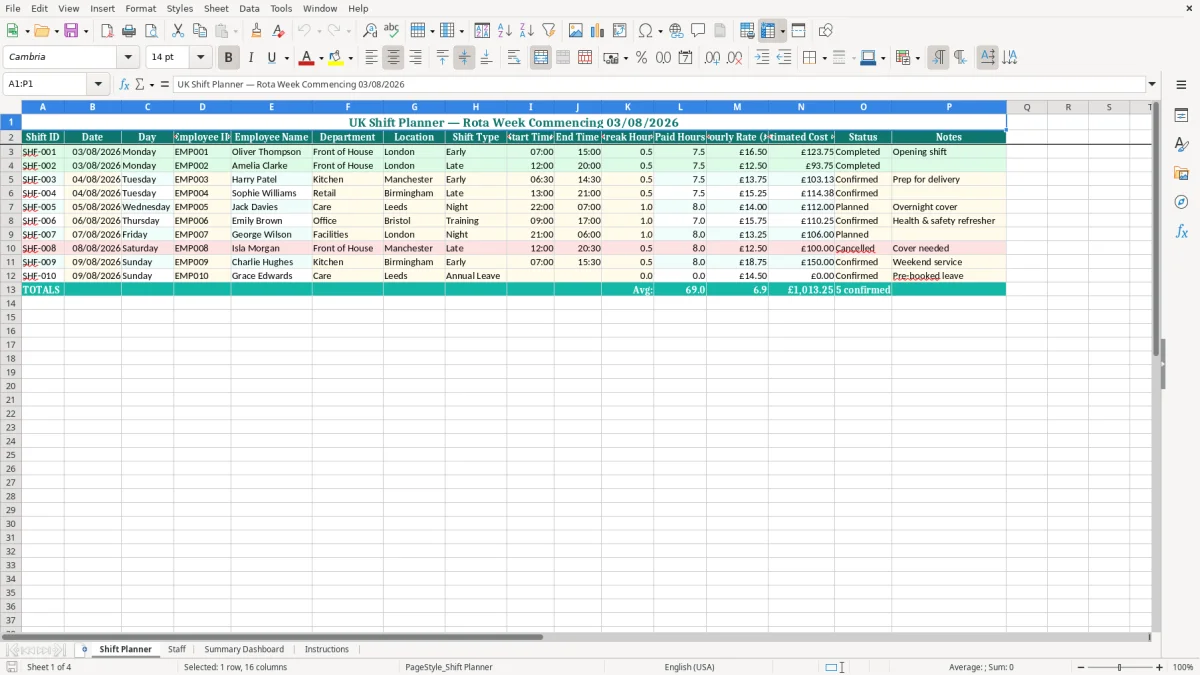
Organise weekly staff rotas with this practical shift planner Excel template for UK businesses. It is suitable for cafés, restaurants, retail teams, care providers, offices, hospitality businesses and other organisations that manage employees across changing shifts. The workbook provides a clear place to record staff information, assign working times, review planned hours and monitor staffing across departments or locations.
It uses pounds sterling for hourly rates and includes common UK contract types such as full-time, part-time and casual. Replace the sample employees with your own team, adjust the rota to match your opening hours and create a dated copy for each planning period. This template is intended to make routine scheduling easier, while leaving your organisation in control of availability, shift patterns, communication and approval processes.
Start by opening the Staff sheet and replacing the sample records with your own employee information. Add each employee's ID, name, job title, department, home location, contract type, hourly rate, contracted weekly hours and preferred contact method. Next, use the Shift Planner sheet to allocate employees to working days and shift times.
Enter start and finish times, breaks, locations and notes as required by your organisation. Review the planned hours for each employee and compare them with contracted weekly hours. The utilisation and hours status fields can help highlight workloads that may need attention.
Check the completed rota by day, department and location to confirm that staffing levels are appropriate. Before sharing the rota, look for overlapping shifts, missing assignments and any known availability conflicts. Save a new dated copy each week so that you retain a record of previous plans and approved changes.
The workbook can be edited to suit your own shift names, opening hours, departments and locations. It is a planning tool rather than a payroll or legal compliance system, so verify working time, rest break, holiday pay, minimum wage and other employment requirements separately where relevant.
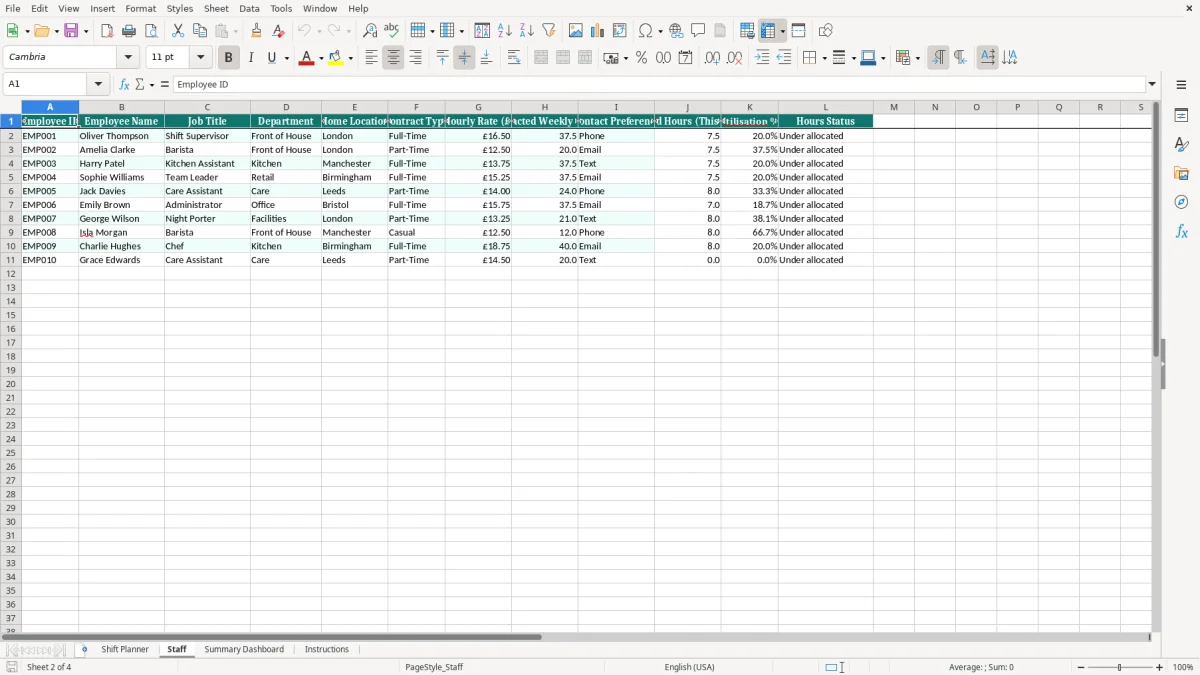
A well-organised rota helps managers understand who is working, where they are based and how many hours they have been assigned. This UK shift planner Excel template gives small and growing teams a simple way to bring that information together. It can be used by cafés, restaurants, shops, care providers, offices, hotels, facilities teams and other workplaces where staffing changes throughout the week.
The sample workbook includes roles such as baristas, kitchen assistants, care assistants, administrators, supervisors and night porters, but all example information can be replaced. Add your own employees, job titles, departments and locations, then use the planning area to create a rota that reflects your opening times and service requirements. Because the file is built in Excel, managers can make changes quickly, save weekly versions and share the finished schedule through their usual process.
The layout is also useful when several departments or branches need to be considered at the same time. Location fields help distinguish employees who work at different sites, while department fields make it easier to check whether the right skills are present. A consistent rota can reduce last-minute confusion and give employees a clearer view of their expected shifts.
For best results, update employee availability before preparing each week, record approved changes and keep an archived copy of the final version. The template does not make staffing decisions for you, but it provides an organised framework for turning availability, contracts and operational needs into a readable weekly plan. Managers can also print or export the completed schedule if employees prefer a non-editable version.
The final rota becomes more useful when hours are captured against it, so an attendance record keeps the weekly plan aligned with what was actually worked.
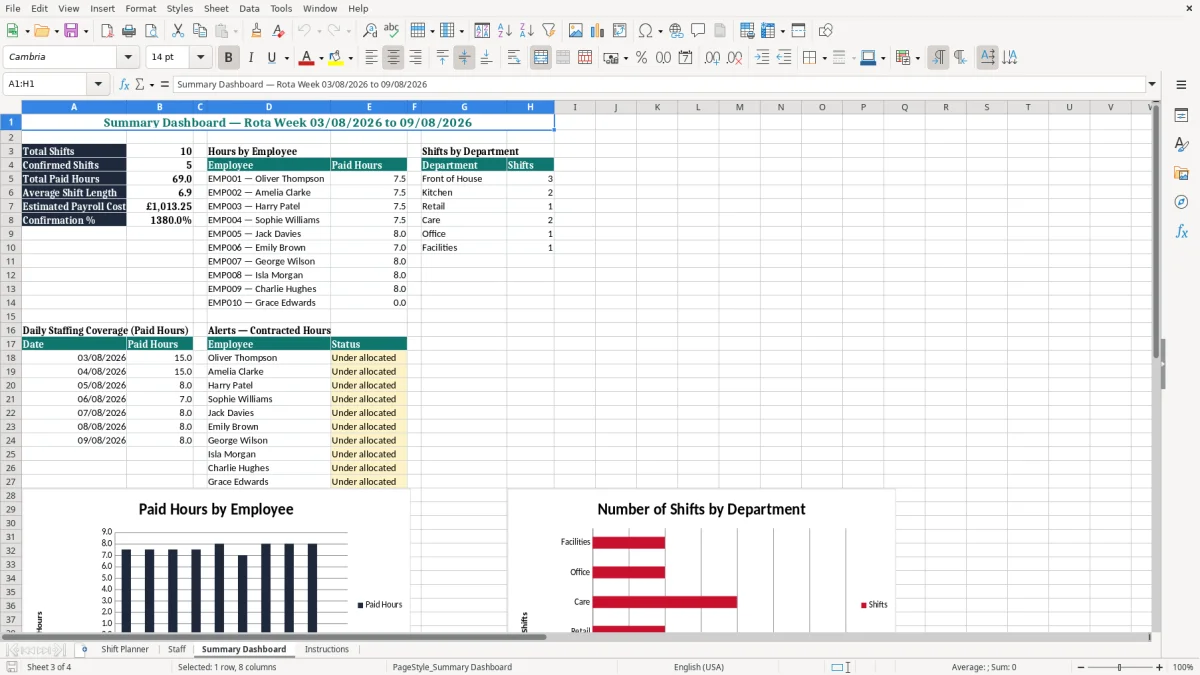
Scheduling employees involves more than filling every shift. Managers also need to consider contracted hours, agreed working patterns and the distribution of work across the team. The Staff sheet in this shift planner template includes contracted weekly hours alongside planned hours, utilisation and hours status fields.
These details make it easier to spot when an employee appears to be receiving substantially fewer or more hours than expected. The information can support a useful review before the rota is published, especially where a team includes full-time, part-time and casual workers with different arrangements. Hourly rates are recorded in pounds sterling, allowing the workbook to support simple estimates of planned labour costs when shift hours are available.
These figures can help with budget discussions and weekly comparisons, although they should not be treated as a replacement for payroll records. A manager can also use the employee fields to filter attention by department, role or home location. For example, a kitchen manager may review chef and kitchen assistant hours separately from front-of-house cover, while a multi-site business can check whether each branch has an appropriate team.
Utilisation figures should be treated as prompts for review rather than automatic judgements. An unusual result may be correct because of holiday, sickness, training, seasonal demand or a temporary change in availability.
Before changing a rota, discuss relevant adjustments with the employee and follow your normal approval process. Used consistently, the hours information helps make scheduling more transparent and supports better conversations about workload, coverage and staffing costs.
Different industries use different shift patterns, but many of them need the same basic scheduling information. A retail manager may need to cover opening, daytime and closing periods. A café may need extra people during breakfast and lunch.
A care provider may need to coordinate early, late and overnight work. An office or facilities team may need weekday cover with occasional weekend or night assignments. This Excel shift planner is flexible enough to support each of these situations because it is not tied to one job type or business model.
You can edit the example departments, change the locations and enter the working times that apply to your operation. The sample data covers Front of House, Kitchen, Retail, Care, Office and Facilities, offering a useful starting point for a mixed workforce. You can add rows for more employees and adapt the labels to match your internal terminology.
The template is especially useful for smaller employers that want a clear rota but do not need a dedicated workforce management platform. It can also serve as a planning worksheet for a larger organisation before information is transferred into another system. To improve reliability, keep employee names and IDs consistent, use the same time format throughout the workbook and record notes for training, meetings, cover arrangements or approved swaps.
A dated file name can make it easier to identify the current rota and retrieve previous versions. When a shift changes, update the working copy promptly and communicate the change through the agreed contact method. The spreadsheet is most effective when it supports a clear process rather than becoming the only record of informal conversations.
A clear process often ends with a weekly shift schedule that keeps the current working copy easy to update and share.
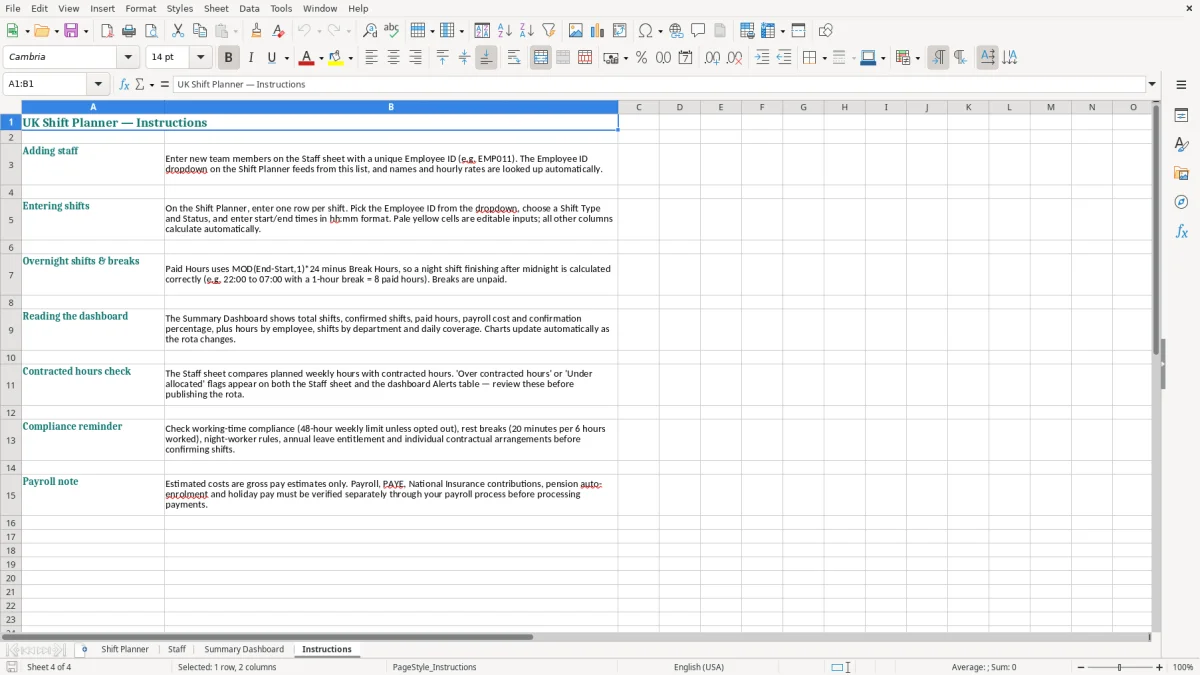
An Excel rota can make weekly planning more manageable, but good scheduling also depends on communication and careful review. Before publishing a shift planner, check employee availability, approved leave, requested changes and any restrictions known to your organisation. Look for overlapping assignments, unusually long sequences of shifts and gaps during busy periods.
Consider whether evenings, weekends and less popular duties are being shared fairly, while recognising that contracts and individual availability may differ. Where employees work across locations, confirm travel expectations and allow practical time between assignments when appropriate. It is also sensible to protect formula cells, restrict access to personal information and store the workbook securely.
Employee details such as contact preferences, pay rates and working patterns should only be shared with people who need them for legitimate work purposes. This template can help you compare planned hours with contracted hours and estimate labour costs, but it does not confirm compliance with UK employment rules. Employers should obtain suitable HR, payroll or legal advice about working time, rest breaks, holiday entitlement, minimum wage, record keeping and any sector-specific requirements.
Conditions can vary between organisations and may change over time. Create a new dated copy of the rota each week, keep a record of approved amendments and make sure employees know which version is current.
If a shift is cancelled, swapped or extended, update the schedule and notify the affected people promptly. Used in this way, the template provides a practical planning aid for teams in England, Scotland, Wales and Northern Ireland, while allowing managers to apply their own policies, agreements and approval procedures.
Yes. It is designed with UK terminology, pounds sterling currency formatting and common contract types including full-time, part-time and casual. It can be adapted for businesses across England, Scotland, Wales and Northern Ireland.
Yes. Use the home location and shift location information to distinguish between branches, sites or service areas. You can also organise employees by department and role.
Yes. The Staff sheet includes a Contract Type field and contracted weekly hours, allowing you to compare different working arrangements with planned rota hours.
Yes. Replace the example names and details with your own staff information, and add further rows for additional employees. Keep employee IDs consistent when updating the rota.
No. It is primarily a rota and hours monitoring tool. Hourly rates can support simple estimated labour-cost calculations, but the workbook should not replace payroll software or official payroll records.
No. It helps organise shifts and hours but cannot confirm compliance with employment law. Check relevant working time, rest break, holiday pay, minimum wage and record-keeping requirements with appropriate professional advice.
Excel template by
Guide written by