Childminder Register Excel – Free Template (2026)
1
Free download
Track holiday requests, team leave, approvals and cover in one staff planner for UK small businesses and teams.


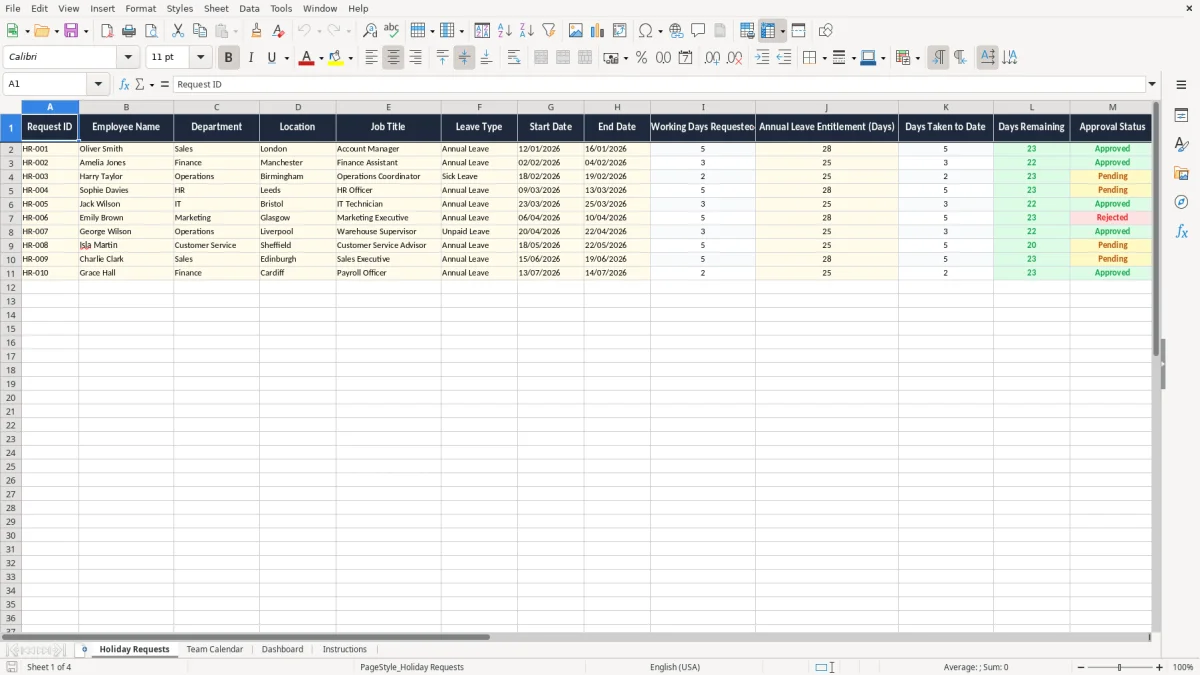
This staff holiday planner Excel template helps you track annual leave requests, approved holidays and team availability in one place. It includes Holiday Requests, Team Calendar, Dashboard and Instructions sheets, so you can manage cover without chasing scraps of paper or mixed messages.
Use it when you are planning rotas, checking holiday entitlement or trying to avoid too many people away at once. The workbook gives you a clear request log, a visual calendar view and a simple summary dashboard.
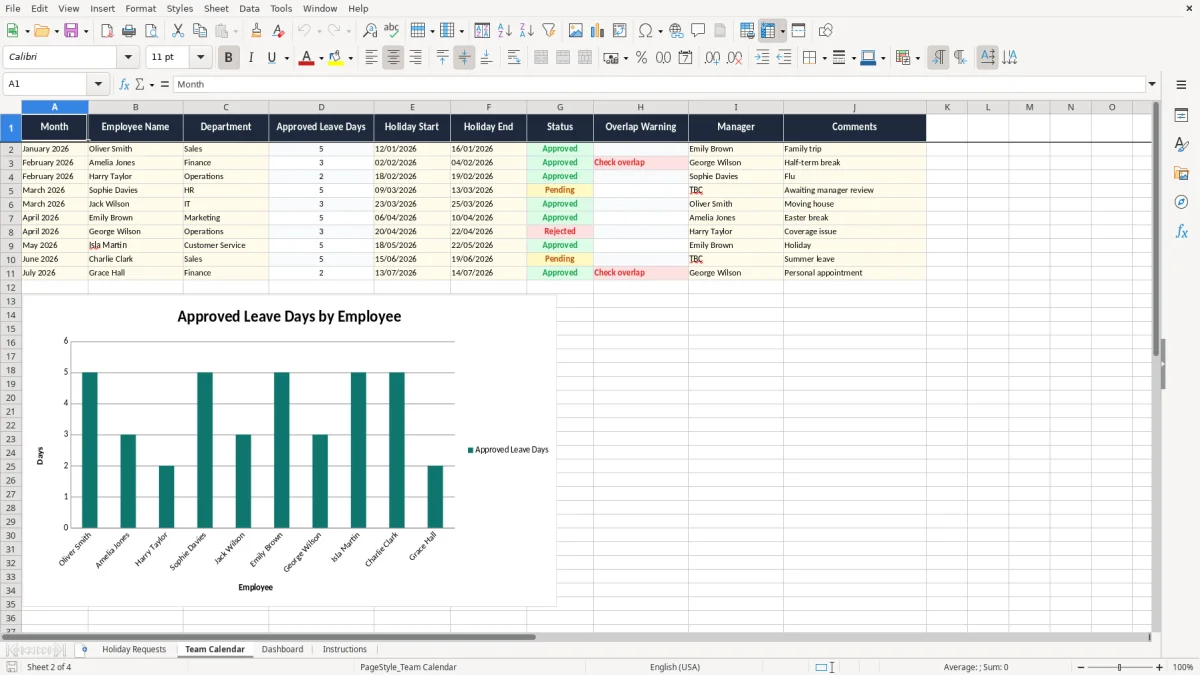
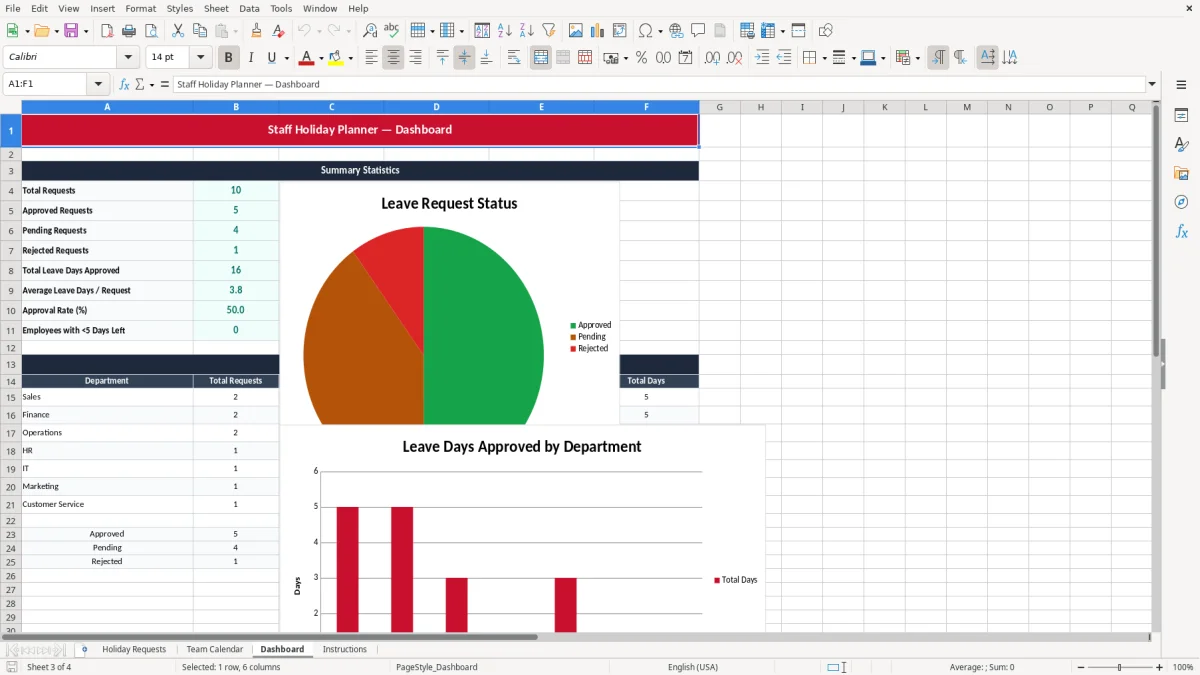
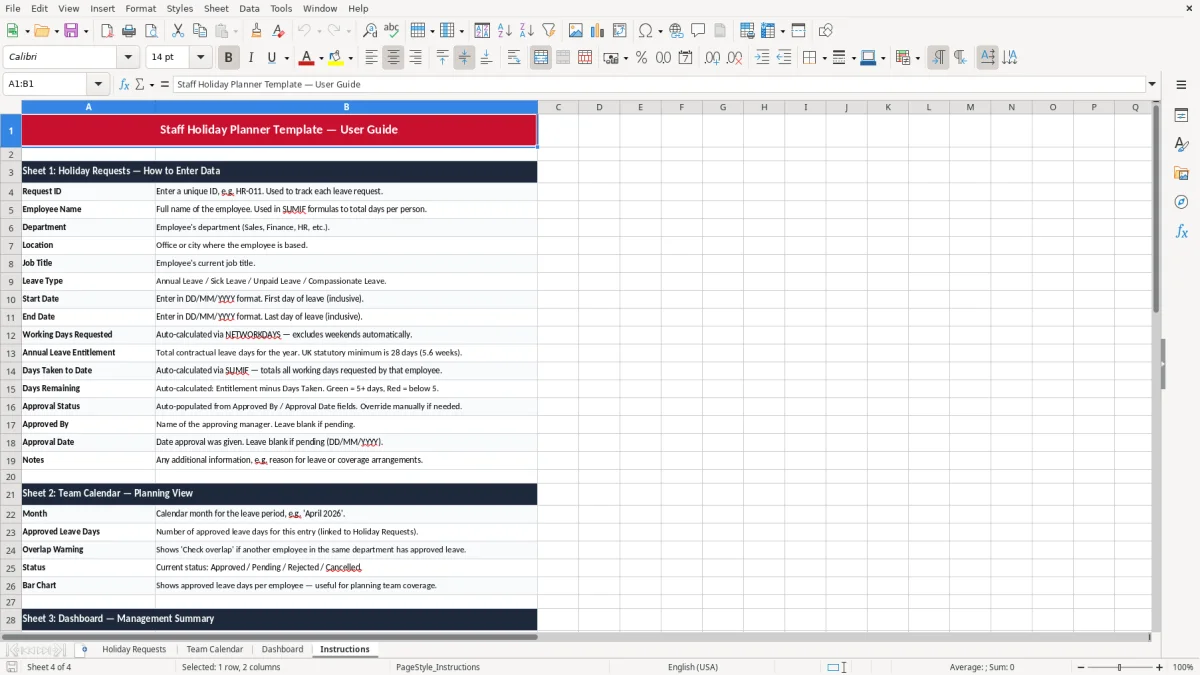
It suits the office manager at a trades firm, the bookkeeper in a small Ltd, or the volunteer treasurer who needs to see who is off for the next event. Image 1 shows the request sheet, image 2 shows the calendar view, image 3 shows the dashboard, and image 4 gives the setup notes.
A staff holiday planner is the sheet you reach for when a leave request lands in the middle of a busy month. An office manager at a plumbing firm may need to cover 4 engineers, a receptionist and a warehouse driver before approving a week off in August.
The Holiday Requests sheet is the working log. You record the employee, start and end dates, number of days, reason if needed and whether the request is approved, pending or declined.
This matters most before school holidays, bank holiday weekends and year-end shutdowns. If 2 people in a 6-person team want the same week off, you can see the clash before service levels drop.
The Dashboard sheet gives you totals at a glance, which is useful for a sole trader with 8 staff or a bookkeeper checking cover for a Ltd company. Instead of scanning emails, you can see the pattern in one place and make the call quickly.
For full-time staff, statutory holiday entitlement is 5.6 weeks a year, which is 28 days for a five-day worker. Part-time staff get a pro-rated amount, so someone working 3 days a week gets 16.8 days.
That is why a planner needs both dates and day counts. If one employee books 10 separate half-days, you need the total to land on the right figure for payroll and holiday balance checks.
Keep the request history clear enough to support PAYE records, holiday pay checks and internal disputes. In practice, a simple log with names, dates, status and notes is far easier to defend than a loose list in email.
If you have 12 staff and 3 are away at once, the problem is not the leave itself but the lack of visibility. A structured planner lets you decide whether the business can cope, whether cover is needed, or whether leave should be moved.
The most common mistake is using a calendar that looks neat but does not record decisions. If an employee booked 5 days in April and nobody updated the approval status, you can easily end up with a mismatch between the rota and the actual leave taken.
Another problem is double-counting part days. A morning off and an afternoon off should not be treated as two full absences, but that happens when people update the sheet by hand without a clear rule.
In a small business, one wrong overlap can mean overtime, missed jobs or a temporary worker at £150 to £250 a day. If 2 staff are absent during a 3-day peak period, the cost quickly exceeds the time it would have taken to keep the planner up to date.
Holiday pay errors are another nuisance. If a worker’s entitlement is not reduced correctly, you spend time correcting payslips, explaining the change and checking the balance again before the next run.
Those payroll corrections also affect the money leaving the business, so the next step is a cash flow forecast that reflects holiday pay and temporary cover costs.
The best way to make the planner stick is to update it at the same moment every week. Many small firms do it just before the Monday start-up meeting or alongside the Friday payroll check.
That gives you one habit instead of another admin job. If a leave request comes in by email, enter it straight away and mark the status before you move on.
When you need absence rules, shift patterns and holiday accrual by hour or minute, a spreadsheet may no longer be enough. At that point you are into proper HR or rota software, especially if you have 30+ staff or multiple sites.
At that point you are into proper HR or rota software, especially if you have 30+ staff or multiple sites, and a weekly rota layout is the next step for keeping shifts visible at a glance.
It tracks holiday requests, approved leave, team availability and summary totals. That gives you one place to check dates, clashes and remaining holiday.
Yes. If someone works 3 days a week, you can enter their leave as a pro-rated total, such as 16.8 days for the statutory 5.6 weeks.
It works best for small teams of around 4 to 25 people. Beyond that, the number of requests and cover rules usually makes dedicated rota software more practical.
Yes. The Team Calendar sheet gives you a visual view of overlapping leave, so you can spot when 2 or 3 people want the same week.
Yes. You should keep clear holiday records alongside payroll information so you can check entitlement, holiday pay and any disputes over dates or balances.
If you have multiple sites, rotating shifts or more than 30 staff, a specialist HR or rota system is usually a better fit. At that point, spreadsheet control starts to slow you down rather than help you.
Excel template by
Guide written by