Chore Chart Excel Template – Free (2026)
0
Free download
Book club Excel template for UK groups to track books, meetings, reading status, participation, ratings, discussion leads and progress.


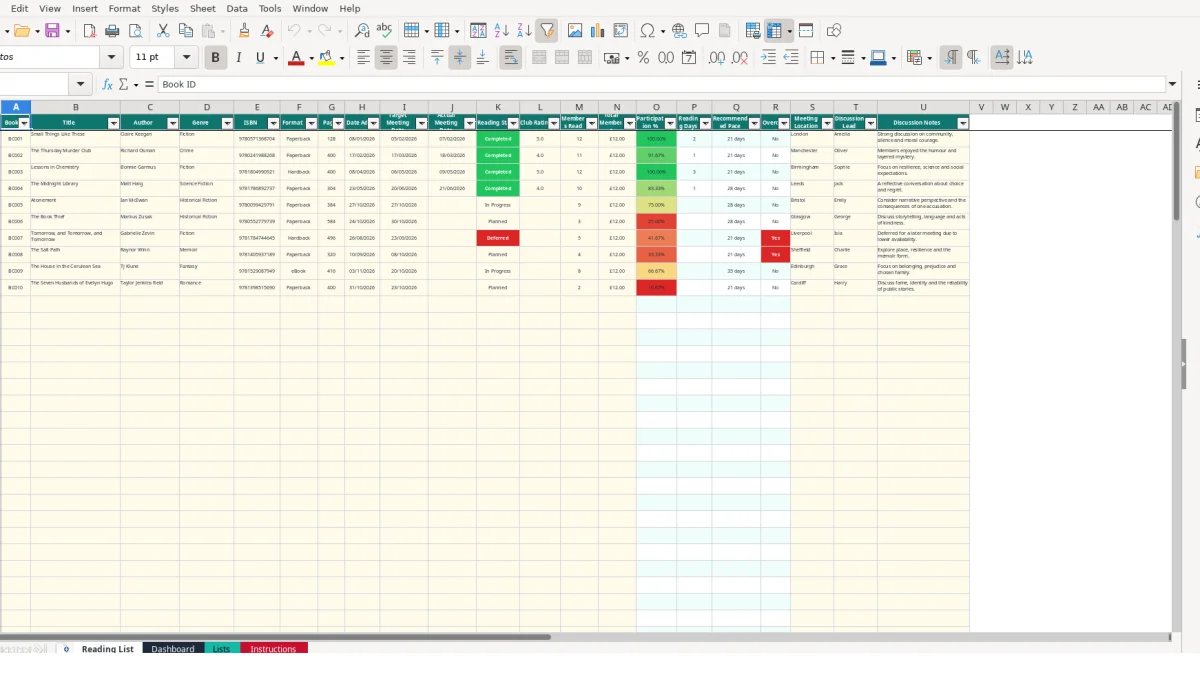
This book club reading list Excel template records selected books, authors, genres, ISBNs, formats, meeting dates, reading status, participation, ratings and discussion details. It includes a 100-row Reading List, an automatic Dashboard, editable lookup Lists and an Instructions sheet for managing a UK book club.
Use it to keep each book's practical details together, from the target meeting date and discussion lead to the number of members who read it. The workbook calculates participation, reading days, recommended pace and overdue status, while the Dashboard summarises the club's reading activity.
A book club committee, volunteer organiser or rotating discussion lead can use the Reading List as the club's central record. It suits a monthly group choosing books in advance, a workplace reading group tracking attendance, or a local library group handing administration between volunteers.
For example, a committee might add BC003 for Lessons in Chemistry, record 400 pages, set a target meeting date of 06/05/2026 and assign Sophie as the discussion lead. The same row keeps the genre, hardback format, ISBN, meeting location and later discussion notes together.
Use Reading Status to distinguish a future choice from a book members are already reading. Planned, In Progress, Completed and Deferred are available from the Lists sheet. This gives an organiser a 12-book pipeline without relying on separate notes or messages.
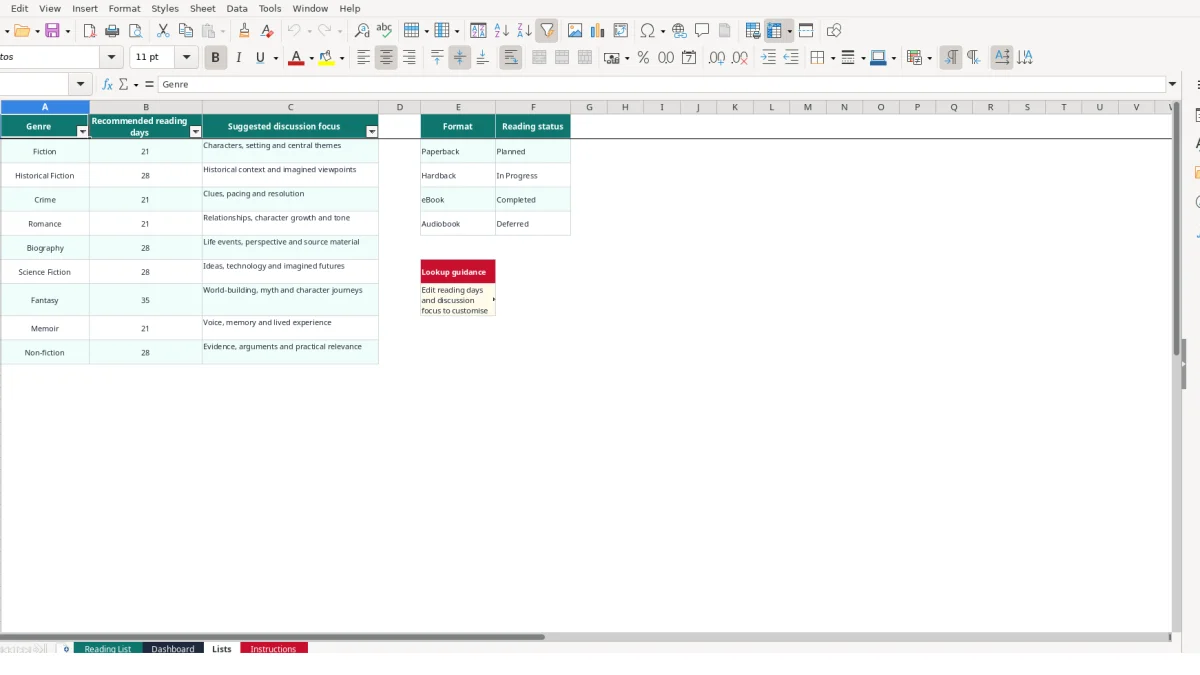
The Lists sheet links each genre to a recommended reading pace. Fiction and Crime are shown as 21 reading days, while Historical Fiction, Biography, Science Fiction and Non-fiction are shown as 28 days. Fantasy is shown as 35 days. These are workbook planning values, not rules about how quickly members should read.
Before a meeting, check the target date, location and discussion lead. Afterwards, enter the actual date, rating and participation figures. If 12 members belong to the club and 11 read the book, Members Read is 11, Total Members is 12, and calculated participation is approximately 91.67%.
Discussion Notes provide a record of the conversation. A sample entry for Small Things Like These records a rating of 5 from 12 members and notes discussion about community, silence and moral courage.
The workbook separates information you enter from values it calculates. On Reading List, you enter book details in columns A to N and meeting administration in columns S to U. Columns O to R calculate Participation %, Reading Days, Recommended Pace and Overdue?, so those outputs should not be replaced with typed figures.
Participation % uses Members Read divided by Total Members. If 12 members are registered and 9 read a book, the result is 75.00%; if both values are 12, it is 100.00%. The formula avoids displaying a misleading calculation on an empty row.
Reading Days is calculated from the target and actual meeting dates. A target of 05/02/2026 and an actual meeting date of 07/02/2026 gives 2 days. If the title, target date or actual date is missing, the calculation remains blank.
Recommended Pace uses VLOOKUP to match the selected genre against Lists. If Fiction is selected, the lookup returns 21; if Fantasy is selected, it returns 35. A consistent dropdown choice is better than typing variations such as fiction or Fantasy fiction.
Seven validation rules support disciplined entry. Genre, format and status use lists; ratings accept whole numbers from 1 to 5; pages accept 1 to 5,000; and Members Read and Total Members accept whole numbers within the workbook's stated ranges.
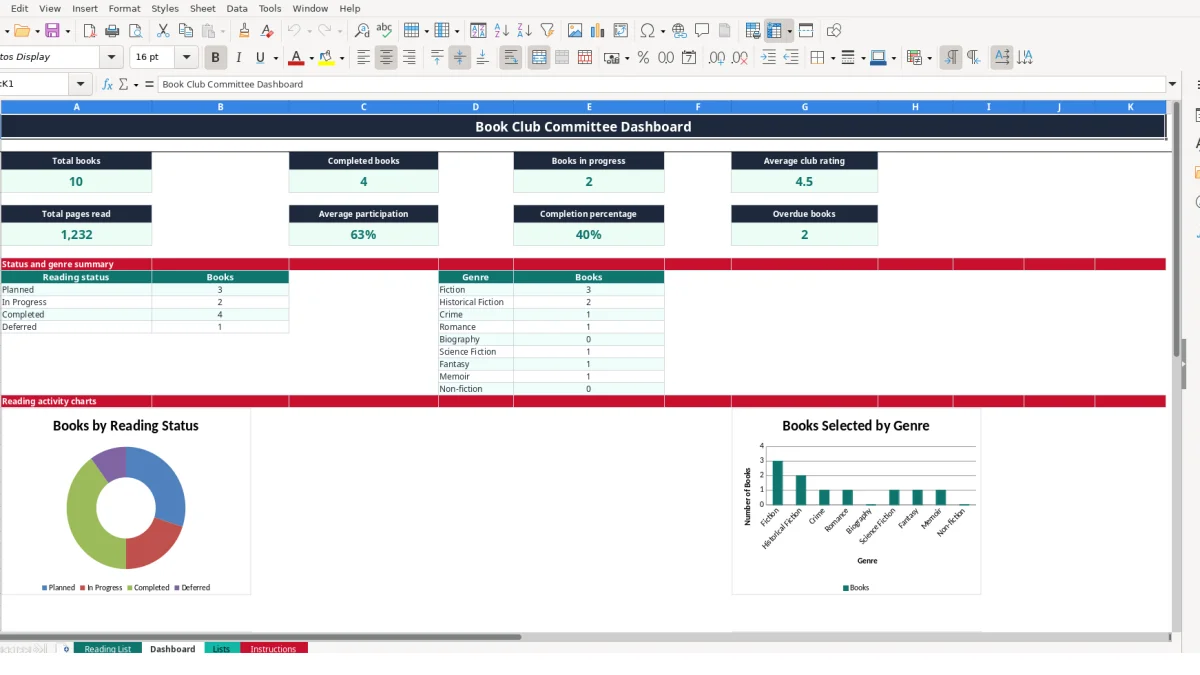
The Dashboard counts book titles, status values and genres, calculates average club rating and average participation, and counts overdue records. Its four charts use status, genre, rating and participation ranges, so changing source rows changes the dashboard when Excel recalculates.
The most damaging error in a reading list is often a mismatch between status, dates and meeting figures. A book marked Completed with no actual meeting date cannot produce Reading Days, while a book left as In Progress after the meeting can appear in the wrong Dashboard count.
Suppose a 12-person club records Members Read as 12 for one book and Total Members as 10 for another, even though the membership has not changed. Both rows could show 100% participation, but the figures no longer describe the same club population. Agree the denominator before entering each meeting's figures.
Genre spelling creates another problem. The lookup expects values in Lists, such as Fiction, Crime or Memoir. A manually typed variation may fail to return a Recommended Pace and can put the book in the wrong genre summary. Use the dropdown rather than correcting values later.
A target meeting date of 17/03/2026 and an actual meeting date of 18/03/2026 gives a one-day difference. If the actual date is accidentally entered as 18/03/2025, Reading Days becomes a large negative interval and should be corrected before relying on the Dashboard.
The Overdue? formula checks whether a target date is earlier than today while the status is not Completed. A book left as In Progress after a postponed meeting may therefore be flagged. Update the status and dates to reflect the club's actual position.
If someone types 80% over a calculated Participation % cell, later changes to Members Read and Total Members will not flow through. With 12 members changing from 9 readers to 10, the correct result changes from 75.00% to approximately 83.33%; a typed value would conceal that change.
A workbook becomes useful when one person owns the update at a fixed point in the club cycle. For a monthly meeting, update the next title immediately after the previous discussion, then review the row during the week before the next meeting. This creates two short checks instead of a large catch-up task.
For example, a club adding 12 books across a year can use one prepared row per selection and remain well inside the 100-row Reading List. Keeping the same Book ID pattern, such as BC001, BC002 and BC003, makes it easier to refer to a selection in messages and meeting notes.
Only change genre names, reading days or discussion focus when the club has agreed the new wording. Genre validation and Recommended Pace depend on the Lists values, so changing Fiction to another label without reviewing the lookup can disconnect existing entries from their pace.
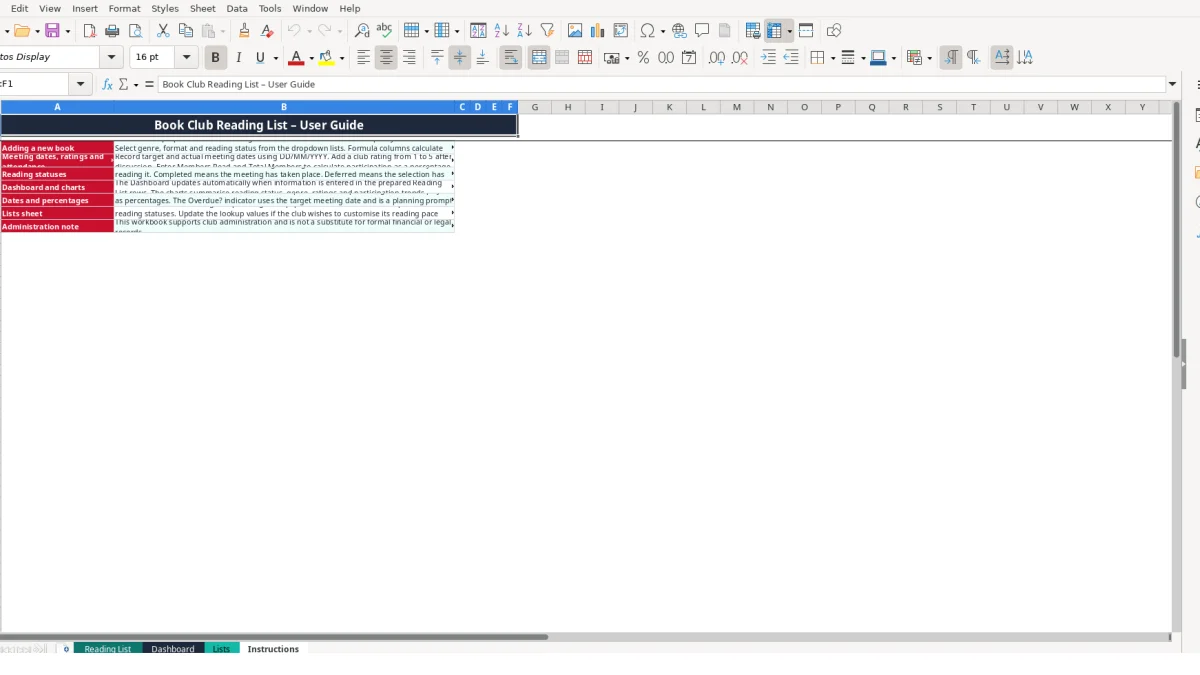
Keep the Instructions sheet with the file when passing administration to another organiser. It explains the prepared rows, date format, statuses, Dashboard and Lists sheet, so a new volunteer does not need to reconstruct the workflow from the formulas.
This workbook is suitable for a single shared list and straightforward meeting administration. Consider a dedicated system when several organisers need simultaneous controlled access, when member-level attendance and comments must be retained separately, or when the club needs permissions and a fuller history than the 100 prepared rows provide.
The Reading List has prepared rows 2 to 101, providing space for 100 book records. Each row includes book details, dates, status, participation figures and meeting administration fields.
Enter the Book ID, title, author, ISBN, format, pages, Date Added, target and actual meeting dates, status, rating, member counts, location, discussion lead and notes. Participation %, Reading Days, Recommended Pace and Overdue? are calculated columns.
Participation % is calculated from Members Read divided by Total Members. For example, 9 members out of 12 gives 75.00%. Enter whole numbers in the two member-count fields and leave the calculated percentage cell unchanged.
Yes. The Lists sheet contains the editable genre planning lookup, including recommended reading days and suggested discussion focus. Update the lookup values carefully because the Reading List genre dropdown and Recommended Pace calculation use those entries.
Overdue? returns Yes when a book is not marked Completed, has a target meeting date, and that date is earlier than the current date used by Excel. Check the status and dates when a meeting has been postponed.
The Dashboard shows total books, completed books, books in progress, average club rating, total pages read, average participation, completion percentage and overdue books. It also summarises status and genre counts and contains four charts for reading activity.
Excel template by
Guide written by