Chore Chart Excel Template – Free (2026)
0
Free download
Plan sowing, planting, harvest dates and bed space across Planting Plan, Crop Calendar, Dashboard and Instructions.


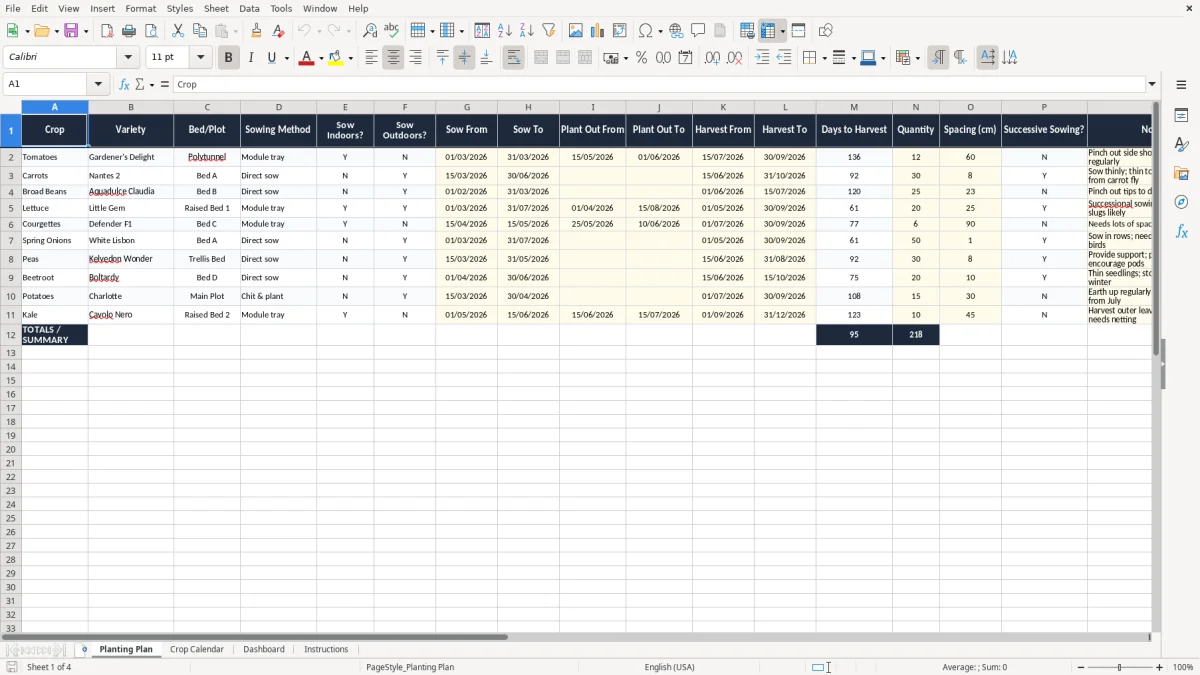
This Excel template helps you plan an allotment by crop, variety, bed, sowing dates, planting out, harvest windows and priority. It includes four sheets: Planting Plan, Crop Calendar, Dashboard and Instructions.
You use it to map what goes in each bed, when to sow indoors or outdoors, and when produce should be ready to cut. The layout is built for a home grower, plot holder or small community garden that needs a clear seasonal plan, not a notebook full of crossed-out dates.
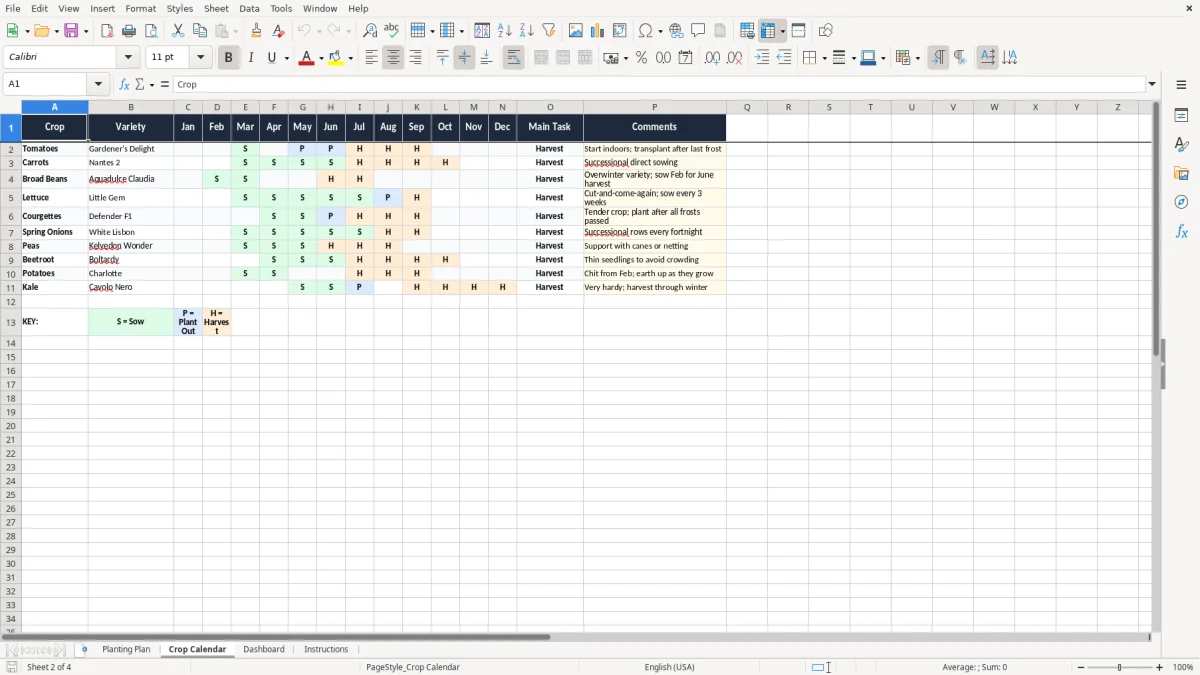
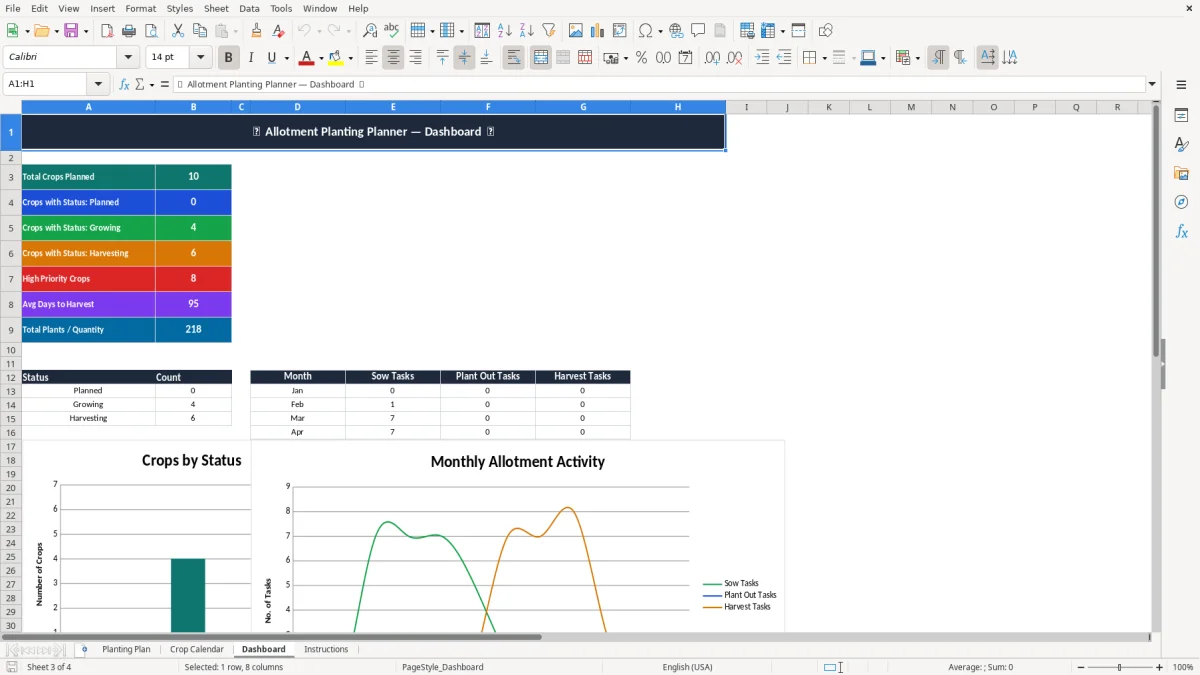
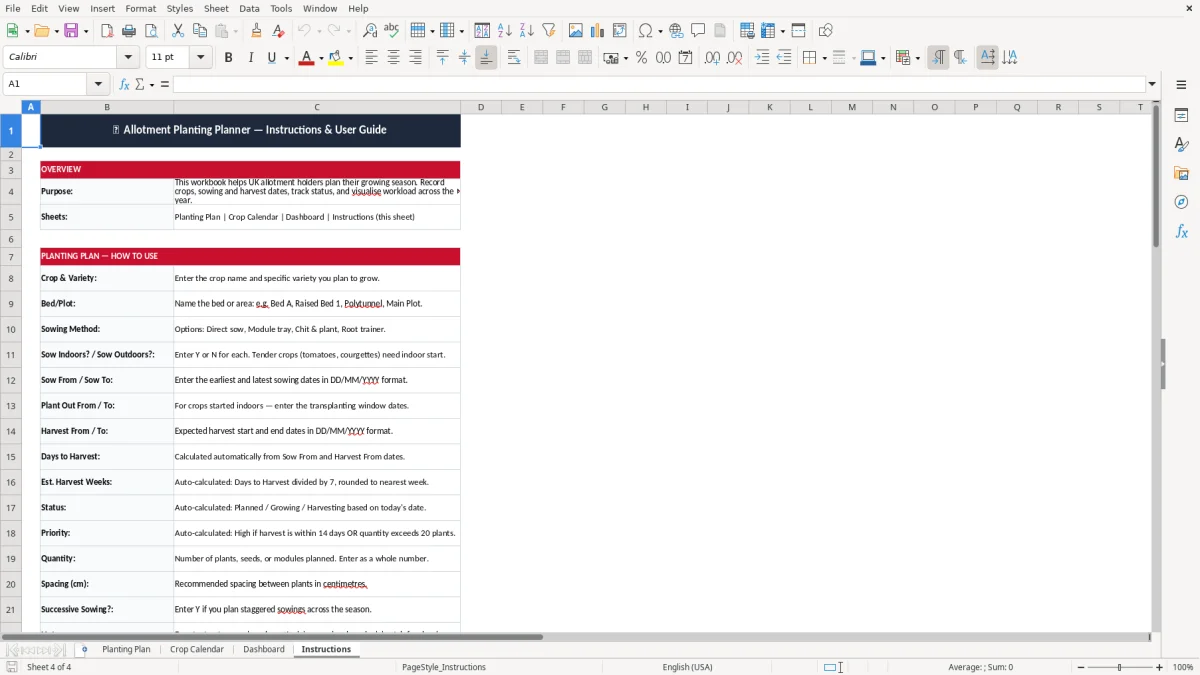
Image 1 shows the Planting Plan sheet with wide input columns for crop names, dates and notes. Image 2 shows the crop calendar view, image 3 shows the dashboard summary, and image 4 contains the instructions.
This sort of spreadsheet is for the point where seed packets, labels and memory stop being enough. A plot holder with 8 raised beds, a community garden with 24 crops on the go, or a family growing soft fruit and salads all need the same thing: a dated plan that says what goes where and when.
Image 1 is the working sheet. You record each crop on its own line, then add the bed, sowing method, date ranges and quantity so you can see the season rather than guess at it.
A solo allotment holder may use it in February to map early brassicas, then again in May when the first beans go in. A small garden team may use it on a Sunday morning to check that 12 tomato plants, 18 lettuce plugs and 3 rows of carrots are all moving according to plan.
The useful part is not just the crop name. If you have 6 courgette plants starting on 01/04/2026 and a harvest window from 15/06/2026 to 30/09/2026, you can see when the bed becomes free again and whether you need a second sowing elsewhere.
This template is built for UK conditions, where a sowing date that works in Kent may be too early for a colder inland plot. You still plan by the calendar, but you need to respect frost risk, the difference between indoor and outdoor sowing, and the practical gap between sowing and planting out.
Image 2 helps you see the crop schedule by month, which is useful when you are squeezing several sowings into one short season. If you sow 24 lettuce plants every 3 weeks, the planner shows you the repeated windows instead of leaving you to work it out by hand.
For tender crops such as tomatoes, peppers and courgettes, starting indoors first is usually the safer choice. Hardy crops such as broad beans, beetroot and spinach can often go straight outside once the soil is workable, which saves space on the windowsill or in the propagator.
If you have 4 beds and want 3 harvests from each one, the sheet helps you sequence them. A bed cleared from early radishes in May can take French beans in June, then winter salads later in the year, which is the sort of practical rotation that keeps an allotment productive.
The usual mistake is treating every crop as if it needs the same amount of time and space. One missed sowing window can waste a full bed for 4 to 6 weeks, and a wrong succession can leave you with 2 kilograms of lettuce in one week and none 2 weeks later.
Image 3 is there to reduce that kind of drift. It gives you a summary view so you can see if the plan is overloaded, underused or out of sequence before the season gets away from you.
If you squeeze 20 carrot seedlings into a strip meant for 12, you will usually get thin roots and more thinning work later. If you put 6 courgettes into space that only suits 4, you lose airflow, invite mildew and make picking awkward.
Fast crops need follow-on planting. A bed that gives you 2 trays of salad leaves in April should probably be replanted in May or June, otherwise you lose the easiest harvest of the year and end up buying the same produce from a shop.
The spreadsheet works best when you tie it to a fixed habit. Use it every Friday evening or every Sunday morning, then update only the rows that changed during the week.
Image 4 contains the instructions, which is useful if several people share the plot or you come back after a few months away. Once you have used the same format for one season, it becomes much quicker to copy forward than to start again.
If you are tracking several sites, shared greenhouse space or crop sales, a basic sheet will start to feel tight. At that point you may need a fuller stock or production system, but for one plot or a small garden this template is usually enough.
For shared greenhouse space or crop sales, the next step is often a cash flow forecast to keep the money side in step with the plan.
It is the main working sheet for entering each crop, variety, bed, sowing method, date range, quantity and notes. You use it to keep the whole season in one place instead of relying on seed packets and memory.
Use DD/MM/YYYY format and enter a realistic range rather than a single day. For example, 01/04/2026 to 15/04/2026 for sowing, then 15/06/2026 to 30/09/2026 for harvesting courgettes.
It gives you a clearer view of what is happening by month, so you can see when several crops overlap. That helps when you are fitting 2 or 3 sowings into one bed during the same season.
The dashboard gives you a quick summary of the plan so you do not have to scan every row. It is useful when you want to check what is due next before a seed-buying trip or a planting session.
Yes. It suits a shared plot, a school garden or a small community space where several people need to see what has been sown, what is due for planting out and what is ready to harvest.
Update it once a week at a fixed time, then change the dates and notes after each planting or harvest. That keeps it accurate without turning it into a daily chore.
Excel template by
Guide written by