Freezer inventory Excel Template – Download (2026)
4
Free download
UK delivery note Excel template with printable customer, order, dispatch, driver and vehicle details, plus a delivery log and dashboard.


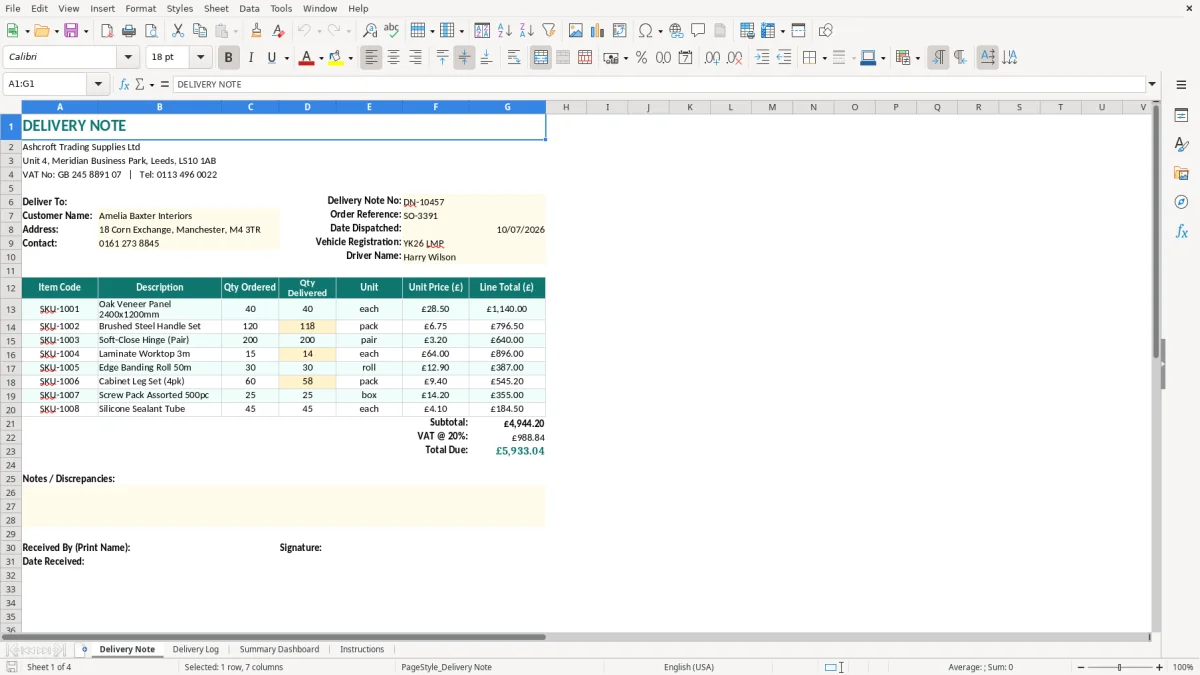
A delivery note Excel template is a printable record of goods sent to a customer. This workbook contains a formatted Delivery Note sheet for each consignment, a Delivery Log for ongoing records, a Summary Dashboard for monitoring activity and an Instructions sheet.
Use it when a driver leaves stock at a customer’s premises, particularly where the customer needs to check quantities before signing. The delivery note is separate from your sales invoice: it confirms what was delivered, while the invoice requests payment.
Image 1 shows the printable document headed Delivery Note, with your business details, customer information and a highlighted dispatch information box. The teal headings, pale input cells and wide columns are designed to make the document easy to complete and print.
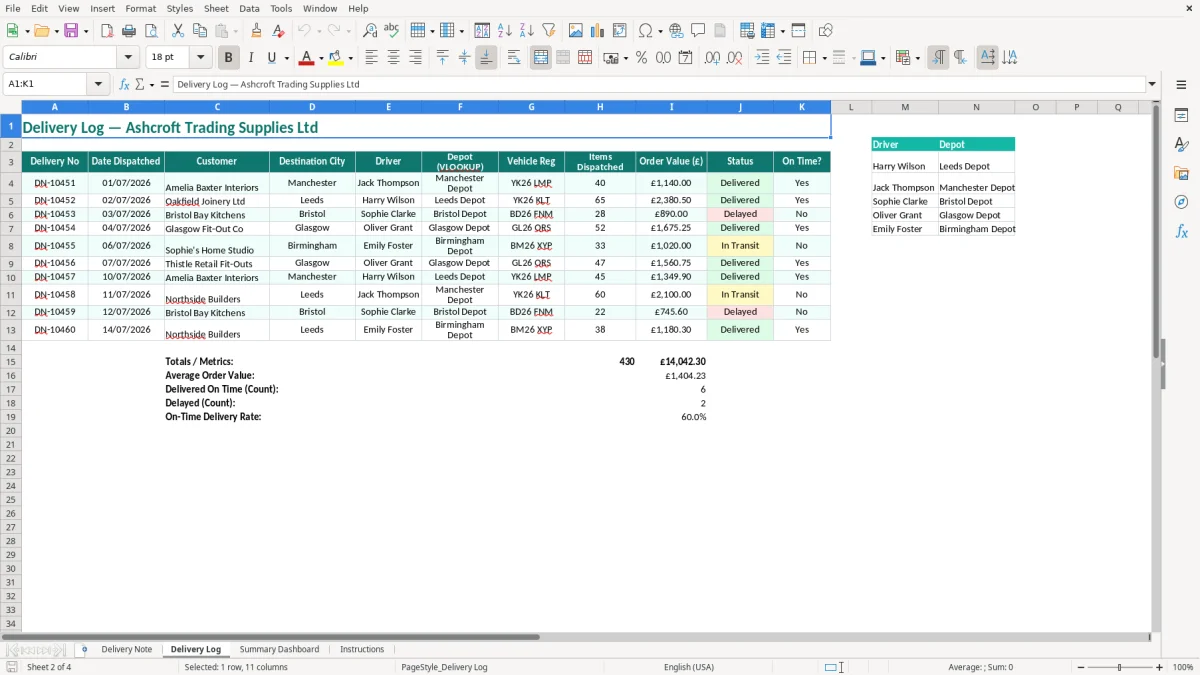
A delivery note is most useful when goods physically move from your premises to a customer and somebody needs to confirm what arrived. A plumbing merchant, furniture supplier, wholesaler or online retailer can use the Delivery Note sheet before the vehicle leaves the yard, then retain the completed record with the order.
For example, a Leeds trade counter sends 18 boxes of fittings to a building contractor. The note can show the customer, the delivery address, order reference SO-3391, the dispatch date of 10/07/2026, vehicle registration YK26 LMP and driver Harry Wilson. Those details give the office a clear trail when the contractor queries a missing box.
An office manager at a firm with four delivery vehicles may prepare several notes each morning. The highlighted entry cells make it quicker to change the customer and consignment details while the teal layout keeps the printed documents consistent. Use a new delivery note number for every separate consignment rather than reusing the sales order number.
The Delivery Log is useful after the driver returns. Instead of relying on a folder of signed paperwork, the bookkeeper can record each delivery in one place and use the dashboard for a quick review. A business completing 25 deliveries each week will have roughly 100 records to check after a month, so a central log becomes more practical than loose notes.
A sole trader delivering bespoke furniture may only send six orders a month, but a formal note still helps when the customer is not present. The customer can inspect the goods later and compare them with the written description. Keep the document with the sales order and invoice; the delivery note proves dispatch or receipt, but it does not replace the invoice or payment record.
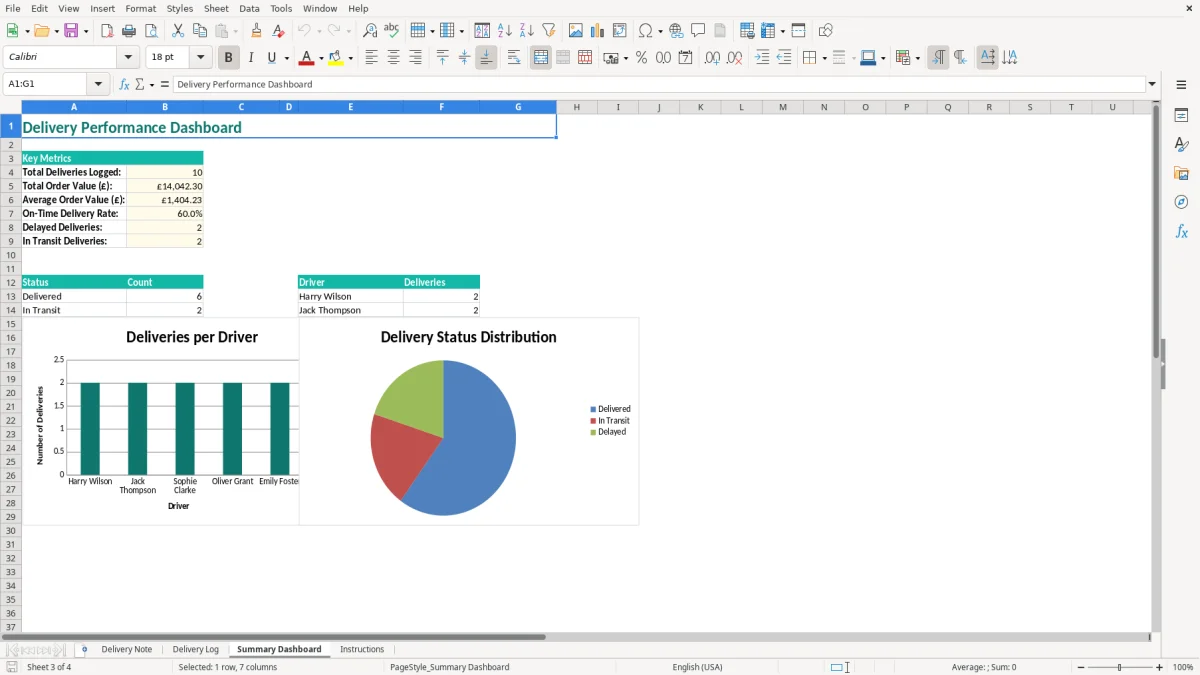
UK law does not prescribe one mandatory delivery note layout, but your document should identify the parties, the goods and the movement clearly. The template’s header provides space for the supplier’s name, address, telephone number and VAT number, while the delivery area identifies the customer and destination.
Use a unique sequential reference such as DN-10457, link it to the order reference such as SO-3391 and enter the actual dispatch date. Recording the vehicle registration and driver name is a sensible control for business deliveries because it connects the paper document with the journey. Dates should be entered as DD/MM/YYYY, so 10 July 2026 appears as 10/07/2026.
A delivery note is not a VAT invoice. If you are VAT-registered, a VAT invoice must contain the required invoice information, including your name and address, a unique invoice number, invoice date, customer details, VAT number and VAT amount shown separately. The standard VAT rate is 20%, with 5% and zero-rated supplies applying to specific categories; do not use the delivery note to calculate output VAT unless it is also a valid VAT invoice.
If taxable turnover reaches the VAT registration threshold of £90,000, you must deal with registration and issue invoices correctly. Businesses within Making Tax Digital may also need compatible digital records and quarterly VAT returns, but a printed delivery note remains useful evidence of what was dispatched.
Companies generally keep accounting records for 6 years from the end of the relevant financial year. A sole trader normally keeps records until at least 5 years after the 31 January Self Assessment deadline for the relevant tax year. In practice, retain delivery notes with orders, invoices and proof of delivery so a £2,400 consignment can be traced from dispatch through to payment.
That trail is even stronger when stock control records are kept alongside the delivery note, so each £2,400 consignment can be traced from dispatch through to payment.
The most expensive delivery note problems are usually small entry errors rather than spreadsheet failures. A wrong postcode can send a vehicle to the wrong site, while an incorrect order reference makes it difficult for the customer’s accounts team to match the note with the purchase order.
A warehouse may load 40 units but the note records 30. The customer then withholds payment for the disputed £350 difference until somebody checks the picking list, vehicle and signed paperwork. Descriptions such as “parts” are not enough for a busy trade customer; use the product description or stock code used on the order.
Another common mistake is copying last week’s customer details and changing only the quantity. A furniture supplier with two deliveries to similar addresses can leave a driver carrying a £1,800 order to the wrong branch. Check the customer, destination and order reference as a three-point check before printing.
A delivery note that leaves the premises without a signature, recipient name or delivery status may show that a document was created but not that the goods were accepted. If a customer later disputes a £1,250 consignment, staff may spend hours searching emails, vehicle records and warehouse paperwork.
Do not alter the original note casually after dispatch. If five cartons were short-delivered, record the actual quantity and issue a separate correction or replacement note linked to the original reference. This is clearer than overwriting the first document and preserves the audit trail.
Some small firms mark a delivery note as paid or treat it as the invoice. That can omit the VAT analysis, payment terms and invoice number required for a VAT invoice. Keep the delivery record operational: it confirms goods and movement, while your invoice and bookkeeping system handle the sale, VAT and debtor balance.
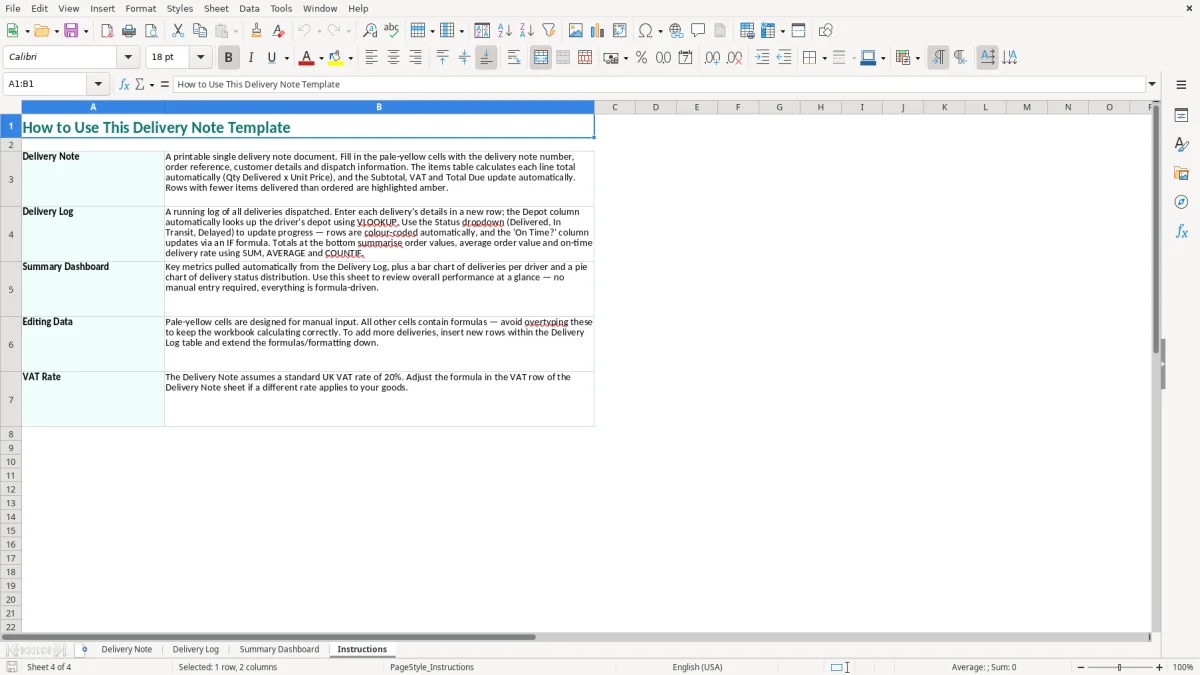
The simplest routine is to prepare the delivery note when the order is picked, not when the driver is already waiting. At 08:30, the warehouse or office can check the order reference, customer address, items and quantity; the driver then receives a document that matches the consignment.
Enter completed deliveries in the Delivery Log at the end of each run or before the next morning’s dispatch. If you complete 20 notes a week, a 10-minute Friday reconciliation can identify missing numbers, duplicate references or deliveries that have no signed paperwork before the month-end review.
Protect the layout and use the pale input cells for entries rather than typing over headings. Keep one blank master copy, then save completed notes separately. Back up the workbook in a restricted business folder because customer names, addresses and driver details are personal data under the UK GDPR.
Review the Summary Dashboard every Friday and compare its totals with the Delivery Log. Once you are handling several hundred deliveries a month, multiple users need simultaneous access, or stock must update automatically when a delivery leaves, move to proper order-management or warehouse software. A spreadsheet remains a good starting point, but manual copying then becomes the main source of risk.
A delivery note is a document sent with goods to identify the customer, delivery address, order and items supplied. It helps the recipient check the consignment and is not normally a request for payment or a substitute for a VAT invoice.
The workbook contains four sheets: Delivery Note, Delivery Log, Summary Dashboard and Instructions. The printable note includes business details, customer delivery information, delivery note number, order reference, dispatch date, vehicle registration and driver name.
No. A delivery note records the movement and receipt of goods. A VAT invoice must contain the required invoice details and show VAT separately where applicable, including the standard 20% rate for standard-rated supplies.
Yes. Use a clear sequence such as DN-10457, DN-10458 and DN-10459. Unique references make it easier to trace each consignment, identify missing paperwork and link a delivery to its order and invoice.
Companies generally retain accounting records for 6 years from the end of the relevant financial year. Sole traders normally keep records until at least 5 years after the 31 January Self Assessment deadline for the relevant tax year; keeping delivery notes with related sales records is practical.
Yes. Complete and save a separate Delivery Note for each consignment, using a new delivery note number each time. Record the completed delivery in the Delivery Log so the Summary Dashboard and your central records remain up to date.
Excel template by
Guide written by