Freezer inventory Excel Template – Download (2026)
4
Free download
Track stock movements, stock value, reorder levels and margin with four sheets for UK shops, warehouses and small businesses.


This stock control Excel template records stock movements, product details, stock value and reorder points in one workbook. It includes four sheets: Stock Movements, Product Master, Dashboard and Instructions.
Use it when you need a clear view of what came in, what went out, what is left on hand and when to reorder. It suits a shop owner, warehouse clerk, bookkeeper or office manager who needs the numbers in one place.
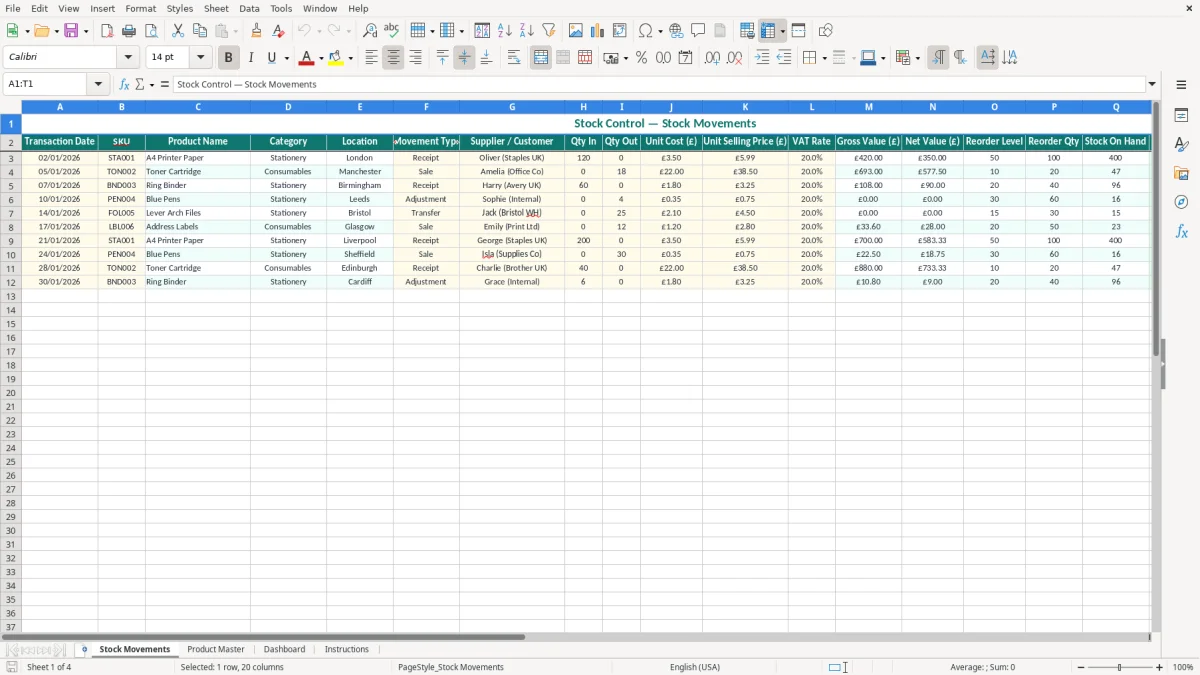
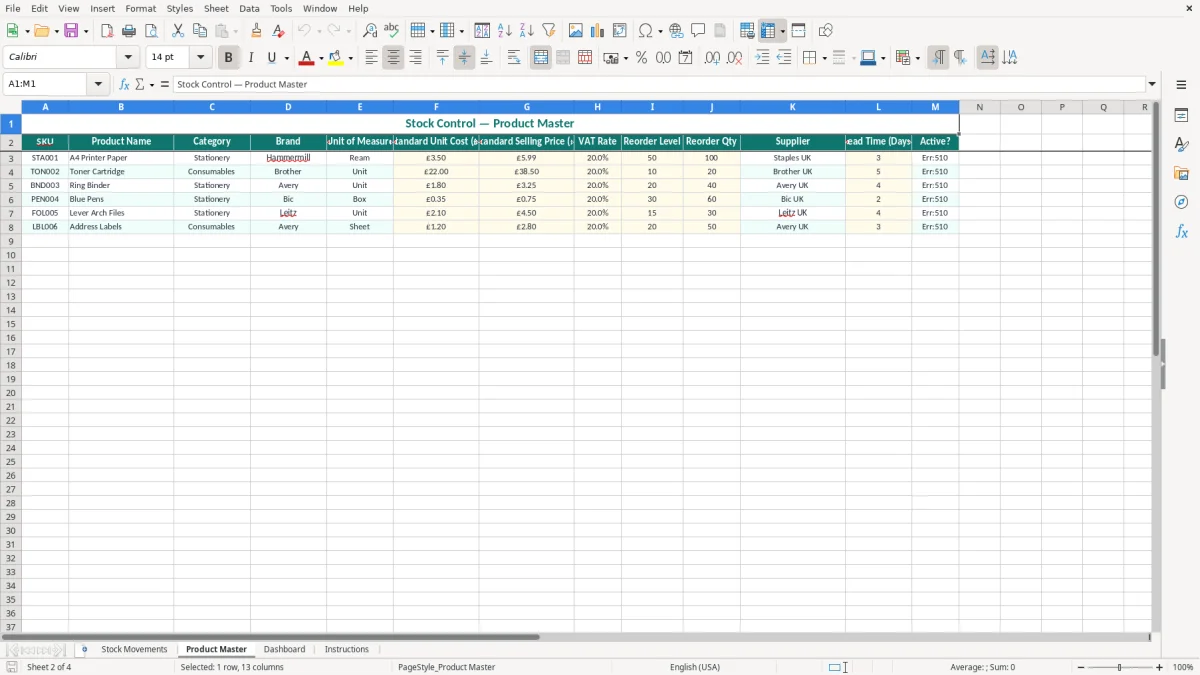
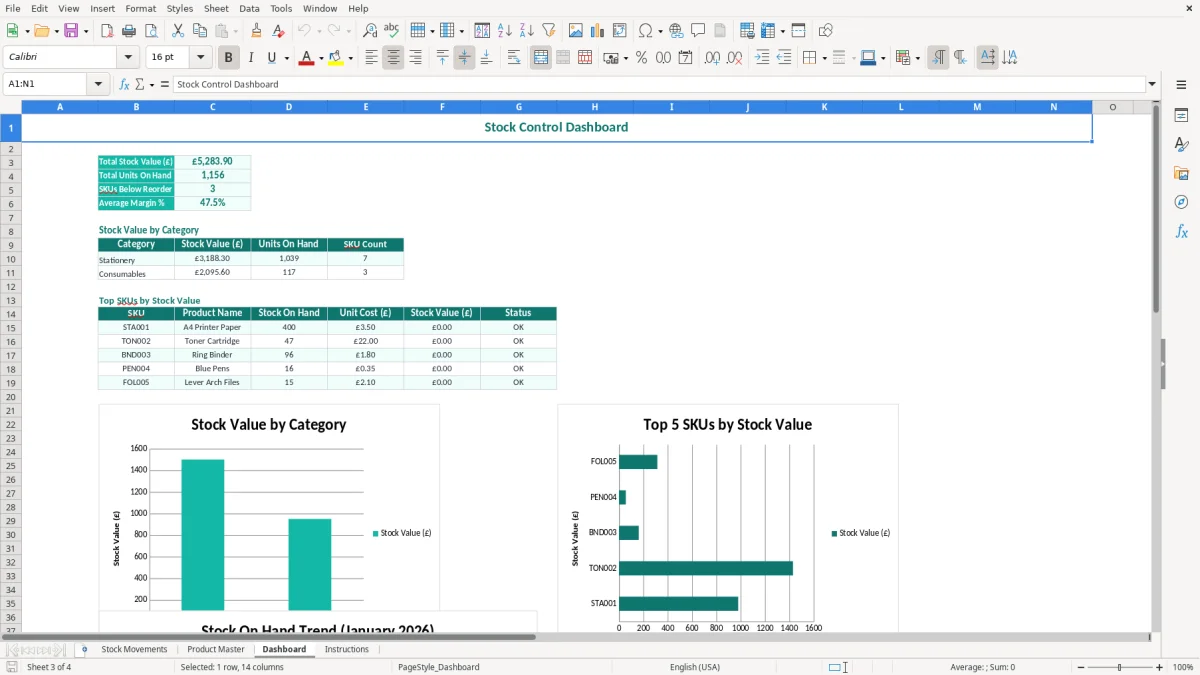
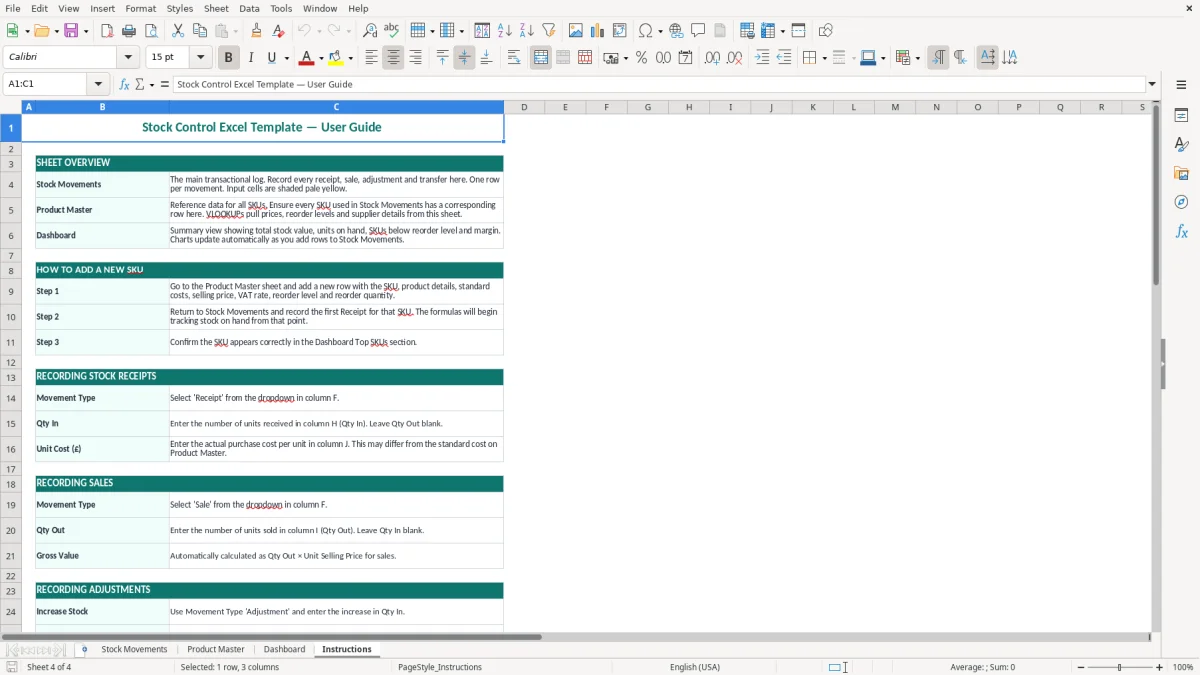
Image 1 shows the Stock Movements sheet with the line-by-line entry table. Image 2 is the Product Master, Image 3 is the Dashboard, and Image 4 gives the setup notes.
This template suits the people who have to know, at any point in the week, how many units are left and what they are worth. A sole trader with 40 product lines, a small warehouse with 300 SKUs, or a club shop running weekend sales all need the same basic thing: a reliable movement record.
The Stock Movements sheet is the working sheet. Image 1 shows columns for Transaction Date, SKU, Product Name, Category, Location, Movement Type, Supplier / Customer, Qty In, Qty Out, Unit Cost, Unit Selling Price, VAT Rate, Gross Value, Net Value, Reorder Level, Reorder Qty, Stock On Hand, Stock Value, Margin % and Status.
If you buy 120 printer cartridges at £22.00 and sell 18 at £38.50, the file gives you both the quantity movement and the trading value in one place. That is far more useful than a simple count column, because you can see whether the item is earning its keep or just sitting on the shelf.
Most users pick this up at receiving, dispatch or stocktake time. A builder with 4 employees may update it after a van run; an online shop with 300 orders a month may update it daily; a bookkeeper may use it before month-end to reconcile stock against the profit and loss.
For HMRC purposes, stock records sit inside your wider bookkeeping trail. If you are self-employed, keep the records for 5 years after the 31 January Self Assessment deadline for that tax year; companies keep records for 6 years.
The key point is that you need to be able to explain opening stock, purchases, sales and closing stock. If you claim stock purchases as expenses without a proper movement record, you make it harder to support your profit figure and your year-end accounts.
Stock is not the same as an expense at the point you buy it. In proper double-entry bookkeeping, unsold stock sits on the balance sheet and only moves into the profit and loss account when it is sold or written down. That matters when you are preparing year-end accounts for a sole trader or a Ltd company.
A shop with £18,000 of stock on hand at the year-end should not leave that number to guesswork. If the closing figure is wrong by even 5%, that is £900 either missing from assets or overstated in costs, which can distort the gross margin and the tax computation.
The most common failure is not the counting itself, but the record split. If receipts are entered, sales are not, and adjustments are left until month-end, your stock on hand can drift by dozens of units without anyone noticing.
That drift turns into real money quickly. A consumables line with 50 items at £12.00 each is £600 of stock; lose 8 units through unrecorded issues and you have £96 of missing value before you have even checked for shrinkage.
Another frequent error is using the wrong unit cost after a price increase. If a cartridge cost £22.00 last month and now costs £24.50, reusing the old figure understates stock value and margin on every sale line.
Bad SKU discipline creates duplicate items, split counts and wrong reorder calls. One customer order can trigger two entries under different descriptions, and that can make you think you hold 36 units when the real usable stock is 18.
If you run a quarterly stocktake and your file is out by 10% on a £25,000 stock base, you are looking at £2,500 of error. That is enough to distort ordering, cash planning and the year-end accounts in one go.
Use the workbook on a fixed cycle, not when you remember. The simplest approach is to update it at goods-in, after sales close, and again before your weekly order run or month-end review.
If you are handling 1,000+ order lines a month, multiple users or barcode scanning, the spreadsheet will start to creak. At that point a proper stock system is safer, but for a small business with controlled item counts this workbook is a solid working tool.
It records the date, SKU, product name, category, location, movement type, supplier or customer, quantities, pricing, VAT rate, values, reorder settings, stock on hand, stock value, margin and status.
Yes. It is suitable for a shop with a few dozen lines or a small warehouse with a few hundred SKUs, provided you keep the codes and entry rules consistent.
Update it when stock moves, not weeks later. Daily entry is best for fast-moving stock; weekly entry can work for slower lines if you also do a regular stock count.
Yes. Unsold stock is normally an asset on the balance sheet, not an immediate expense, and it affects your profit and loss when sold or written down.
If you are self-employed, keep them for 5 years after the 31 January Self Assessment deadline. If you run a company, keep them for 6 years.
Move on when you have too many users, too many lines or too much scanning for one workbook to handle reliably. If you are processing around 1,000 or more order lines a month, software is usually the safer choice.
Excel template by
Guide written by