Freelance Invoice Excel – Free Template (2026)
7
Free download
UK profit and loss template with data entry, summary, dashboard and instructions for small business bookkeeping.


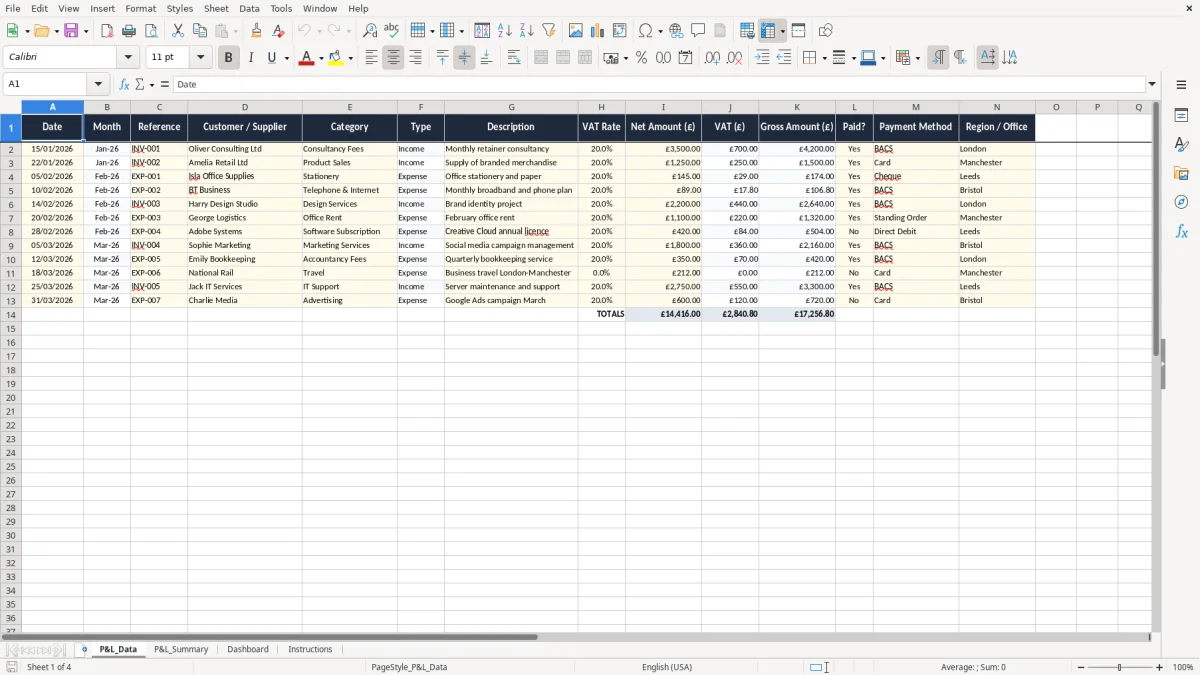
This profit and loss Excel template is a UK small business spreadsheet for recording income and expenses, then turning them into a clear profit and loss summary. It includes P&L_Data, P&L_Summary, Dashboard and Instructions sheets.
Use it to track sales, costs, VAT amounts and payment status in one place. The workbook is set up for day-to-day bookkeeping, month-end review and a simple management report.
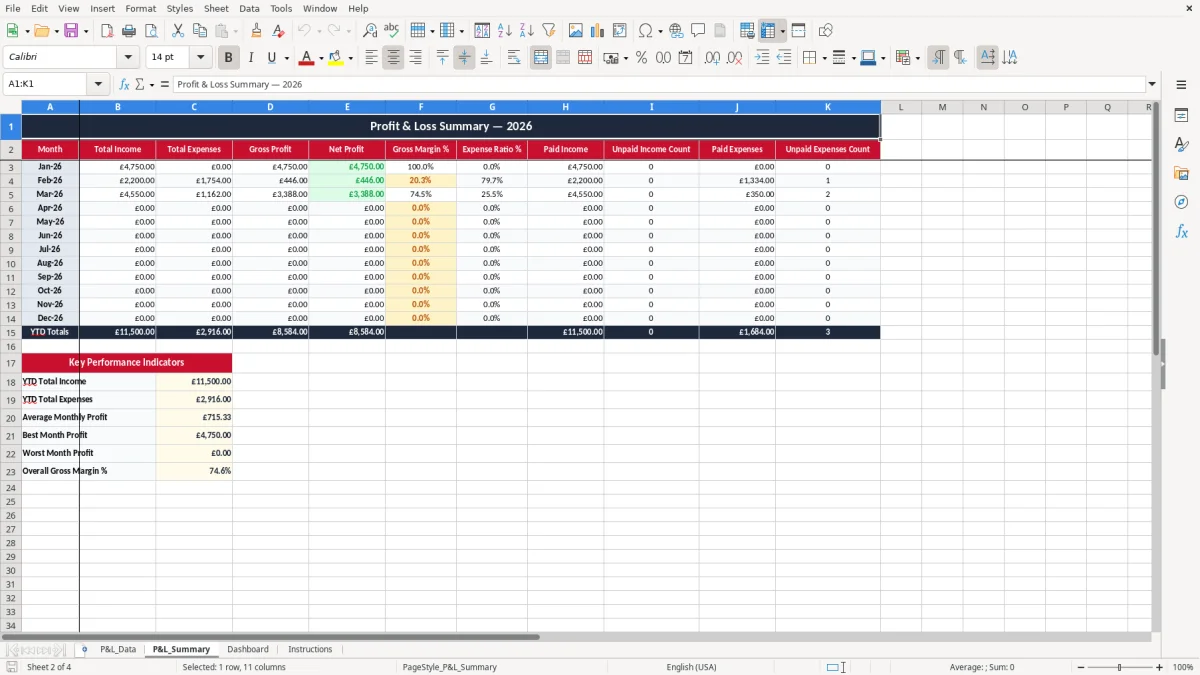
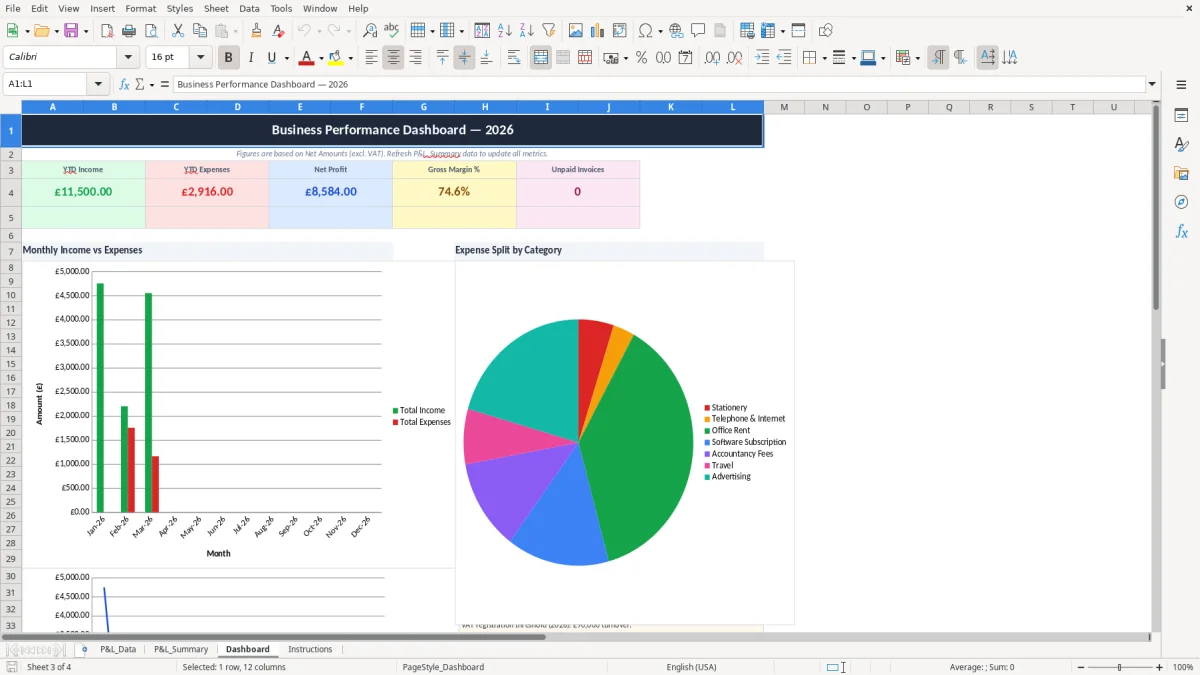
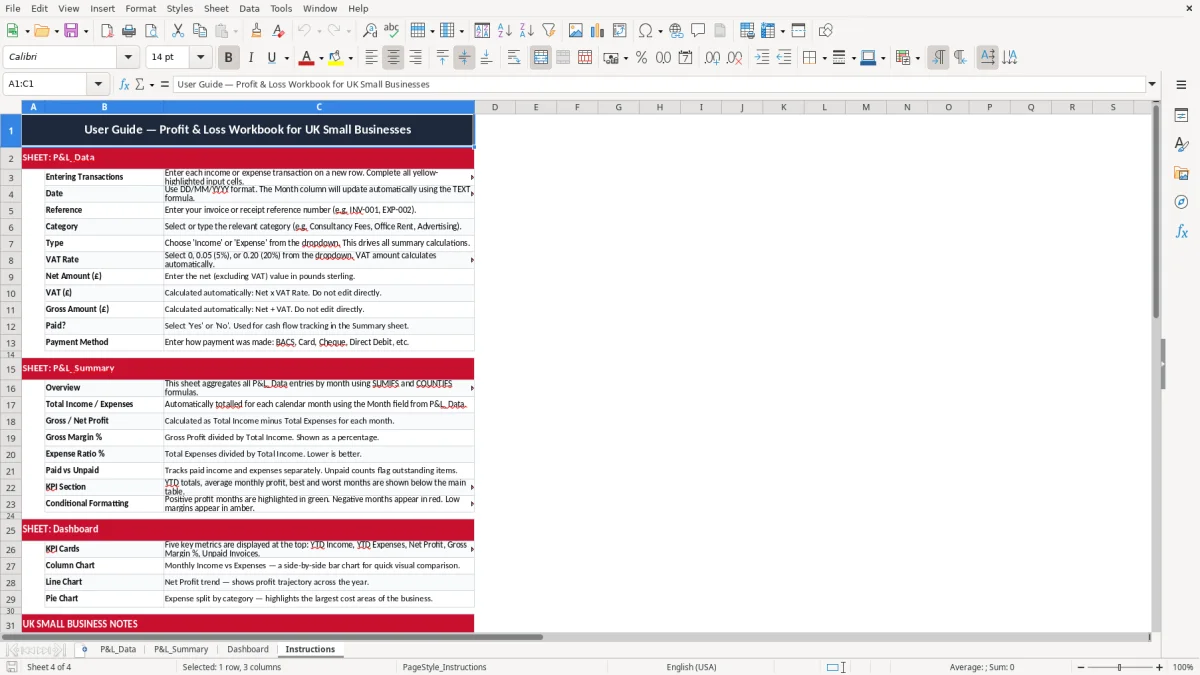
The entry sheet is image 1, the summary is image 2, the dashboard is image 3 and the guidance sheet is image 4. You can see the columns, totals and charts before you start typing.
A UK sole trader can use this when they are building a month-end view before Self Assessment, while a bookkeeper at a Ltd company can use it to check trading performance before the management accounts go out. A trades firm with 4 employees might enter 60 sales and purchase lines in a month; an online shop might enter 300 orders and returns, then look for the true margin after postage and fees.
The pressure point is usually the end of the month, the VAT quarter, payroll week or year-end close. If you are trying to see whether a £24,000 sales month really made money after £8,500 of wages, £2,100 of materials and £1,400 of overheads, a proper profit and loss layout does the job quickly.
The P&L_Summary sheet pulls the figures together so you do not have to total every line by hand. That is useful for a club treasurer, a freelance consultant or the office manager who needs one clean report before the director’s meeting.
HMRC expects you to keep enough records to support the numbers in your accounts and tax return. For the self-employed, keep records for at least 5 years after the 31 January Self Assessment deadline; for companies, keep accounting records for 6 years.
If you are VAT-registered, this workbook fits the practical parts of the return: tax point date, net value, VAT value and gross amount. In 2026 the VAT registration threshold is £90,000 of taxable turnover, the standard rate is 20%, the reduced rate is 5% and the zero rate applies to items such as most food, children’s clothing and books.
A quarterly return under Making Tax Digital is easier when the figures are already sorted by date, category and VAT rate. If you have 120 purchase invoices at an average net cost of £85, the VAT check is much quicker when the file is already carrying the VAT column and not just one total number.
That same date-and-VAT layout also makes an invoice tracking sheet straightforward at quarter-end.
The common failure is not the maths, it is the coding. A £1,200 design fee gets entered as income one month and a refund the next, or a £480 laptop is treated as stationery instead of a capital item, so the margin looks wrong and the year-end accounts need tidying later.
If you put a VAT-inclusive figure into the net column, the totals become nonsense straight away. For example, £1,200 gross at 20% VAT should be £1,000 net and £200 VAT; if you record £1,200 as net, you overstate sales and tax by £240 on that one line.
Another mistake is ignoring unpaid invoices. A month with £18,000 of sales and £6,000 still unpaid is not the same as £18,000 collected, and that difference matters when wages, rent and supplier terms fall due.
Those unpaid items also often hide reimbursable staff costs, so a simple expense claim form keeps the cash flow picture honest.
Use it at the same time every week, not only when the books are already messy. The simplest habit is to update P&L_Data straight after the sales invoice run or purchase batch, then review the summary before the month closes.
If you are pushing past a few thousand rows a year, need stock or jobs costing, or want live bank feeds, a spreadsheet starts to become too manual. At that point, move to bookkeeping software and keep this workbook for reporting, checking and training new staff.
It is for recording business income and expenses, then showing the result as a clear profit and loss summary. You can use it for monthly management reporting, VAT checking and year-end preparation.
It suits a sole trader, a freelancer, a small Ltd company or a bookkeeper handling a compact set of accounts. It is especially useful when you want a simple spreadsheet rather than full accounting software.
Yes. The data sheet includes VAT rate, net amount, VAT amount and gross amount, so you can see each figure on its own and keep your records ready for a quarterly VAT return.
Yes. The workbook is set up so you can enter transactions through the month and then review the P&L_Summary and Dashboard at month end. That makes it easier to compare one period with the next.
Keep the records for at least 5 years after the 31 January Self Assessment deadline if you are self-employed, or 6 years if you are running a company. That gives you a proper audit trail if figures are questioned later.
Move on when the file becomes slow to update, you need stock control, or you want bank feeds and live VAT reporting. If you are managing thousands of lines a year, software will usually save more time than a manual workbook.
Excel template by
Guide written by