Funeral Cost Planner Excel Template (2026)
0
Free download
Track sinking fund targets, monthly contributions and shortfalls in one UK Excel template with summary dashboard and instructions.


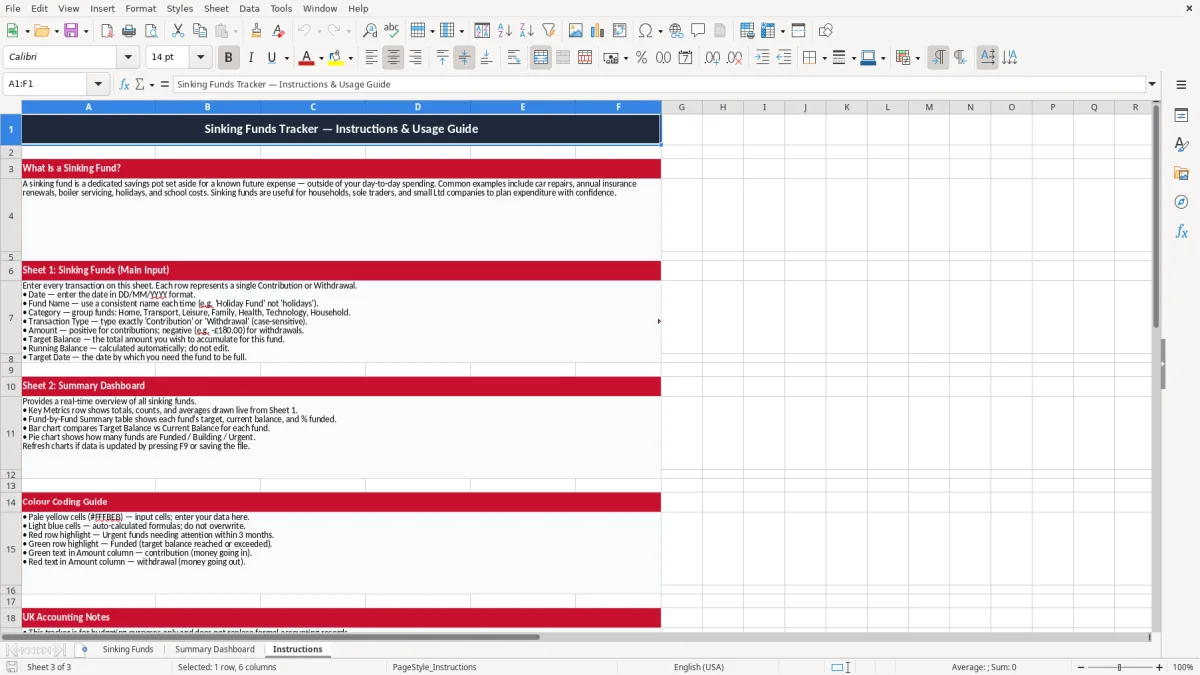
This Sinking Funds Tracker Excel template helps you plan for known future costs by setting target amounts, monthly contributions and due dates in one place. It includes three sheets: Sinking Funds, Summary Dashboard and Instructions.
Use it for home repairs, annual insurance, car servicing, school trips, office renewals or reserve funds in a small business. The workbook shows what each fund needs, how much you have saved and what is still left to collect.
The Summary Dashboard pulls the numbers together so you can see total targets, total saved and the funding gap at a glance. The Sinking Funds sheet gives you the working list, and the Instructions sheet tells you how to enter and review the figures.
This template suits anyone who has regular but non-monthly costs to plan for. A sole trader might use it for software renewals, van servicing and accountant fees, while a family may use it for school uniform, Christmas or holidays.
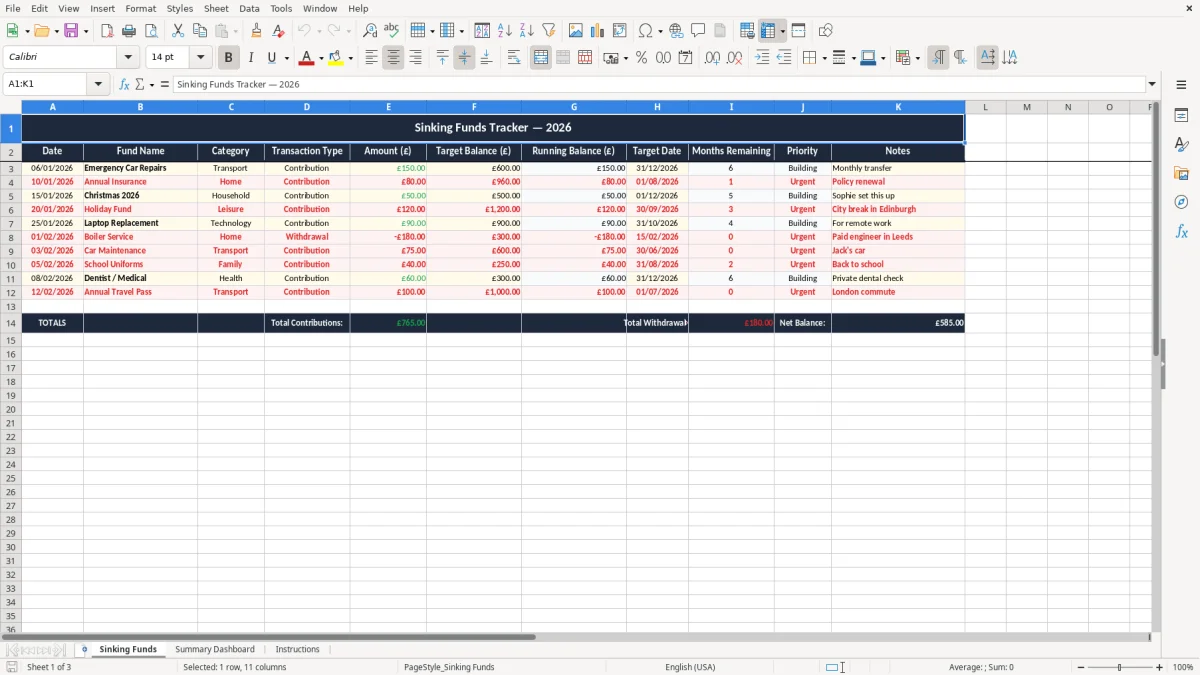
The Sinking Funds sheet is the working list, and image 1 shows the kind of simple line-by-line layout that suits this job: one fund, one target, one saved amount and one deadline. That is the right structure when you are juggling 8 to 15 separate pots and want to see which ones are falling behind.
You usually reach for this workbook when a known bill is coming but not yet due. For example, if you need £900 for a car repair in 6 months, you can set aside £150 a month instead of taking a hit in one week.
A club treasurer might track a £2,400 roof reserve, a trades business might ring-fence £1,800 for tools, and a household might build a £1,200 emergency fund. In each case, the spreadsheet helps you decide whether the pot is on track or whether you need to increase the monthly transfer.
A sinking fund is not the same as day-to-day spending money. It is a planned reserve for a specific cost, so the amount and the deadline matter more than the daily bank balance.
For businesses, keep the records with the same discipline as any other financial working paper. Companies should retain bookkeeping records for 6 years, and sole traders should keep records for 5 years after the 31 January Self Assessment deadline for the relevant tax year.
If a set of accountancy software fees falls due on 01/09/2026 and the bill is £360, the monthly set-aside is £30 if you start 12 months earlier, or £60 if you only have 6 months. That simple timing check is often the difference between a tidy reserve and a cash squeeze.
For a known annual cost of £1,440, the clean monthly figure is £120. If you round it down to £100, you will be £240 short after a year, which is enough to leave one fund underfilled and force you to raid another pot.
The most common mistake is treating every pot as if it can wait. A van fund, a tax reserve and a holiday pot are not interchangeable, and mixing them creates gaps that only show up when the bill arrives.
Another problem is entering the target but not reviewing the saved amount. If you promised yourself £80 a month towards a £960 boiler fund and miss three months, you are already £240 behind before the engineer has even quoted.
At £50 a month, a £300 missed contribution leaves a 6-month hole. If you discover it late, you may have to pull the money from a credit card or overdraft, which turns a planned cost into avoidable interest.
A spreadsheet with 25 funds is still fine, but only if you update it properly. If 5 lines are stale, the dashboard can show a healthy total saved while three urgent items are actually underfunded by £400, £700 and £1,100.
Those stale lines are easiest to catch when each pot has a clear target and progress bar, so a goal tracking sheet keeps the underfunded items visible before the shortfall turns into borrowing.
Build the update into a fixed routine, not an occasional tidy-up. The easiest habit is to review the workbook on the same day as the bank transfer, payroll run or month-end money sweep.
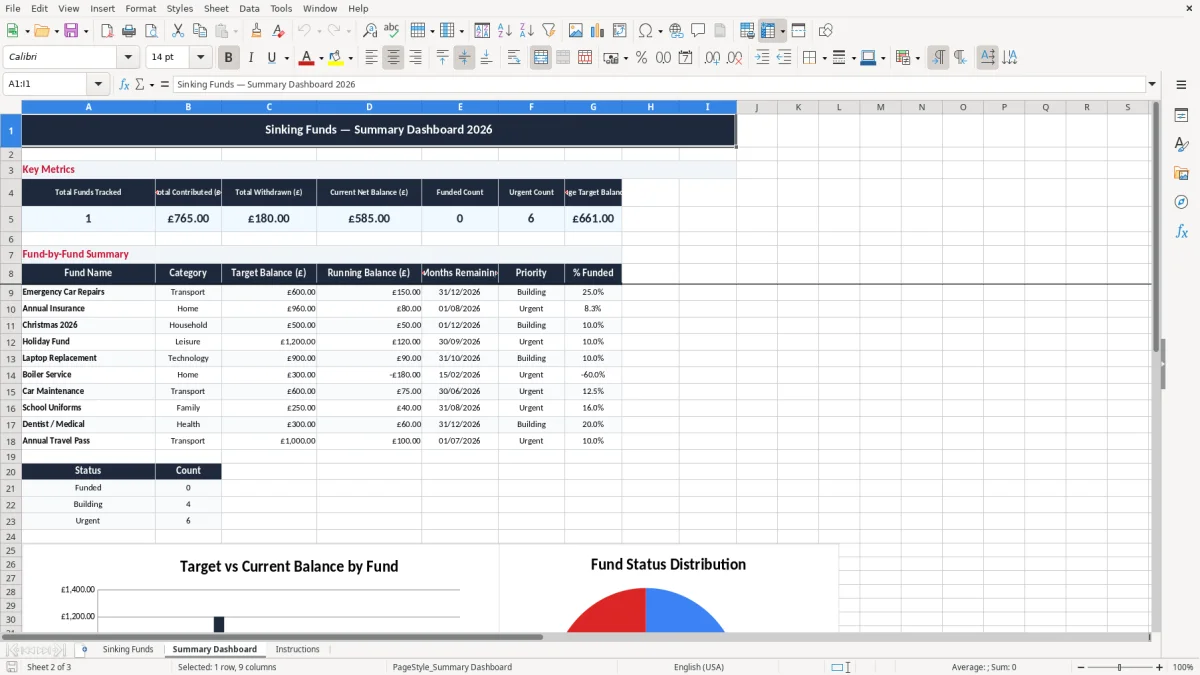
The Summary Dashboard is the quickest way to do that, and image 2 should be the first place you look when you open the file. If the total gap is still too high, increase the transfer before you spend anything elsewhere.
Move on when you are tracking dozens of funds, multiple people are editing the file, or you need bank feeds and live reconciliations. At that point, a proper budgeting system or accounting package will handle the workload better than a manual workbook.
When the workbook starts to strain under all those moving parts, a monthly budget planner becomes the next place to map every payment, transfer, and savings target in one place.
It tracks planned future costs, showing the target amount, what you have already saved and what is still to set aside. That makes it easier to budget for annual bills, repairs and reserves without creating a cash flow shock.
As many as you need, provided the list stays readable. In practice, 8 to 20 funds is easy to manage in Excel, while larger lists need tighter review and clearer naming.
Yes. Annual insurance, MOTs, software renewals and memberships are exactly the sort of costs this sheet is built for. If a bill is £480 a year, spreading it over 12 months means £40 a month.
Yes. A Ltd company can use it to ring-fence reserves for equipment, tax, repairs or replacement stock, while a sole trader can use it for tools, van costs and Self Assessment reserves.
Once a month is usually enough for most users. Update it after you move the money, then check the dashboard so you can see whether each fund is on pace for the due date.
A sinking fund is for a named, expected cost with a known target or deadline. An emergency fund is broader and covers unexpected events such as job loss, urgent repairs or a broken boiler.
Excel template by
Guide written by