Funeral Cost Planner Excel Template (2026)
0
Free download
Track savings targets, monthly contributions, progress and projected finish dates with a simple workbook for personal budgets.


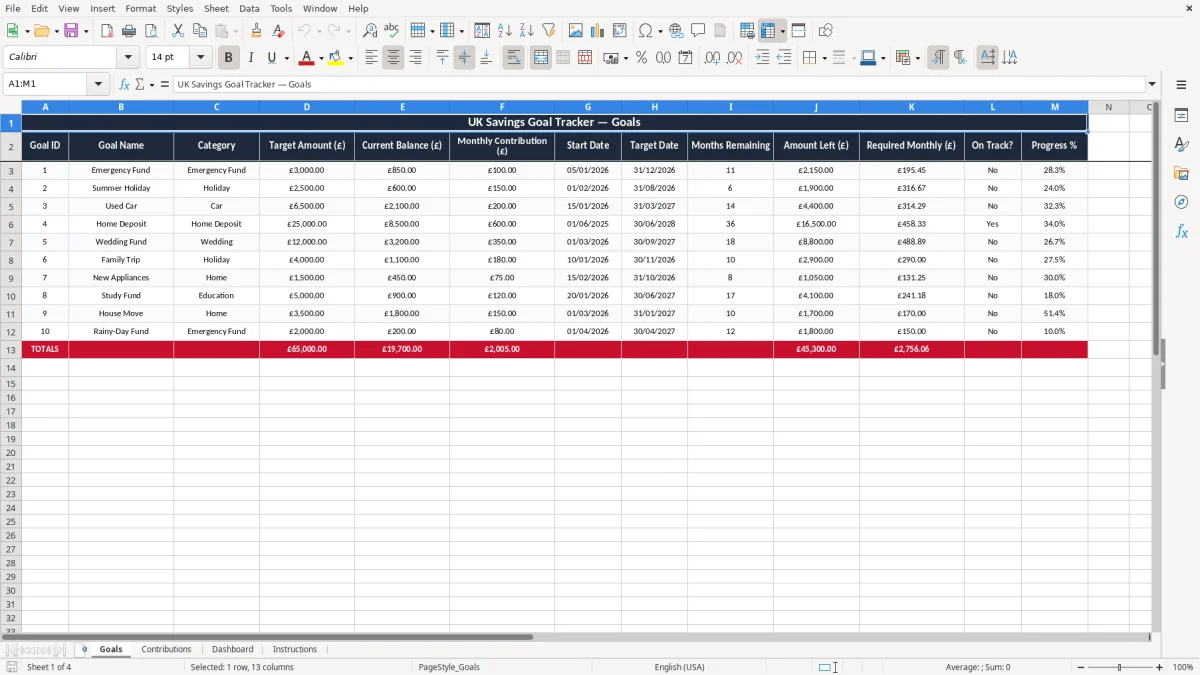
This savings goal tracker Excel template helps you set a target, record contributions and see how far you are from the finish line. It includes four sheets: Goals, Contributions, Dashboard and Instructions.
Use it for a holiday fund, emergency buffer, house deposit or any other personal savings target. The workbook shows the running total, percentage complete and a forecast finish date so you can keep the plan realistic.
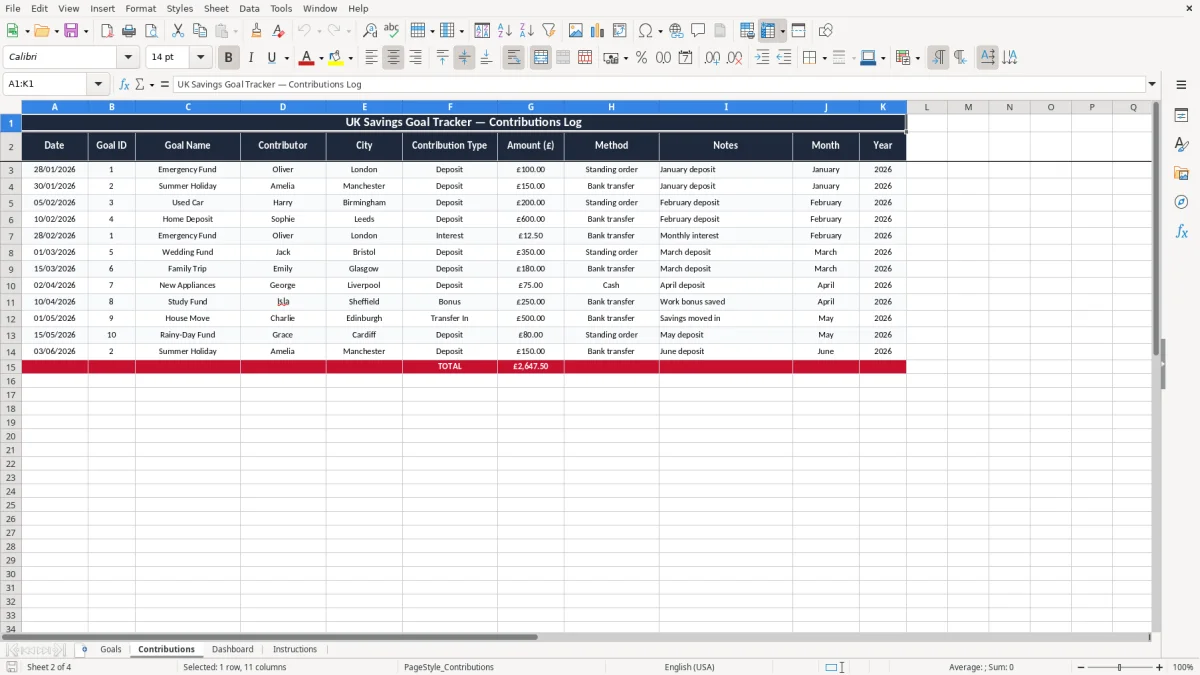
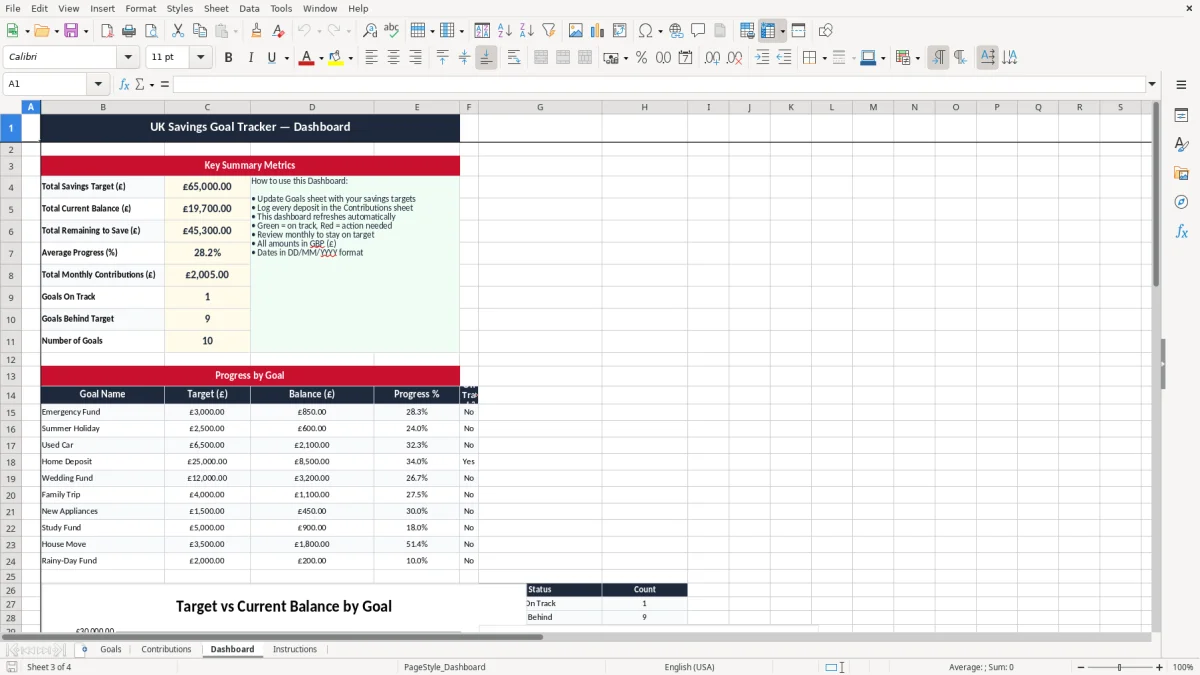
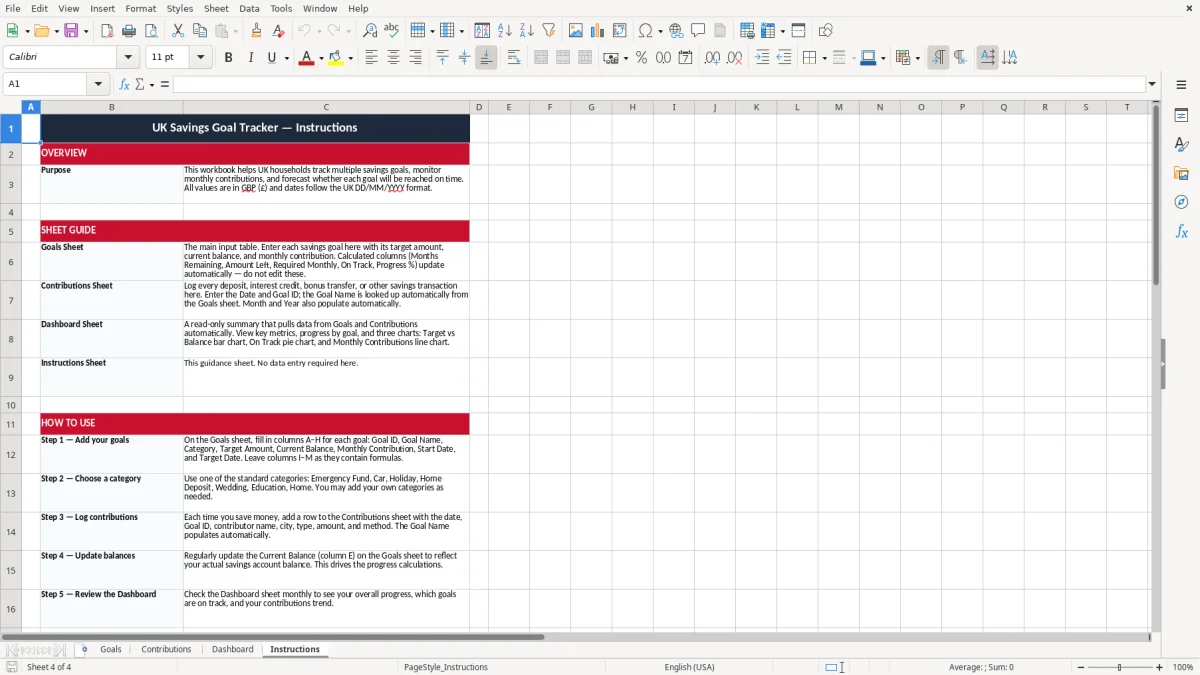
Image 1 shows the Goals sheet, where you enter each saving target and its key figures. Image 2 shows the Contributions sheet, Image 3 shows the Dashboard, and Image 4 gives the Instructions.
This workbook suits anyone who wants to turn a vague saving plan into a number you can check. A couple saving £200 a month towards a £4,800 holiday fund, or a first-time buyer putting away £500 a month towards a £15,000 deposit, can see progress without opening a full budgeting system.
The most common users are private individuals, couples and families who save from salary, overtime or side income. You might open it on payday, after a bonus, or at the end of the month when you move the spare balance into savings.
The Goals sheet holds the target amount and timing, the Contributions sheet lists each payment, the Dashboard pulls the totals together, and the Instructions sheet explains the workflow. That split keeps the input side separate from the summary, which is better than mixing everything on one page once you have more than 10 or 15 entries.
If you save £150 on the 1st of each month for 18 months, you reach £2,700. That is enough for a modest emergency fund, a replacement car deposit or a family break, and the workbook shows whether you are on that path or slipping behind.
This is not HMRC bookkeeping, but the same discipline helps. Keep the date, amount and purpose of each transfer for at least 12 months, and longer if you are using the pot for a tax bill, house purchase or other planned expense where proof of source matters.
A contribution of £300 in March and another £300 in April are not the same if you are aiming for a specific deadline. The tax year runs from 6 April to 5 April, so if you are building a savings buffer for a Self Assessment payment on account due on 31 January or 31 July, the timing of each transfer matters.
A bank balance tells you what is there today, but it does not show the target, the remaining gap or the expected finish date. This workbook does, which is why it is better when you are saving for a fixed goal such as £6,000 for a kitchen, £12,000 for school fees or £1,500 for an emergency reserve.
Use one line per contribution, keep amounts in pounds sterling, and avoid vague labels such as transfer or savings. A clear note like holiday fund or car replacement makes it easier to review the history six months later and understand why the money moved.
Those same clear notes make petty cash tracking easier too, especially when you want to trace small withdrawals and top-ups without guessing why the balance changed.
The usual mistake is setting a goal but never recording the top-ups, so the target looks closer than it really is. If you think you have saved £2,400 but the entries only add up to £1,950, you are short by £450 and may miss the deadline by several months.
People often choose £400 a month because it sounds tidy, then find that energy bills, school costs or car repairs reduce the actual transfer to £250. Over a year that difference is £1,800 versus £3,000, which is why the forecast finish date becomes meaningless unless you keep the record current.
If you put a holiday, car and emergency fund into one pot without splitting them, you lose control of the numbers. £8,000 in one account sounds healthy, but if £5,000 is needed for a roof repair and £2,000 for a car service, the true free balance is only £1,000.
A tracker that is not updated for 8 weeks will usually be wrong enough to damage your plan. A single missed £100 transfer each month creates a £1,200 shortfall over a year, and people rarely notice until the purchase date is close.
That same discipline belongs in a household budget sheet, where every missed transfer or new expense has to be reflected before the totals can be trusted.
The easiest way to make this work is to tie it to a fixed moment, such as payday or the first Saturday of the month. If you update it at the same time as your household bills, the savings habit becomes part of the routine instead of an extra job.
If you have 20 or more goals, multiple savers, or linked accounts that move money automatically, a spreadsheet may become clumsy. At that point you may want a dedicated budgeting app or bank feature, but for one to 10 goals this file is quicker and easier to control.
It is for tracking one or more personal savings targets in Excel. You can record the goal amount, each contribution, the percentage saved and the remaining balance.
Yes. It works well for a £1,000 emergency fund, a £5,000 car fund or a larger house deposit target such as £15,000 or more.
Update it every time you move money into savings, or at least once a month. If you leave it for 2 or 3 months, the forecast finish date will quickly become unreliable.
The workbook is designed to show running totals and progress from the figures you enter. Once your amounts and dates are in place, the dashboard gives you a quick summary view.
It includes four sheets: Goals, Contributions, Dashboard and Instructions. That setup keeps the input data, summary view and guidance separate.
Yes. It is a good fit for a shared holiday fund, a car replacement pot or a home project account where both of you need to see the same running total.
Excel template by
Guide written by