Funeral Cost Planner Excel Template (2026)
0
Free download
Track debts, minimum payments and payoff order, with a plan and dashboard for faster debt reduction.


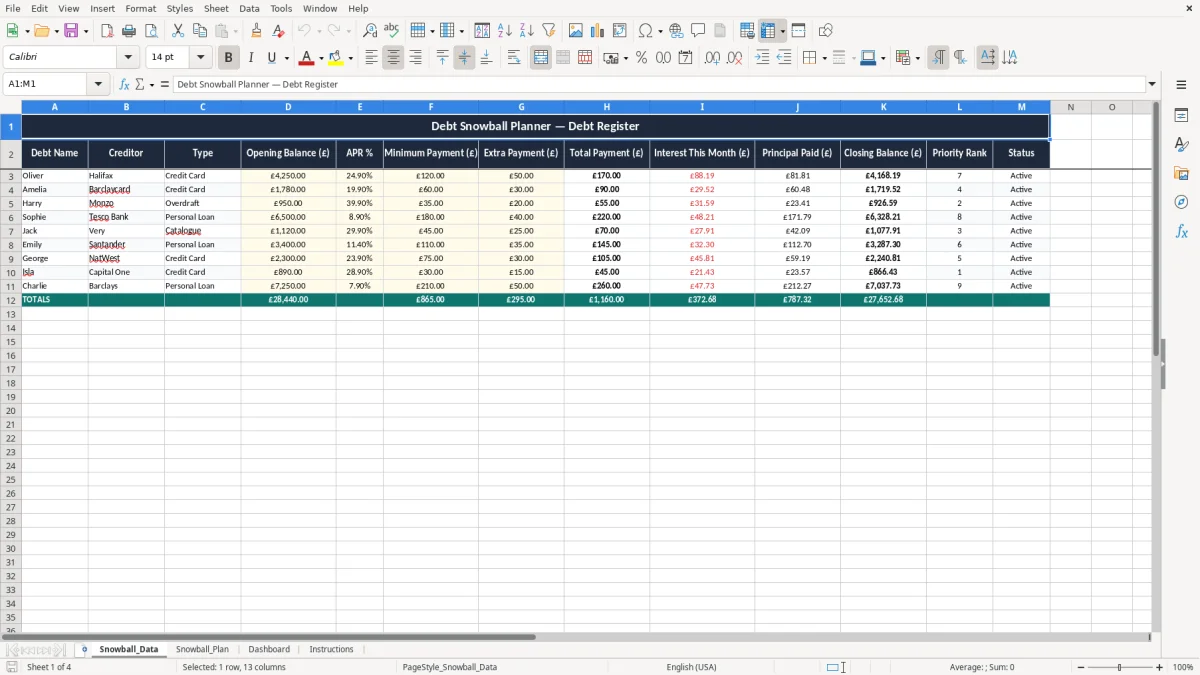
This Debt Snowball Excel template is a simple planner for listing debts, setting minimum payments and seeing which balance to clear first. It includes Snowball_Data, Snowball_Plan, Dashboard and Instructions sheets, so you can move from raw balances to a clear repayment order.
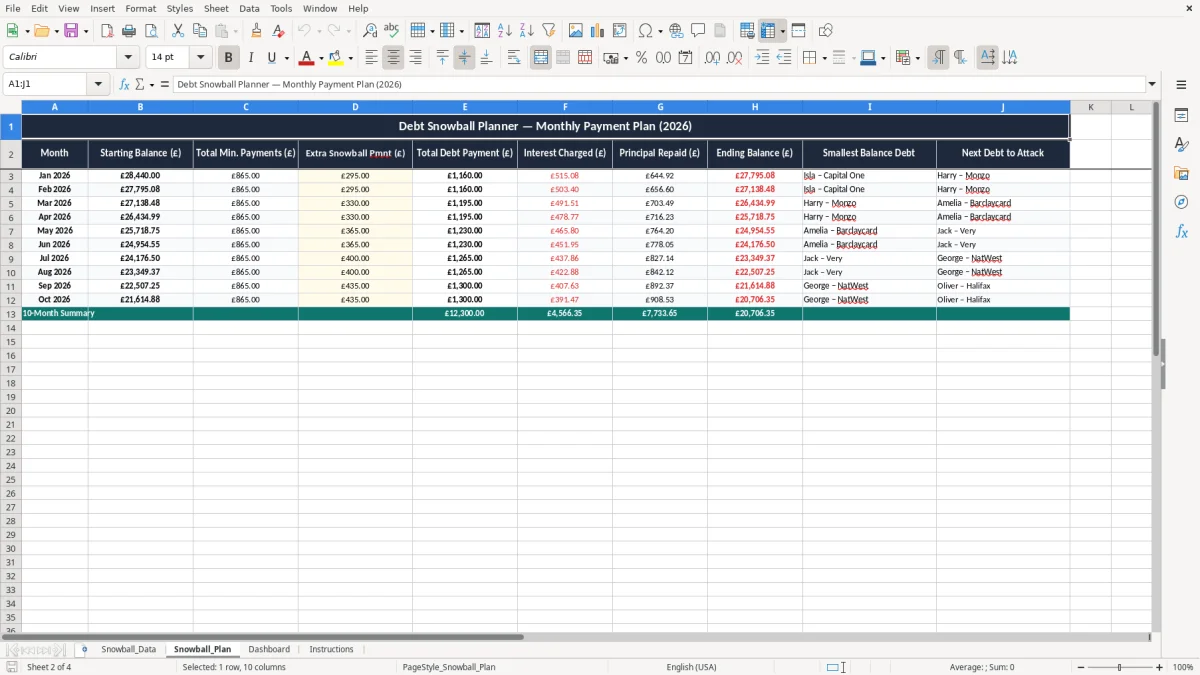
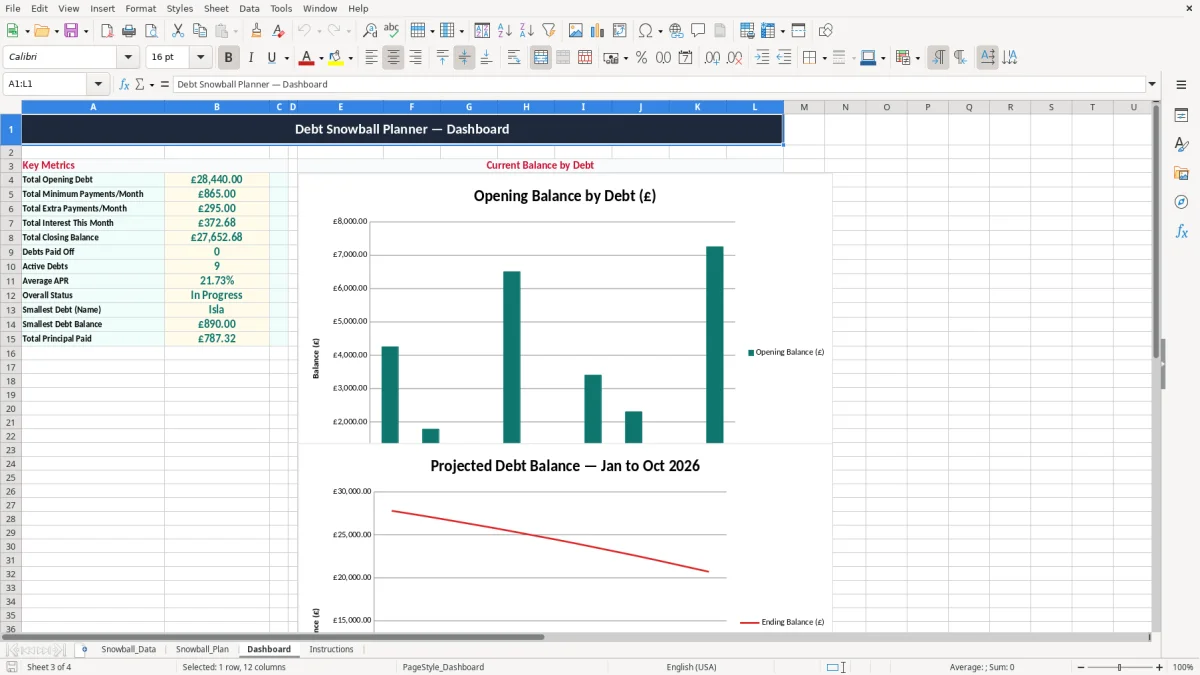
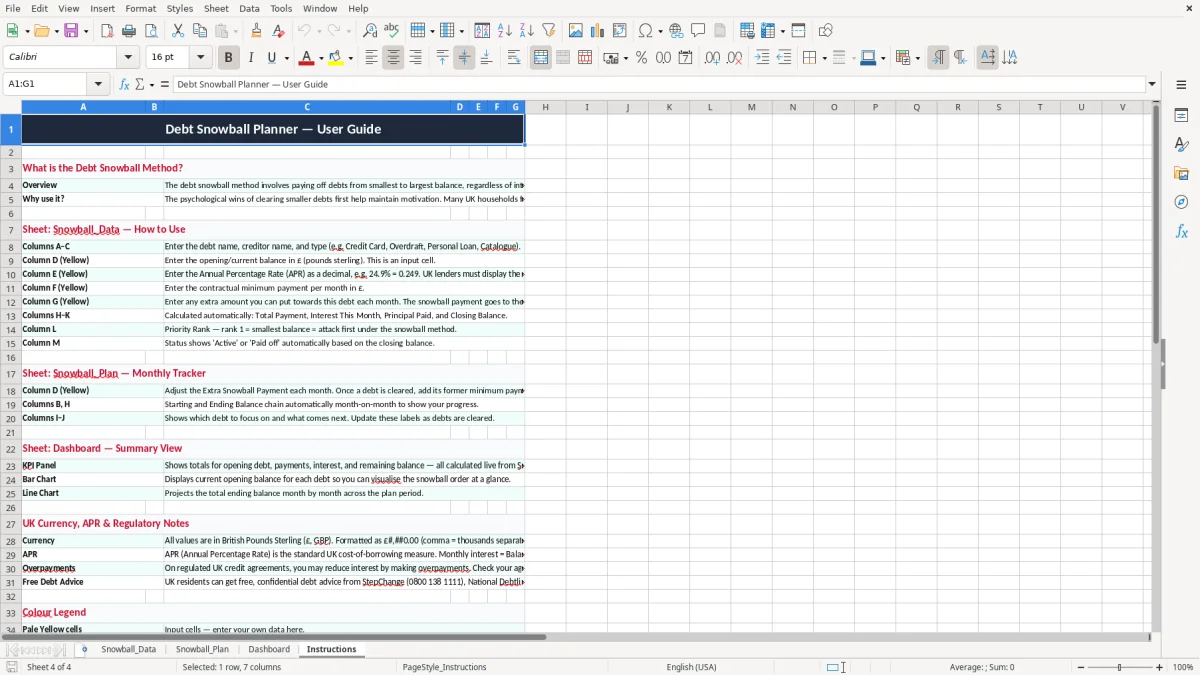
Use it when you want one place to see credit cards, loans and overdrafts, then follow a fixed plan each month. Image 1 shows the debt register, image 2 shows the repayment plan, image 3 shows the dashboard, and image 4 gives the instructions.
The layout is practical rather than fancy. You enter the debt details, the workbook works out the snowball sequence, and the dashboard gives you a quick view of balances, monthly payments and progress.
A debt snowball workbook is for the point where you have several balances on the go and need a clear order for clearing them. In practice, that is often a household with two credit cards, a personal loan and an overdraft, or a sole trader who has let tax payments and business borrowing pile up.
Image 1 shows the Snowball_Data sheet, where you list each debt, balance and minimum payment. Image 2 then turns that into a step-by-step Snowball_Plan, and Image 3 gives the Dashboard so you can see the total debt and monthly commitment in one view.
This sort of sheet is most helpful just after payday, before you set standing orders for the month. If you have £7,500 across 4 debts and can spare an extra £150 a month, the planner shows how fast that extra payment can be rolled forward once the smallest balance is cleared.
The snowball method suits people who need motivation as much as maths. Clearing a £400 store card quickly is easier to follow than spreading £150 thinly across all accounts, especially when you need a visible win to keep going.
Once the smaller balance is gone, the same habit of tracking what remains carries neatly into bookkeeping records for the rest of the month.
If you are using this for personal debt management, keep the statements, balances and payment confirmations so you can prove what has been paid and when. For a sole trader or a limited company, records should be kept for at least 6 years for accounting purposes, and that matters if business borrowing, director loans or tax payments are part of the picture.
The snowball sheet is not a legal register, but it works best when you keep the figures current to the date of the last statement. A balance shown as £2,180.42 on 12/06/2026 and then paid down by £150 needs the next line to show the updated amount, not an old estimate from three weeks earlier.
Rounding a debt to £2,200 when the statement says £2,184.73 will distort the order if you have several similar balances. In a repayment plan with three accounts between £2,000 and £2,500, that error can easily put the wrong account first.
For business users, line the review up with your monthly management accounts or bank reconciliation. A director drawing £1,200 a month from a Ltd company should not use a debt plan based on last quarter’s figures if the bank balance and loan position have moved materially since then.
The common error is paying the extra money to the wrong account, then losing track of the freed-up payment when one balance disappears. If you miss a £75 minimum payment on a card charging 24.9% APR, the late fee and added interest can wipe out a week’s worth of careful budgeting.
Another failure is using the statement balance from a month ago and forgetting that interest has accrued. On a £3,000 card at 19.9% APR, the monthly interest is roughly £50, so a stale balance can make the plan look better than it really is.
If you forget one balance that sits at £480 and keep overpaying a larger one, you delay the first win the snowball method is meant to create. That can mean one more month of stress, one more interest charge and one more payment cycle before you feel progress.
Where a sole trader mixes a business overdraft with personal credit cards, the repayment order can become hard to judge without a clear sheet. A £5,000 overdraft and a £1,200 card are not the same thing operationally, but the snowball method only works if you can see both clearly and keep the payments separate.
That separation is easier to manage alongside a monthly budget planner, which keeps the business overdraft, card payment and household cash flow visible in one place.
Put the review on the same day as your payday or bank reconciliation. If you update the sheet on the 1st of each month, or the day after wages land, it becomes part of a fixed routine instead of another task you keep putting off.
The easiest habit is to copy the previous month’s figures, paste in the new balances and check the Dashboard for any change in total debt. That takes less than 10 minutes once the sheet is set up, which is much easier to stick with than rebuilding the plan from scratch each time.
If you are dealing with dozens of accounts, frequent arrears, or formal insolvency issues, a spreadsheet is not the right control system. At that point you need proper debt advice, not just a repayment planner with 8 or 10 lines of balances.
It is used to list your debts, order them by the snowball method and track the effect of each payment. You can see the smallest balance first, then roll that freed-up payment into the next debt.
Yes. It suits household debts such as cards and loans, and it also helps sole traders separate business borrowing from personal accounts when they are planning repayments.
The workbook has four sheets: Snowball_Data, Snowball_Plan, Dashboard and Instructions. That gives you the input area, the repayment plan, the summary view and a short guide in one file.
Update them at least once a month, ideally on payday or after your bank reconciliation. If you are making extra payments, update the sheet straight after the payment goes through so the plan stays accurate.
The snowball method clears the smallest balance first because it gives you a quick win and keeps momentum. If your priority is saving interest, a separate avalanche-style plan that targets the highest rate first may be better.
When you have many creditors, arrears, legal action or formal insolvency concerns, the file is no longer the right tool on its own. At that point you need specialist debt advice and a more formal process.
Excel template by
Guide written by